使用 Python 和 Selenium 判断下载完成时间
seleniumautomation testingtesting tools更新于 2026/2/2 14:52:17
我们可以使用 Python 中的 Selenium webdriver 判断下载完成时间。为此,我们将使用 ChromeOptions 类。首先,我们将创建一个 ChromeOptions 类的对象。
然后在创建的对象上调用 add_experimental_option 方法。我们将浏览器首选项和 download.default_directory:<下载文件的位置> 作为参数传递给该方法。最后,将这些信息传递给驱动程序对象。
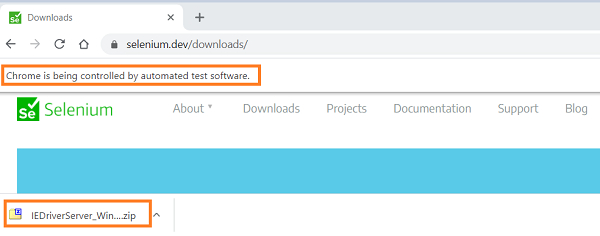
下载完成后,我们可以借助 os.path.isfile 方法进行验证。下载文件的路径将作为参数传递给该方法。还应使用方法os.path.exists来验证下载的文件路径是否存在。
语法
op = webdriver.ChromeOptions()
p = {'download.default_directory':'C:\Users\Downloads\Test'}
op.add_experimental_option('prefs', p)
示例
from selenium import webdriver
from selenium.webdriver.chrome.options import Options
import time
import os.path
#ChromeOptions 类的对象
op = webdriver.ChromeOptions()
#浏览器首选项
p = {'download.default_directory': 'C:\Users\Downloads\Test'}
#向浏览器添加选项
op.add_experimental_option('prefs', p)
#设置 chromedriver.exe 路径
driver = webdriver.Chrome(executable_path='C:\chromedriver.exe',
options=op)
#最大化浏览器
driver.maximize_window()
#启动 URL
driver.get('https://www.seleniumhq.org/download/');
#点击下载链接
l = driver.find_element_by_link_text("32 位 Windows IE")
l.click()
#检查文件下载路径是否存在
while not os.path.exists("C:\Users\Downloads\Test"):
time.sleep(2)
#检查文件
if os.path.isfile("C:\Users\Downloads\Test\IEDriverServer_Win32.zip):
   print("文件下载完成")
else:
   print("文件下载未完成")
#关闭浏览器
driver.quit()
输出