如何使用 Actions 类在 Selenium 中捕获工具提示?
seleniumautomation testingtesting tools
我们可以使用 Actions 类在 Selenium 中捕获元素上的工具提示。首先,我们必须创建一个 Actions 类的对象,然后对其应用 moveToElement 方法。
此方法会将鼠标移动到我们要捕获工具提示的元素的中间,然后执行 perform 方法。最后,我们可以借助 getText 方法获取工具提示文本。当包含工具提示文本的元素在其 HTML 代码中没有 title 属性时,可以使用此技术。
语法
WebElement m=driver.findElement(By.linkText("Q/A"));
Actions a = new Actions(driver);
a.moveToElement(m).perform();
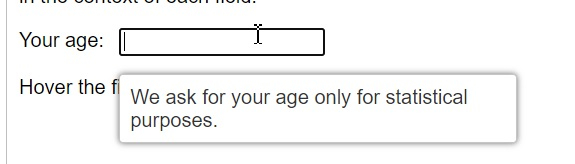
让我们捕获工具提示文本 –我们询问您的年龄仅用于统计目的,将鼠标悬停在带有"您的年龄"标签的编辑框上即可获取。
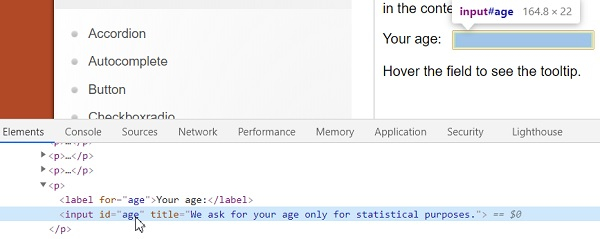
让我们看一下带有工具提示的编辑框的 HTML 代码。此元素没有 title 属性。
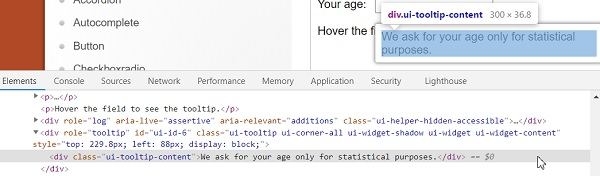
接下来,要捕获工具提示的 HTML 代码,首先点击 F12 在 Chrome 浏览器中打开控制台。然后按 F8 或 Function + F8 使浏览器在调试器模式下处于暂停状态。
然后检查工具提示文本以获取其 html 属性。
示例
import org.openqa.selenium.By;
import org.openqa.selenium.WebDriver;
import org.openqa.selenium.WebElement;
import org.openqa.selenium.firefox.FirefoxDriver;
import java.util.concurrent.TimeUnit;
import org.openqa.selenium.interactions.Action;
import org.openqa.selenium.interactions.Actions;
import org.openqa.selenium.JavascriptExecutor;
public class ToolTipActions{
   public static void main(String[] args) {
      System.setProperty("webdriver.gecko.driver",
         "C:\Users\ghs6kor\Desktop\Java\geckodriver.exe");
      WebDriver driver = new FirefoxDriver();
      //隐式等待
      driver.manage().timeouts().implicitlyWait(5, TimeUnit.SECONDS);
      //最大化浏览器
      driver.manage().window().maximize();
      //URL 启动
      driver.get("https://jqueryui.com/tooltip/");
      // 识别框架并切换到它
      WebElement f=driver.findElement(By.className("demo-frame"));
      driver.switchTo().frame(f);
      //识别元素
      WebElement m=driver.findElement(By.xpath("//input[@id='age']"));
      //使用 JavaScript 执行器滚动到元素
      JavascriptExecutor js = (JavascriptExecutor) driver;
      js.executeScript("arguments[0].scrollIntoView(true);", m);
      // 带有 moveToElement 方法的 Actions 对象
      Actions at = new Actions(driver);
      at.moveToElement(m).perform();
      //识别工具提示元素
      WebElement n=driver.findElement(By.xpath("//div[@class='ui-tooltip-content']"));
      //获取工具提示文本
      String s = n.getText();
      System.out.println("Tooltip is :"+s);
      driver.quit();
   }
}
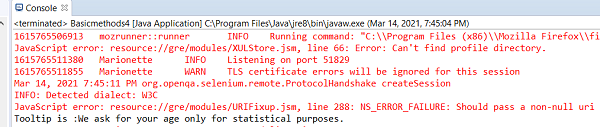
输出