如何使用 WebDriver 检查元素是否可见?
seleniumautomation testingtesting tools更新于 2026/2/11 15:07:17
我们可以使用 Selenium WebDriver 检查元素是否存在。检查方法有很多种。我们将在同步中使用显式等待概念 来验证元素的可见性。
让我们考虑下面的 Web 元素,并检查它在页面上是否可见。其中有一个名为 visibilityOfElementLocated 的条件,我们将使用它来检查元素的可见性。它将等待元素指定的时间,超过该时间后将抛出异常。
我们需要导入 org.openqa.selenium.support.ui.ExpectedConditions 和 导入 org.openqa.selenium.support.ui.WebDriverWait 来合并预期条件和 WebDriverWait 类。我们将引入一个 try/catch 代码块。在 catch 代码块中,如果元素在页面上不可见,我们将抛出 NoSuchElementException 异常。
我们还可以使用 isDisplayed() 方法确认元素是否可见。此方法返回 true 或 false 值。如果元素不可见, 该方法将返回 false 值。
让我们检查以下元素是否可见 −

示例
import org.openqa.selenium.By;
import org.openqa.selenium.WebDriver;
import org.openqa.selenium.WebElement;
import org.openqa.selenium.chrome.ChromeDriver;
import java.util.concurrent.TimeUnit;
import org.openqa.selenium.support.ui.WebDriverWait;
import org.openqa.selenium.support.ui.ExpectedConditions;
import java.util.NoSuchElementException;

public class CheckVisibile{
   public static void main(String[] args) {
      System.setProperty("webdriver.chrome.driver","C:\Users\ghs6kor\Desktop\Java\chromedriver.exe");
      WebDriver driver = new ChromeDriver();
      driver.manage().timeouts().implicitlyWait(8, TimeUnit.SECONDS);
      driver.get("https://www.tutorialspoint.com/index.htm");
      try {
         // 识别元素
         WebElement t = driver.findElement(By.cssSelector("h4"));
         // 显式等待元素可见性的条件
         WebDriverWait w = new WebDriverWait(driver, 5);
         w.until(ExpectedConditions .visibilityOfElementLocated(By.cssSelector("h4")));
         System.out.println("Element is visible");
      }
      catch(NoSuchElementException n) {
         System.out.println("Element is invisible");
      }
      driver.close();
   }
}
示例
import org.openqa.selenium.By;
import org.openqa.selenium.WebDriver;
import org.openqa.selenium.WebElement;
import org.openqa.selenium.chrome.ChromeDriver;
import java.util.concurrent.TimeUnit;

public class CheckIsDisplayed{
   public static void main(String[] args) {
         System.setProperty("webdriver.chrome.driver","C:\Users\ghs6kor\Desktop\Java\chromedriver.exe");
         WebDriver driver = new ChromeDriver();
         driver.manage().timeouts().implicitlyWait(5, TimeUnit.SECONDS);
         driver.get("https://www.tutorialspoint.com/index.htm");
         // identify element
         try {
            WebElement t = driver.findElement(By.cssSelector("h4"));
            // check visibility with isDisplayed()
            if (t.isDisplayed()){
               System.out.println("Element is visible");
         }
         catch(Exception n)   {
            System.out.println("Element is invisible");
         }
      driver.close();
   }
}
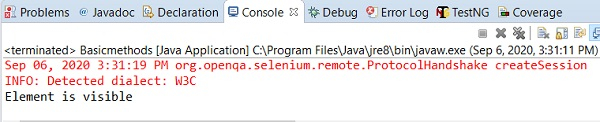
输出