如何使用 Selenium 创建右键单击?
seleniumautomation testingtesting tools更新于 2026/2/12 11:52:17
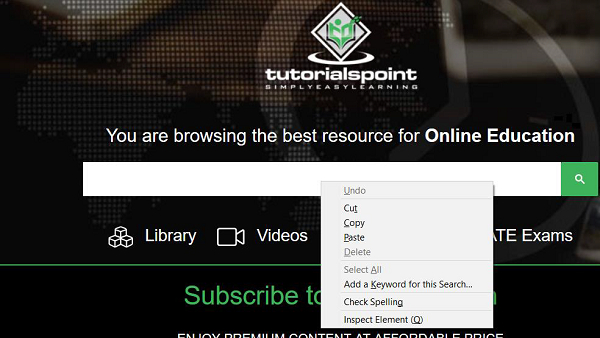
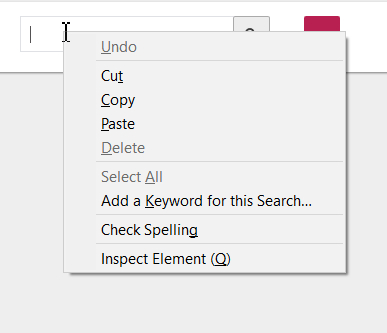
右键单击网页上的任何元素都会显示其上下文菜单。例如,如果我们右键单击编辑框,则会显示一个包含多个选项的新菜单。
Selenium 使用 Actions 类执行右键单击操作。contextClick() 是 Actions 类下的一个方法,用于执行右键单击操作。菜单打开后,我们可以通过自动化操作从中选择一个选项。
首先,我们需要使用 moveToElement() 方法将鼠标移动到元素中间,然后执行右键单击操作。接下来,我们将使用 build() 方法执行复合操作。最后,perform() 方法实际执行操作。
我们需要在代码中导入 org.openqa.selenium.interactions.Actions 才能使用 Actions 类及其方法。
示例
代码实现。
import org.openqa.selenium.By;
import org.openqa.selenium.WebDriver;
import org.openqa.selenium.WebElement;
import org.openqa.selenium.chrome.ChromeDriver;
import java.util.concurrent.TimeUnit;
import org.openqa.selenium.interactions.Action;
import org.openqa.selenium.interactions.Actions;
public class RightClick{
   public static void main(String[] args) {
      System.setProperty("webdriver.chrome.driver", "C:\Users\ghs6kor\Desktop\Java\chromedriver.exe");
      WebDriver driver = new ChromeDriver();
      String url = "https://www.tutorialspoint.com/index.htm";
      driver.get(url);
      driver.manage().timeouts().implicitlyWait(5, TimeUnit.SECONDS);
      // 识别元素
      WebElement l=driver.findElement(By.id("gsc-i-id1"));
      // 包含 moveToElement() 和 contextClick() 的 Actions 类
      Actions a = new Actions(driver);
      a.moveToElement(l).contextClick().build().perform();
      driver.quit();
   }
}
输出