如何在 Selenium 中移除 Firefox 日志?
seleniumautomation testingtesting tools
测试执行后,由于 Firefox 使用 geckodriver 登录,会产生日志。Firefox 的日志生成功能可以通过设置某些参数来禁用。
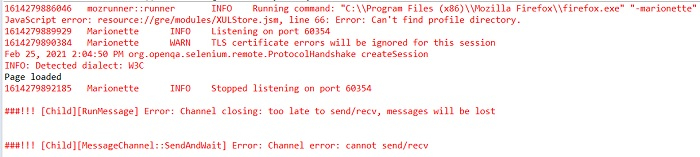
我们可以停止在控制台中记录这些日志,并将其捕获到其他文件中。这可以通过 System.setProperty 方法实现。在上图中,我们可以看到 Geckodriver 在控制台中生成的日志。
语法
System.setProperty(FirefoxDriver.SystemProperty.DRIVER_USE_MARIONETTE, "true"); // 关闭日志

System.setProperty(FirefoxDriver.SystemProperty.BROWSER_LOGFILE, "<path of file>"); // 将日志记录到另一个文件中
示例
import org.openqa.selenium.By;
import org.openqa.selenium.WebDriver;
import org.openqa.selenium.WebElement;
import org.openqa.selenium.firefox.FirefoxDriver;
import java.util.concurrent.TimeUnit;
public class LogsDisable{
   public static void main(String[] args) {
      System.setProperty("webdriver.gecko.driver",
      "C:\Users\ghs6kor\Desktop\Java\geckodriver.exe");

      //禁用日志记录
      System.setProperty
      (FirefoxDriver.SystemProperty.DRIVER_USE_MARIONETTE, &"true&");

      //将日志记录到 Firefoxlogs.txt 文件中
      System.setProperty(FirefoxDriver.SystemProperty.BROWSER_LOGFILE,
      &"C:\Users\ghs6kor\Desktop\DebomitaJava\Logs\Firefoxlogs.txt&");
      WebDriver driver = new FirefoxDriver();

      //隐式等待
      driver.manage().timeouts().implicitlyWait(5, TimeUnit.SECONDS);

      //URL 启动
      driver.get("https://www.tutorialspoint.com/about/about_careers.htm");
      System.out.println("页面已加载");
      driver.quit();
   }
}
输出

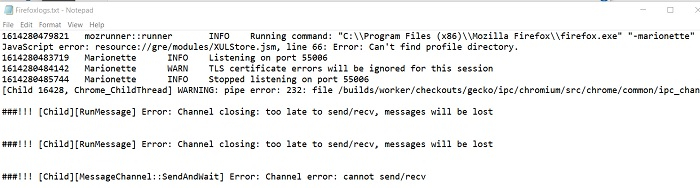
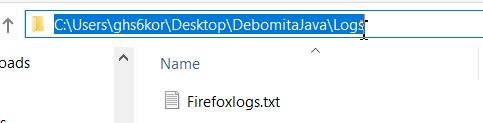
Firefoxlogs.txt 文件
文件内容