
如何使用 Python 中的 Selenium WebDriver 获取选中的选项?
seleniumautomation testingtesting tools更新于 2026/2/11 9:52:17
我们可以使用 Selenium WebDriver 获取下拉菜单中选中的选项。first_selected_option 方法用于获取下拉菜单中选中的选项。返回选项后,我们需要应用 text 方法来获取选项文本。
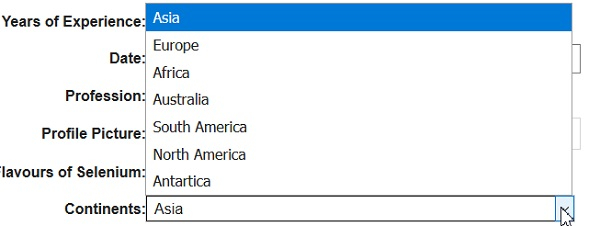
我们以选择下拉菜单 Continents 为例,并获取其选定项 −
示例
from selenium import webdriver
from selenium.webdriver.support.select import Select
import time driver = webdriver.Chrome(executable_path="C:\chromedriver.exe")
driver.implicitly_wait(0.5)
driver.get("https://www.tutorialspoint.com/selenium/selenium_automation_practice.htm")
# 识别下拉菜单
s = Select(driver.find_element_by_xpath("//select[@name='continents']"))
# 按选项索引选择
s.select_by_index(4)
# 使用 first_selected_option 方法获取选定项
o= s.first_selected_option
# 选定选项文本的文本方法
print("Selected option is: "+ o.text)
driver.close()
输出


