
如何在 ReactNative 中处理触摸?
react nativejavascriptmobile development更新于 2025/7/25 18:52:17
在设备上,与 UI 的交互主要通过触摸或点击进行。因此,当我们使用应用程序时,我们主要点击按钮来执行某些操作,或者通过触摸屏幕滚动页面,尝试缩放页面等。为了处理这些像点击这样的手势,touch reactnative 具有捕获它的事件或可触摸组件来处理触摸。
让我们看一个按钮被点击时会发生什么的例子。
示例 1:处理按钮上的点击
这是一个简单的按钮示例。
<Button
   onPress={() => {
      alert('You Tapped on Me!');
   }}
   title="Tap Me"
/>
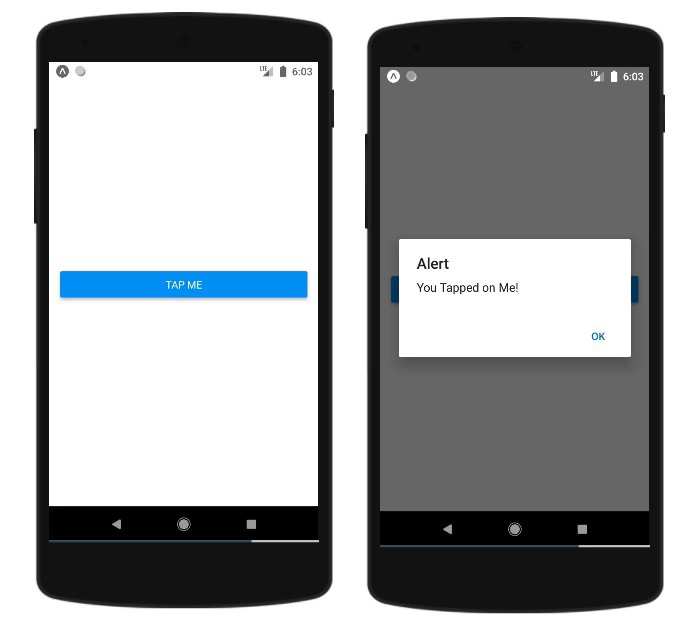
当用户点击按钮时,将调用 onPress 事件。这是一个实际示例。
import React from 'react';
import { Button, View, Alert } from 'react-native';
const App = () => {
   return (
      <View style={{flex :1, justifyContent: 'center', margin: 15 }}>
         <Button
            onPress={() => {
               alert('You Tapped on Me!');
            }}
            title="Tap Me"
         />
      </View>
   );
}
export default App;
输出
可触摸组件
React 原生可触摸组件有助于在事件(如按钮等 React 原生组件上使用的 onPress())出现任何问题时捕获点击手势。
可触摸组件带有以下选项来处理任何 React 原生组件上的点击手势
- 可触摸不透明度
- 可触摸突出显示
- 可触摸无反馈
可触摸不透明度
此元素在触摸时会改变元素的不透明度。
您可以按如下方式使用 TouchableOpacity −
<TouchableOpacity onPress={() => alert('You Tapped Me')}>
   <Text style = {styles.text}>
      Button
   </Text>
</TouchableOpacity>
这是一个有效示例 −
import React from 'react'
import { TouchableOpacity, StyleSheet, View, Text } from 'react-native'
const App = () => {
   return (
      <View style = {styles.container}>
         <TouchableOpacity onPress={() => alert('You Tapped Me')}>
            <Text style = {styles.text}>
               Button
            </Text>
         </TouchableOpacity>
      </View>
   )
}
export default App
const styles = StyleSheet.create ({
   container: {
      alignItems: 'center',
   },
   text: {
      borderWidth: 1,
      padding: 25,
      borderColor: 'black',
      backgroundColor: 'red'
   }
});
当用户触摸按钮时,您将看到不透明度 −
可触摸突出显示
当用户按下元素时,它会变暗,底层颜色会显示出来。
您必须先导入 TouchableHighlight ,然后才能使用它,如下所示 −
import { TouchableHighlight } from 'react-native'
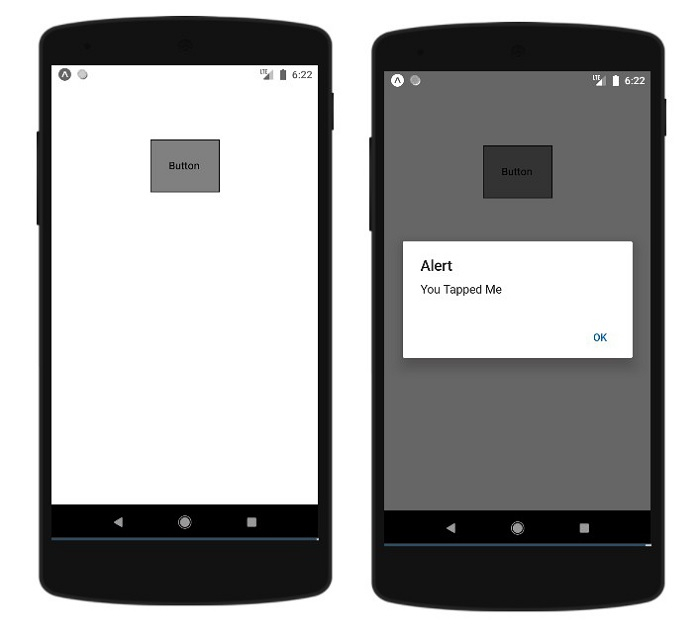
Button 组件包裹在 Text 组件内,而 Text 位于 TouchableHighlight 组件内。您可以根据需要向组件添加样式。在 TouchableHighlight 上添加了 onPress 函数,点击后将显示警告消息。
<TouchableHighlight onPress={() => alert('You Tapped Me')} activeOpacity={0.6}>
   <Text style = {styles.text}>
      Button
   </Text>
</TouchableHighlight>
完整工作示例如下 −
import React from 'react'
import { View, TouchableHighlight, Text, StyleSheet } from 'react-native'
const App = (props) => {
   return (
      <View style = {styles.container}>
         <TouchableHighlight onPress={() => alert('You Tapped Me')} activeOpacity={0.6}>
            <Text style = {styles.text}>
               Button
            </Text>
         </TouchableHighlight>
      </View>
   )
}
export default App
const styles = StyleSheet.create ({
   container: {
      padding:100,
      alignItems: 'center',
   },
   text: {
      borderWidth: 1,
      padding: 25,
      borderColor: 'black',
      backgroundColor: 'gray'
   }
})
输出
无反馈的可触摸
当您想要处理触摸事件并且不需要任何反馈时,应该使用此选项。
此处按钮被包裹在 TouchableWithoutFeedback 组件内,如下所示 −
<TouchableWithoutFeedback onPress={() => alert('You Tapped Me')}>
   <Text style = {styles.text}>
      Button
   </Text>
</TouchableWithoutFeedback>
示例:使用 TouchableWithoutFeedback 组件
import React from 'react'
import { View, TouchableWithoutFeedback, Text, StyleSheet } from 'react-native'
const Home = (props) => {
   return (
      <View style = {styles.container}>
         <TouchableWithoutFeedback onPress={() => alert('You Tapped Me')}>
            <Text style = {styles.text}>
               Button
            </Text>
         </TouchableWithoutFeedback>
      </View>
   )
}
export default Home
const styles = StyleSheet.create ({
   container: {
      padding:100,
      alignItems: 'center',
   },
   text: {
      borderWidth: 1,
      padding: 25,
      borderColor: 'black',
      backgroundColor: 'gray'
   }
})
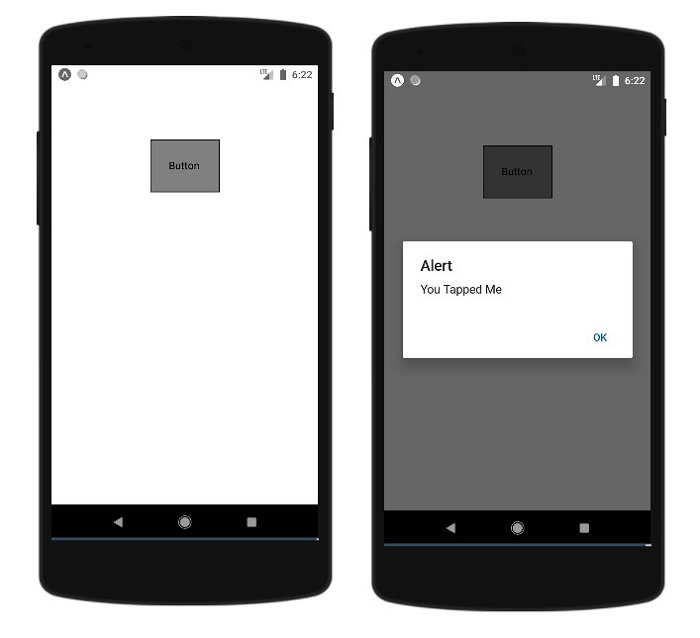
输出
相关文章
有用资源
javascript 参考教程 - 该教程包含有关 javascript 的更多信息:https://www.cainiaomax.com/javascript/

