如何使用 Selenium WebDriver 处理 Windows 文件上传?
seleniumautomation testingtesting tools
我们可以使用 Selenium WebDriver 处理 Windows 文件上传。这可以通过 `sendKeys` 方法实现。我们首先需要通过指定要上传的文件路径来识别执行文件选择的元素。
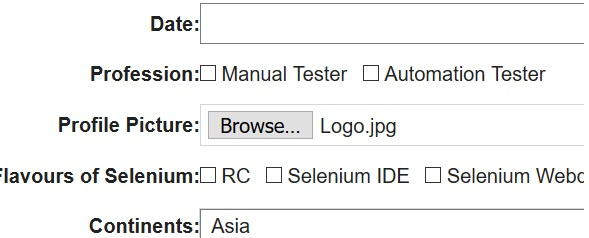
这仅适用于 `type` 属性值设置为 `file` 且元素标签名作为输入的元素。以下 HTML 代码展示了 `type = file` 属性值的元素。

示例
代码实现
import org.openqa.selenium.By;
import org.openqa.selenium.WebDriver;
import org.openqa.selenium.WebElement;
import org.openqa.selenium.chrome.ChromeDriver;
import java.util.concurrent.TimeUnit;
public class WndsFileUpl{
   public static void main(String[] args) {
      System.setProperty("webdriver.chrome.driver", "C:\Users\ghs6kor\Desktop\Java\chromedriver.exe");
      WebDriver driver = new ChromeDriver();
      driver.get("https://www.tutorialspoint.com/selenium/selenium_automation_practice.htm");
      driver.manage().timeouts().implicitlyWait(10, TimeUnit.SECONDS);
      // 识别元素
WebElement m=driver.findElement(By.xpath("//input[@type='file']"));
// Windows 文件上传(带文件路径)
      m.sendKeys("C:\Users\Pictures\Logo.jpg");
      driver.close();
   }
}
输出