
React Native 中的状态是什么?
react nativejavascriptmobile development更新于 2025/7/25 14:36:17
状态是数据来源的地方。我们应该始终尝试使我们的状态尽可能简单,并尽量减少有状态组件的数量。例如,如果我们有十个需要来自状态的数据的组件,我们应该创建一个容器组件来保存所有组件的状态。
示例 1
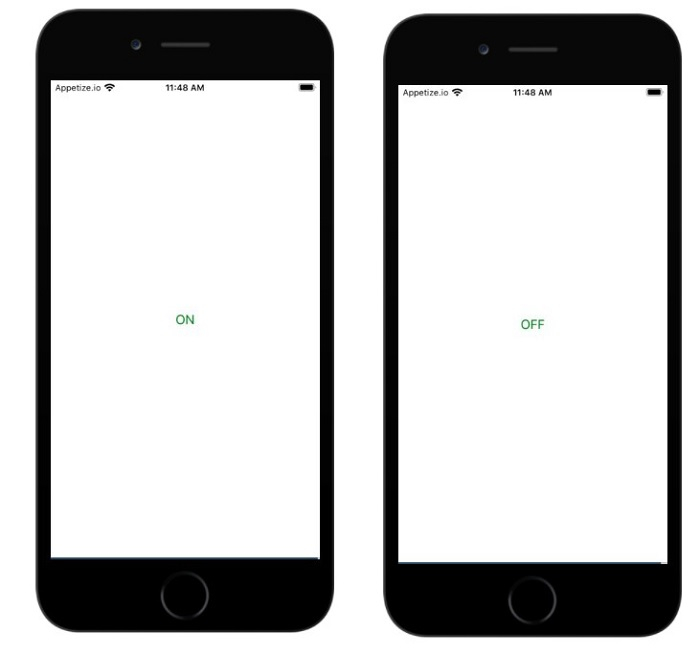
当用户按下按钮时,按钮标题更改为 ON/OFF。
状态在构造函数中初始化,如下所示 −
constructor(props) {
   super(props);
   this.state = { isToggle: true };
}
isToggle 是赋予状态的布尔值。按钮的标题是根据 isToggle 属性决定的。如果值为 true,则按钮的标题为 ON,否则为 OFF。
按下按钮时,将调用 onpress 方法,该方法调用 setState 来更新 isToggle 值,如下所示 −
onPress={() => {
   this.setState({ isToggle: !this.state.isToggle });
}}
当用户单击按钮时,将调用 onPress 事件,setState 将更改 isToggle 属性的状态。
App.js
import React, { Component } from "react";
import { Text, View, Button, Alert } from 'react-native';

class App extends Component {

   constructor(props) {
      super(props);
      this.state = { isToggle: true };
   }

   render(props) {
      return (
         <View style={{flex :1, justifyContent: 'center', margin: 15 }}>
            <Button
               onPress={() => {
                  this.setState({ isToggle: !this.state.isToggle });
               }}
               title={
                  this.state.isToggle ? 'ON' : "OFF"
               }
               color="green"
            />
         </View>
      );
   }
}
export default App;
输出
当用户按下按钮时,按钮将切换。
示例 2
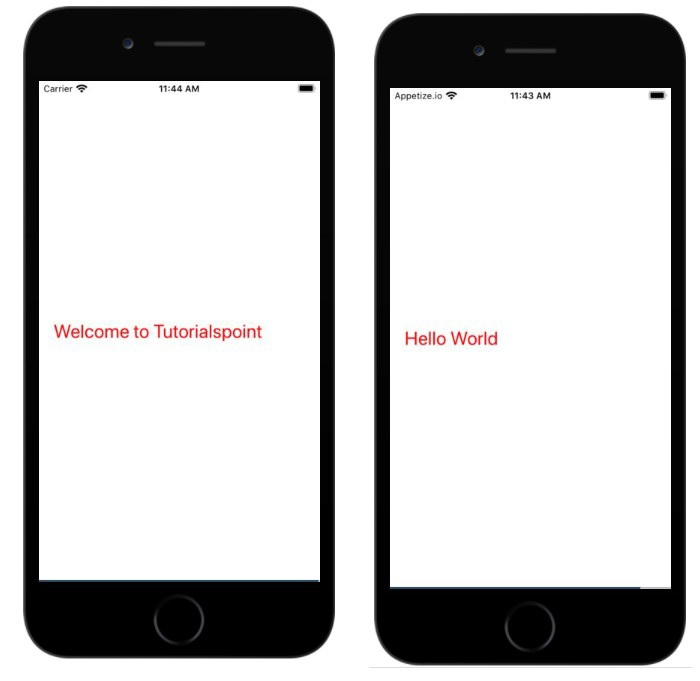
当用户点击时更改文本。
在下面的示例中,状态在构造函数中显示如下 −
constructor(props) {
   super(props);
   this.state = { myState: 'Welcome to Tutorialspoint' };
}
状态 myState 在 Text 组件中显示如下 −
<Text onPress={this.changeState} style={{color:'red', fontSize:25}}>{this.state.myState} </Text>
当用户触摸或按下文本时,会触发 onPress 事件并调用方法 this.changeState,通过更新状态 myState 来更改文本,如下所示 −
changeState = () => this.setState({myState: 'Hello World'})
import React, { Component } from "react";
import { Text, View, Button, Alert } from 'react-native';

class App extends Component {

   constructor(props) {
      super(props);
      this.state = { myState: 'Welcome to Tutorialspoint' };
   }
   changeState = () => this.setState({myState: 'Hello World'})
   render(props) {
      return (
         <View style={{flex :1, justifyContent: 'center', margin: 15 }}>
            <View>
               <Text onPress={this.changeState} style={{color:'red', fontSize:25}}>                         {this.state.myState} </Text>
            </View>
         </View>
      );
   }
}
export default App;
输出
相关文章
有用资源
javascript 参考教程 - 该教程包含有关 javascript 的更多信息:https://www.cainiaomax.com/javascript/

