如何使用 Selenium Webdriver 验证网页上的错误消息?
seleniumautomation testingtesting tools更新于 2026/1/23 20:52:17
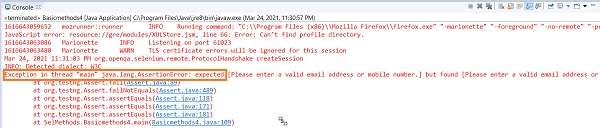
我们可以使用 Selenium Webdriver 的断言功能验证网页上的错误消息。如果实际值与预期值不匹配,则会抛出断言错误。
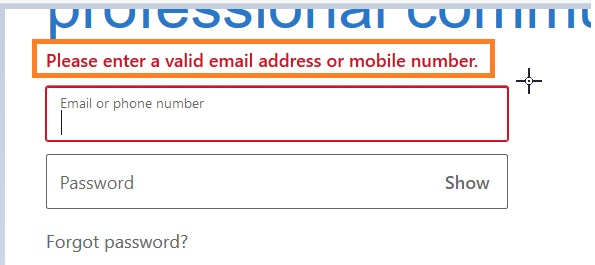
让我们尝试验证突出显示的错误消息。
示例
import org.openqa.selenium.By;
import org.openqa.selenium.WebDriver;
import org.openqa.selenium.WebElement;
import org.openqa.selenium.firefox.FirefoxDriver;
import java.util.concurrent.TimeUnit;
import org.testng.Assert;
public class VerifyErrorMsg{
   public static void main(String[] args) {
      System.setProperty("webdriver.gecko.driver",
         "C:\Users\ghs6kor\Desktop\Java\geckodriver.exe");
      WebDriver driver = new FirefoxDriver();
      //隐式等待
      driver.manage().timeouts().implicitlyWait(5, TimeUnit.SECONDS);
      //URL 启动
      driver.get("https://www.linkedin.com/");
      // 识别元素
      WebElement l = driver.findElement(By.id("session_key"));
      l.sendKeys("abc");
      WebElement t = driver.findElement(By.className("sign-in-form__submit-button"));
      t.click();
      //预期错误文本
      String exp = "请输入有效的电子邮件地址或手机号码。";
      //识别实际错误消息
      WebElement m = driver.findElement(By.className("alert-content"));
      String act = m.getText();
      System.out.println("错误信息为:"+ act);
      //使用断言验证错误信息
      Assert.assertEquals(exp, act);
      driver.quit();
   }
}
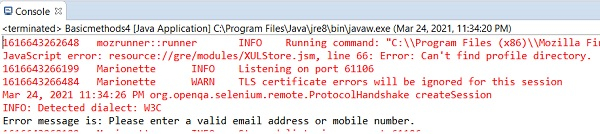
输出