如何使用 WebDriver (Selenium 2) 检查 DOM 是否包含某个类?
seleniumautomation testingtesting tools
我们可以使用 Selenium webdriver 检查 DOM 是否包含某个类。我们可以使用 findElements 方法获取具有特定类的元素列表。然后将 By.className 或 By.xpath 或 By.cssSelector 作为参数传递给该方法。
我们要搜索的类名作为参数传递给该方法。让我们研究以下 HTML 代码,其中 ul 元素的类值为 toc chapters。然后获取其子元素。
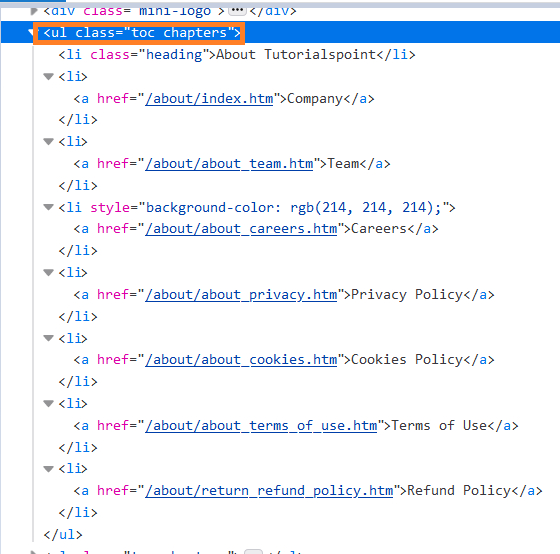
示例
import org.openqa.selenium.By;
import org.openqa.selenium.WebDriver;
import org.openqa.selenium.WebElement;
import org.openqa.selenium.chrome.ChromeDriver;
import java.util.concurrent.TimeUnit;
public class ClassAttrb{
   public static void main(String[] args) {
      System.setProperty("webdriver.chrome.driver",       "C:\Users\ghs6kor\Desktop\Java\chromedriver.exe");
      WebDriver driver = new ChromeDriver();
      driver.manage().timeouts().implicitlyWait(5, TimeUnit.SECONDS);
      driver.get("https://www.tutorialspoint.com/about/about_careers.htm");
      // 使用 class 属性标识元素
      WebElement m=
      driver.findElements(By.xpath("//ul[@class='toc chapters']"));
      // 标识子元素
      List<WebElement> ch = m.findElements(By.xpath("./child::*"));
      // 遍历子元素
      for ( WebElement i : ch ) {
          // 获取子元素的文本
         System.out.println(i.getText());
      }
      driver.close();
   }
}
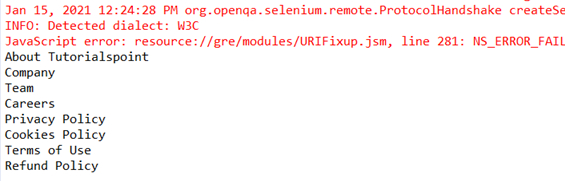
输出