如何通过环境变量中的系统属性配置 IE 驱动程序?
seleniumautomation testingtesting tools
我们可以通过环境变量中的系统属性配置 IE 驱动程序。首先,我们需要导航到链接 − https://www.selenium.dev/downloads/。然后根据我们可用的操作系统点击下载链接(32 位或 64 位)。
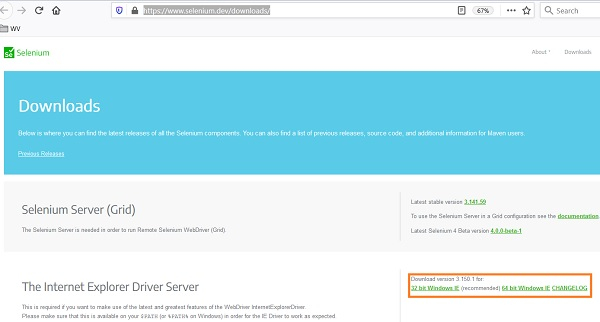
下载完成后,会创建一个 zip 文件。需要将其解压并保存到某个位置。文件解压后,即可使用可执行文件 IEDriverServer.exe。
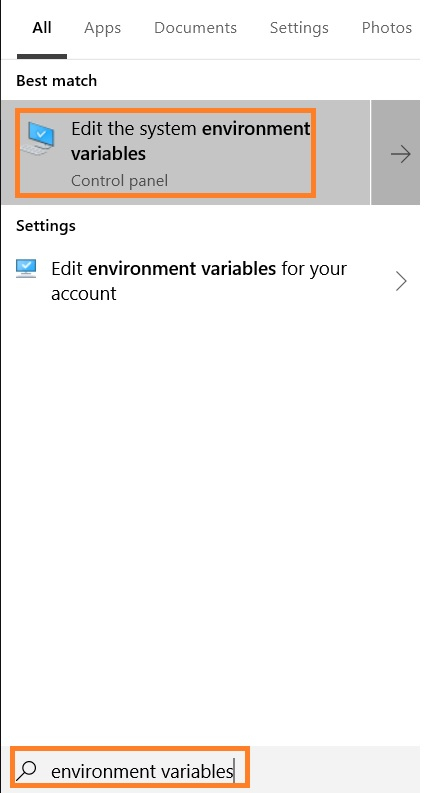
从"开始"菜单输入环境变量。然后点击"编辑系统环境变量",如下图所示。
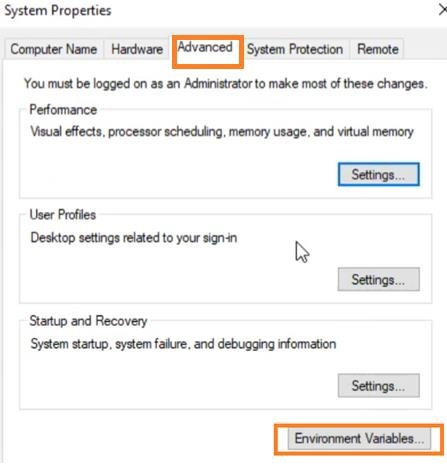
在"系统属性"弹出窗口中,导航至"高级"选项卡。然后点击"环境变量"。
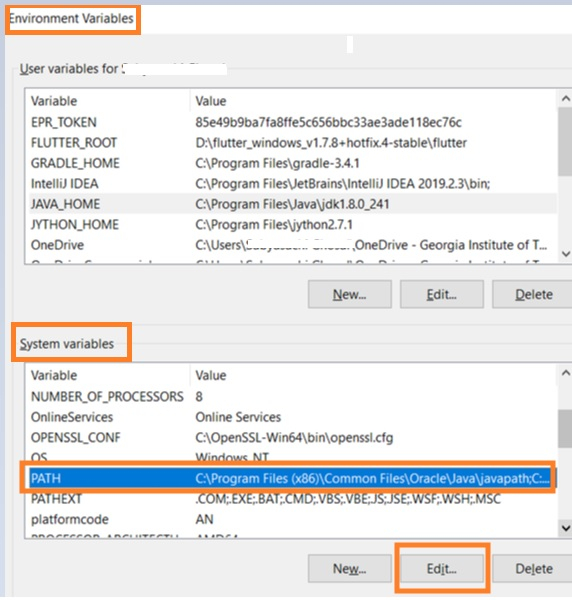
"环境变量"弹出窗口打开后,我们转到"系统变量",选择"Path"变量,然后点击"编辑"。
在"编辑环境变量"框中,选择"新建"。
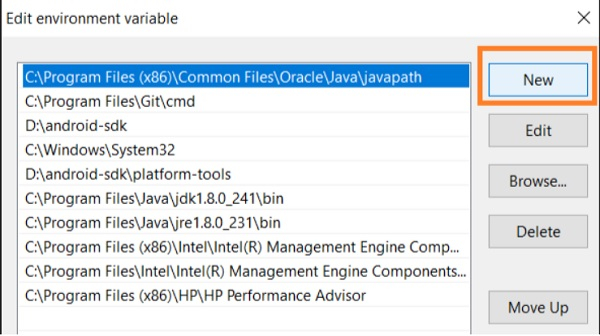
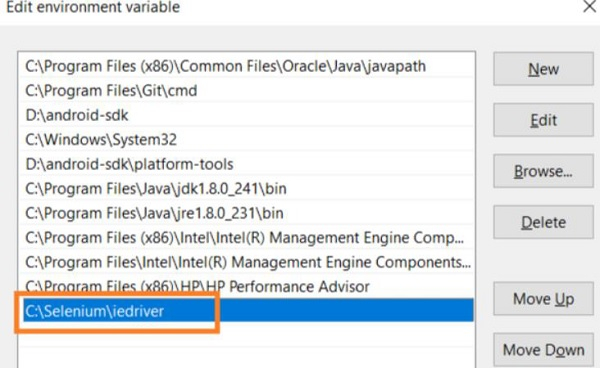
指定我们之前保存的 IE 驱动程序可执行文件的路径。
示例
import org.openqa.selenium.By;
import org.openqa.selenium.WebDriver;
import org.openqa.selenium.WebElement;
import org.openqa.selenium.ie.InternetExplorerDriver;
import java.util.concurrent.TimeUnit;
public class IELaunch{
   public static void main(String[] args) {
      WebDriver driver = new InternetExplorerDriver();
      //隐式等待
      driver.manage().timeouts().implicitlyWait(5, TimeUnit.SECONDS);
      //URL 启动
      driver.get("https://www.tutorialspoint.com/index.htm");
   }
}
输出