如何使用 Selenium 在 specflow api 中进行数据驱动测试?
seleniumautomation testingtesting tools
我们可以在 SpecFlow 中使用/不使用 Examples 关键字进行数据驱动测试。如果我们不使用关键字"Examples",则必须在功能文件中发送步骤数据(包含在"''"中)。
功能文件实现
Feature: Launching application
Scenario: Launch URL
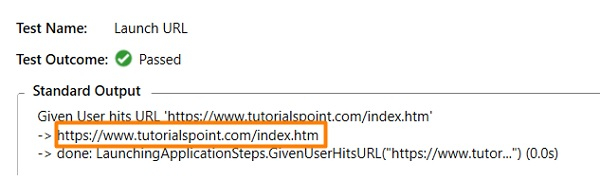
Given User hits URL 'https://www.tutorialspoint.com/index.htm'
示例
步骤定义文件实现
using System;
using TechTalk.SpecFlow;
namespace SpecFlowProject1.Features{
   [Binding]
   public class LaunchingApplicationSteps{
      [Given(@"用户点击 URL '(.*)'")]
      public void GivenUserHitsURL(string url){
         Console.WriteLine(url);
      }
   }
}
输出
接下来,我们将使用 Examples 关键字执行数据驱动测试。此处,场景在 Scenario Outline 关键字中定义。通过这种方法,我们可以使用多个数据集运行同一场景。
数据集在"Examples"部分下方以行的形式声明。此外,每个数据由 | 符号分隔。如果有两行数据,则表示同一场景将使用两个不同的数据集执行两次。Feature 文件中的步骤应包含用 <> 括起来的 Examples 表的标题。
Feature 文件实现
Feature: User credential
Scenario Outline: Login module
Given user types <username> and <password>
Examples:
| username       | password |
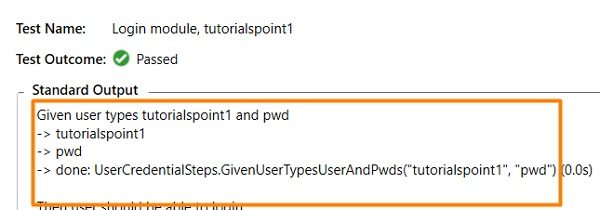
| tutorialspoint1|    pwd   |
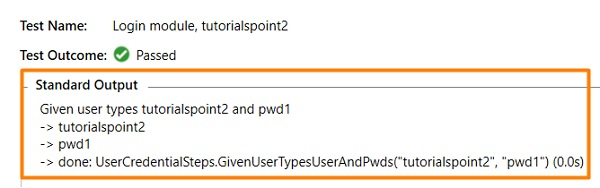
| tutorialspoint2|    pwd1  |
示例
步骤定义文件实现
using System;
using TechTalk.SpecFlow;
namespace SpecFlowProject1.Features{
   [Binding]
   public class UserCredentialSteps{
      [Given(@"user types (.*) and (.*)")]
      public void GivenUserTypesUserAndPwds(string username, string password){
         Console.WriteLine(username);
         Console.WriteLine(password);
      }
   }
}
输出
使用第一个数据集 −
使用第二个数据集 −