
如何在 Selenium 中触发 JavaScript 事件?
seleniumautomation testingtesting tools
我们可以在 Selenium webdriver 中触发 JavaScript 事件。Selenium 可以借助 JavaScript 执行器 执行 JavaScript 事件。我们将 JavaScript 命令作为参数传递给 executeScript 方法。
我们将触发点击元素的 JavaScript 事件。首先,我们将借助任何定位器(例如 xpath、css、链接文本等)来识别该元素。
然后,我们将 argument [0].click() 和将被点击的 webelement 作为参数传递给 executeScript 方法。
语法
WebElement m = driver.findElement(By.linkText("Write for us"));
JavascriptExecutor js = (JavascriptExecutor) driver;
js.executeScript("arguments[0].click();", m);
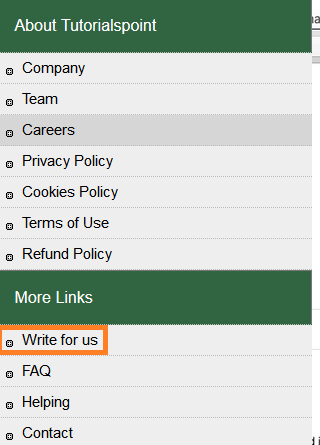
让我们尝试点击高亮显示的链接 −
示例
import org.openqa.selenium.WebDriver;
import org.openqa.selenium.chrome.ChromeDriver;
import org.openqa.selenium.JavascriptExecutor;
import org.openqa.selenium.WebElement;
import org.openqa.selenium.By;
public class FireEvntClickJs{
   public static void main(String[] args) {
      System.setProperty("webdriver.chrome.driver",
      "C:\Users\ghs6kor\Desktop\Java\chromedriver.exe");
      WebDriver driver = new ChromeDriver();       driver.get("https://www.tutorialspoint.com/about/about_careers.htm");
      // 识别链接
      WebElement m = driver.findElement(By.linkText("Write for us"));
      //Javascript 执行器
      JavascriptExecutor j = (JavascriptExecutor) driver;
      j.executeScript("arguments[0].click();", m);
      System.out.println("Page title after click: " + driver.getTitle());
      driver.quit();
   }
}
输出


