如何在 Selenium 中获取表结构类型的 following-sibling 元素?
seleniumautomation testingtesting tools
我们可以在 Selenium webdriver 中获取表结构类型的 following-sibling 元素。following-sibling 用于确定上下文节点的兄弟节点。
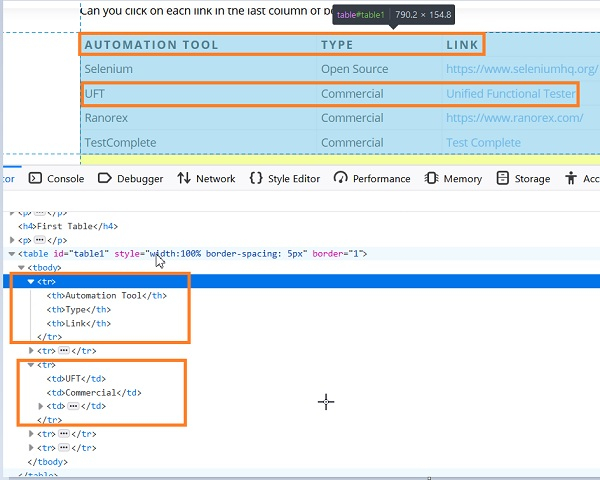
此外,这些兄弟节点应该与当前节点处于同一层次结构,并共享同一个父节点。让我们以一个带有 table 标签的表格为例,该表格包含多个带有 tr 标签的子元素。
然后,让我们尝试从包含表格标题的第一行中识别下图中突出显示的第三行元素。
语法
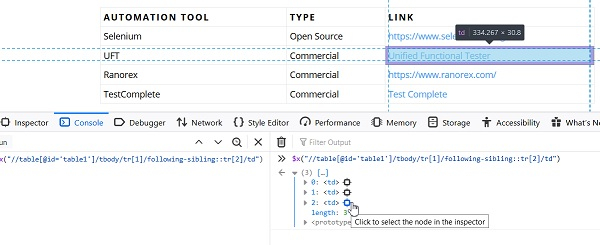
//table[@id='table1']/tbody/tr[1]/following-sibling::tr[2]/td
这里,我们要定位表格中的第三行,但由于我们要从第一行定位第三行,因此我们提供了 followingsibling::tr[2]。
示例
import org.openqa.selenium.By;
import org.openqa.selenium.WebDriver;
import org.openqa.selenium.WebElement;
import org.openqa.selenium.chrome.ChromeDriver;
import java.util.concurrent.TimeUnit;
public class FollowingSiblingTable{
   public static void main(String[] args) {
      System.setProperty("webdriver.chrome.driver",
         "C:\Users\ghs6kor\Desktop\Java\chromedriver.exe");
      WebDriver driver = new ChromeDriver();
      //隐式等待
      driver.manage().timeouts().implicitlyWait(5, TimeUnit.SECONDS);
      //URL 启动驱动程序。
      get("https://sqengineer.com/practice-sites/practice-tables-selenium/");
      //以列表形式从第一行识别第三行
      List<WebElement> l = driver.findElements(By.xpath ("//table[@id='table1']/tbody/tr[1]/following-sibling::tr[2]/td"));
      //迭代列表以获取第三行元素的文本
      for (int i = 0; i<l.size(); i++) {
         String colVal = driver.findElements(By.xpath ("//table[@id='table1']/tbody/tr[1]/following-sibling::tr[2]/td")) .get(i).getText();
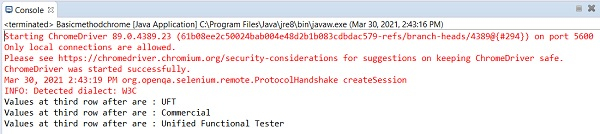
         System.out.println("Values at third row after are : " + colVal);
      }
      driver.close();
   }
}
输出