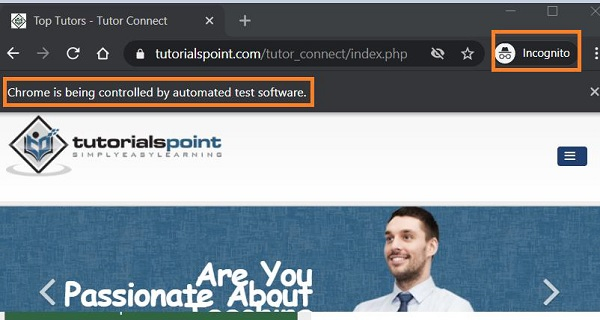
如何使用 Python Selenium WebDriver 在隐身/隐私模式下打开浏览器窗口?
seleniumautomation testingtesting tools
我们可以使用 Python 中的 Selenium WebDriver 和 ChromeOptions 类在隐身/隐私模式下打开浏览器窗口。首先,我们需要创建一个 ChromeOptions 类的对象。
然后,对该对象应用 add_argument 方法,并传递参数——隐身模式有一个专门的参数。最后,需要将此信息传递给 WebDriver 对象。
语法
c = webdriver.ChromeOptions()
c.add_argument("--incognito")
示例
from selenium import webdriver
# ChromeOptions 类的对象

c = webdriver.ChromeOptions()

# 传递了 incognito 参数

c.add_argument("--incognito")

# 设置 chromedriver.exe 的路径

driver = webdriver.Chrome(executable_path="C:\chromedriver.exe", options=c)

driver.implicitly_wait(0.5)

# 启动 URL
driver.get("https://www.tutorialspoint.com/tutor_connect/index.php")
输出