
BabylonJS - 视频纹理
为了在场景中显示视频,babylonjs 具有视频纹理功能。videotexture 将视频数组作为输入。
对于视频纹理,我们将使用 mp4 文件。请下载您选择的 mp4 并在下面的演示中使用它。
语法
video.material.diffuseTexture = new BABYLON.VideoTexture("video",
["mp4 file", "webm file"], scene, true);
演示
<!doctype html>
<html>
   <head>
      <meta charset = "utf-8">
      <title>BabylonJs - Basic Element-Creating Scene</title>
      <script src = "babylon.js"></script>
      <style>
         canvas {width: 100%; height: 100%;}
      </style>
   </head>

   <body>
      <canvas id = "renderCanvas"></canvas>
      <script type = "text/javascript">
         var canvas = document.getElementById("renderCanvas");
         var engine = new BABYLON.Engine(canvas, true);

         var createScene  = function() {
            var scene = new BABYLON.Scene(engine);

            //添加弧形旋转相机
            var camera = new BABYLON.ArcRotateCamera("Camera", 0, 0.8, 100, BABYLON.Vector3.Zero(), scene);
            camera.attachControl(canvas, false);

            // 这将创建一个光源,指向 0,1,0 - 天空(非网格)
            var light = new BABYLON.HemisphericLight("light1", new BABYLON.Vector3(0, 1, 0), scene);

            // 默认强度为 1。让我们将光线调暗一点
            light.intensity = 0.7;

            // 我们内置的"球体"形状。参数:名称、子分区、大小、场景
            var ground = BABYLON.Mesh.CreateGround("ground1", 100, 50, 2, scene);

            // 将球体向上移动其高度的 1/2
            ground.position.y = 1;

            var mat = new BABYLON.StandardMaterial("mat", scene);

            var videoTexture = new BABYLON.VideoTexture("video", ["sounds/video.mp4"], scene, true, true);

            mat.diffuseTexture = videoTexture;
            ground.material = mat;

            scene.onPointerUp = function () {
               videoTexture.video.play();
            }
            return scene;
         };
         var scene = createScene();
         engine.runRenderLoop(function() {
            scene.render();
         });
      </script>
   </body>
</html>
输出
上面这行代码将生成以下输出 −
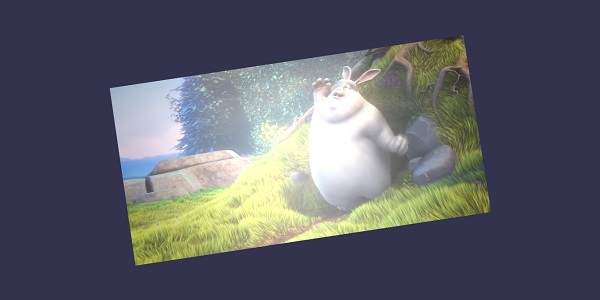
 babylonjs_mesh.html
