BabylonJS - ShaderMaterial
着色器材质为您提供材质作为输出。您可以将此材质应用于任何网格。它基本上将场景中的数据传递到顶点和片段着色器。
要获取着色器材质,请调用以下类 −
var myShaderMaterial = new BABYLON.ShaderMaterial(name, scene, route, options);
参数
考虑与着色器材质相关的以下参数 −
name − 一个字符串,命名着色器。
scene −着色器将要使用的场景。
Route − 以三种方式之一路由到着色器代码 −
object - {
   vertex: "custom",
   fragment: "custom"
}, used with
BABYLON.Effect.ShadersStore["customVertexShader"] and
BABYLON.Effect.ShadersStore["customFragmentShader"]
object - {
   vertexElement: "vertexShaderCode",
   fragmentElement: "fragmentShaderCode"
},
used with shader code in <script> tags
string - "./COMMON_NAME",
最后提到的语法与 index.html 文件夹中的外部文件 COMMON_NAME.vertex.fx 和 COMMON_NAME.fragment.fx 一起使用。
Options − 对象包含属性和 uniforms 数组,其中包含其名称作为字符串。
带有值的着色器语法如下所示 −
var shaderMaterial = new BABYLON.ShaderMaterial("shader", scene, {
   vertex: "custom",
   fragment: "custom",
},
{
   attributes: ["position", "normal", "uv"],
   uniforms: ["world", "worldView", "worldViewProjection", "view", "projection"]
});
属性必须为数组形式。这些属性包含 position、normal 和 uv,它们是 vector3 3D 浮点向量。
vec2 − 一个二维浮点数向量。
vec3 − 一个三维浮点数向量。
mat4 − 一个具有 4 列和 4 行浮点数的矩阵。
gl_Position − 它为屏幕坐标提供位置数据。
gl_FragColor −它为屏幕上面的表示提供颜色数据。
以上内容是 GLSL 语言中的内置变量。
由于顶点位置需要尽可能准确,因此应将所有浮点数设置为具有高精度。这是在每个着色器的代码开头使用 - precision highp float 完成的。precision highp float 决定浮点数使用的精度。
以下演示基于第一个对象方法。
演示
<!doctype html>
<html>
   <head>
      <meta charset = "utf-8">
      <title>BabylonJs - Basic Element-Creating Scene</title>
      <script src = "babylon.js"></script>
      <style>
         canvas {width: 100%; height: 100%;}
      </style>
   </head>

   <body>
      <canvas id = "renderCanvas"></canvas>
      <script type = "text/javascript">
         //downloaded HDR files from :http://www.hdrlabs.com/sibl/archive.html
         var canvas = document.getElementById("renderCanvas");
         var engine = new BABYLON.Engine(canvas, true);
         var createScene  = function() {
            var scene = new BABYLON.Scene(engine);

            var camera = new BABYLON.ArcRotateCamera(
               "Camera", Math.PI / 4, Math.PI / 4, 4, BABYLON.Vector3.Zero(), scene);

            camera.attachControl(canvas, true);

            var light = new BABYLON.HemisphericLight("light1", new BABYLON.Vector3(0, 1, 0), scene);

            BABYLON.Effect.ShadersStore["customVertexShader"] = "
" +
               "precision highp float;
" +
               "// Attributes
" +
               "attribute vec3 position;
" +
               "attribute vec2 uv;
" +
               "// Uniforms
" +
               "uniform mat4 worldViewProjection;
" +

               "// Varying
" +
               "varying vec2 vUV;
" +
               "void main(void) {

" +
                  "gl_Position = worldViewProjection * vec4(position, 1.0);
" +
                  "vUV = uv;
"+"
               }

";
               BABYLON.Effect.ShadersStore["customFragmentShader"] = "
"+
                  "precision highp float;
" +
                  "varying vec2 vUV;
" +
                  "uniform sampler2D textureSampler;
" +
               "void main(void) {

"+
                  "gl_FragColor = texture2D(textureSampler, vUV);
"+"
               }

";

            var shaderMaterial = new BABYLON.ShaderMaterial("shader", scene, {
               vertex: "custom",
               fragment: "custom",
            },

            {
               attributes: ["position", "normal", "uv"],
               uniforms: ["world", "worldView", "worldViewProjection", "view", "projection"]
            });

            var mainTexture = new BABYLON.Texture("images/mat.jpg", scene);

            shaderMaterial.setTexture("textureSampler", mainTexture);

            shaderMaterial.backFaceCulling = false;

            var box = BABYLON.MeshBuilder.CreateBox("box", {}, scene);
            box.material = shaderMaterial;
            return scene;
         };
         var scene = createScene();
         engine.runRenderLoop(function() {
            scene.render();
         });
      </script>
   </body>
</html>
输出
上述代码行将生成以下输出 −

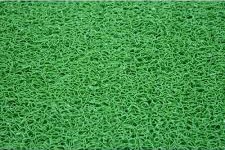
在此演示中,我们使用了图像 mat.jpg。图像存储在本地的 images/ 文件夹中,也粘贴在下面以供参考。您可以下载您选择的任何图像并在演示链接中使用。
Images/mat.jpg