Meteor - 计时器
Meteor 提供自己的 setTimeout 和 setInterval 方法。这些方法用于确保所有全局变量都具有正确的值。它们的工作方式与常规 JavaScript setTimout 和 setInterval 类似。
超时
这是 Meteor.setTimeout 示例。
Meteor.setTimeout(function() {
	console.log("Timeout called after three seconds...");
}, 3000);
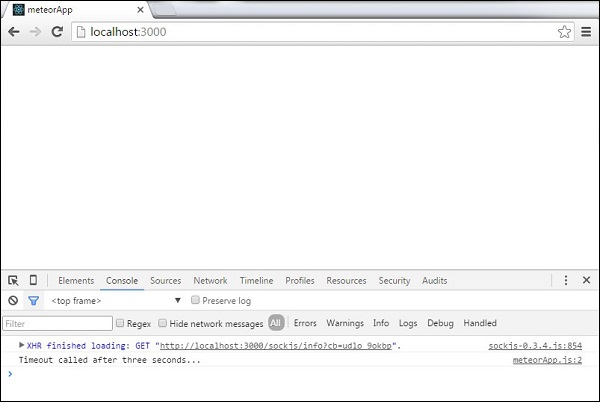
我们可以在控制台中看到,应用程序启动后会调用超时函数。
间隔
以下示例显示如何设置和清除间隔。
meteorApp.html
<head>
   <title>meteorApp</title>
</head>

<body>
   <div>
      {{> myTemplate}}
   </div>
</body>

<template name = "myTemplate">
   <button>CLEAR</button>
</template>
我们将设置初始counter变量,该变量将在每次间隔调用后更新。
meteorApp.js
if (Meteor.isClient) {

   var counter = 0;

   var myInterval = Meteor.setInterval(function() {
      counter ++
      console.log("Interval called " + counter + " times...");
   }, 3000);

   Template.myTemplate.events({

      'click button': function() {
         Meteor.clearInterval(myInterval);
         console.log('Interval cleared...')
      }
   });
}
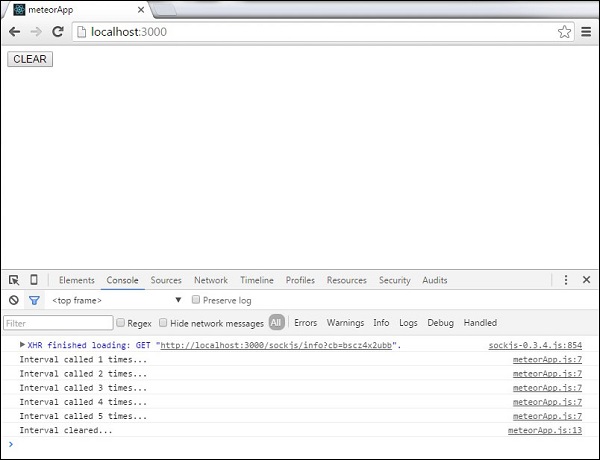
控制台将每三秒记录一次更新的 counter 变量。我们可以通过单击 CLEAR 按钮来停止此操作。这将调用 clearInterval 方法。