
如何在 Selenium 中使用"XPath"查找元素?
seleniumautomation testingtesting tools
我们可以使用 Selenium webdriver 中的 xpath 定位器查找元素。
要使用 xpath 标识元素,表达式应为 //tagname[@attribute='value']。
要使用 xpath 标识元素,表达式应为 //tagname[@class='value']。xpath 有两种类型——相对 xpath 和绝对 xpath。绝对 xpath 以 / 符号开头,从根节点开始,直到我们要标识的元素。
例如:
/html/body/div[1]/div/div[1]/a
相对 xpath 以 // 符号开头,并且不从根节点开始。例如:
//img[@alt='tutorialspoint']
让我们从根元素开始查看高亮元素的 HTML 代码。
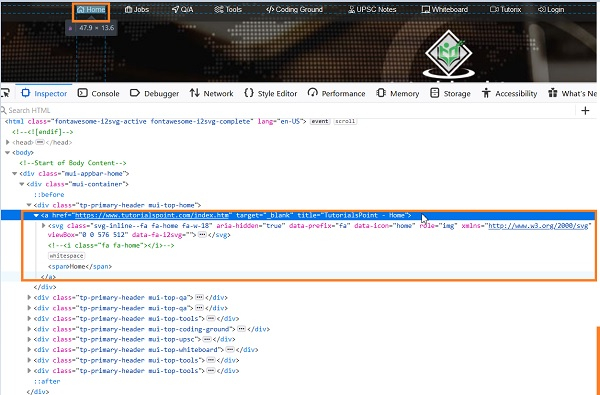
元素 Home 的绝对 xpath 为 /html/body/div[1]/div/div[1]/a。
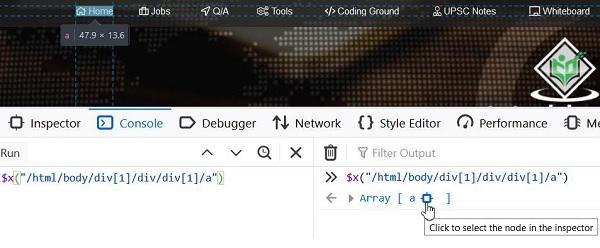
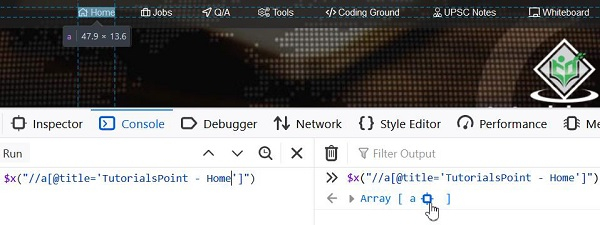
元素 Home 的相对 xpath 为 //a[@title='TutorialsPoint - Home']。
还有一些函数可以帮助构建相对 xpath 表达式 −
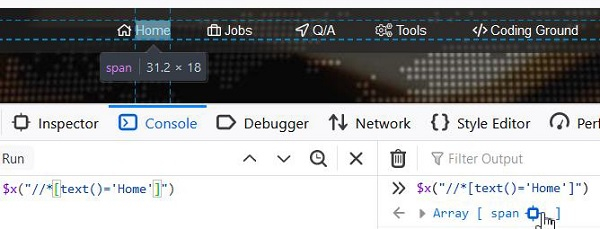
text() - 它用于借助页面上的可见文本来识别元素。 xpath 表达式为 //*[text()='Home'].
starts-with – 用于标识属性值以特定文本开头的元素。此函数通常用于每次页面加载时值都会发生变化的属性。
让我们看看 Q/A − 元素的 HTML 代码
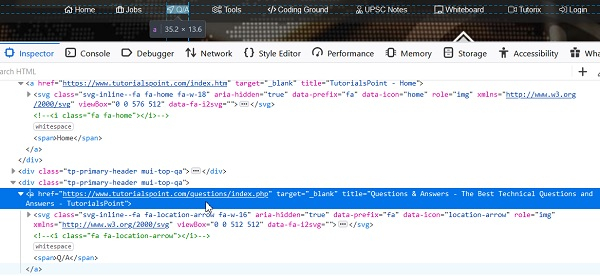
Xpath 表达式应为 //a[starts-with(@title, 'Questions &')].
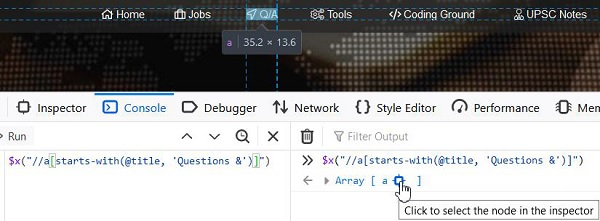
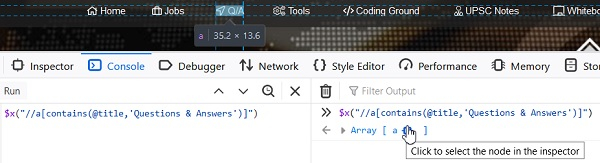
contains() - 用于标识属性值包含实际属性值子文本的元素。此函数通常用于每次页面加载时值都会发生变化的属性。
XPath 表达式为://a[contains(@title, 'Questions & Answers')].
语法
WebElement m = driver.findElement(By.xpath("//span[@class = 'cat-title']"));
示例
import org.openqa.selenium.By;
import org.openqa.selenium.WebDriver;
import org.openqa.selenium.WebElement;
import org.openqa.selenium.firefox.FirefoxDriver;
import java.util.concurrent.TimeUnit;
public class LocatorXpath{
   public static void main(String[] args) {
      System.setProperty("webdriver.gecko.driver",
         "C:\Users\ghs6kor\Desktop\Java\geckodriver.exe");
      WebDriver driver = new FirefoxDriver();
      //隐式等待
      driver.manage().timeouts().implicitlyWait(5, TimeUnit.SECONDS);
      //URL 启动
      driver.get("https://www.tutorialspoint.com/online_dev_tools.htm");
      // 使用 xpath 识别元素
      WebElement n=driver.
      findElement(By.xpath("//span[@class = 'cat-title']"));
      String str = n.getText();
      System.out.println("Text is : " + str);
      driver.close();
   }
}
输出


