
如何在 Excel 中将多列导出到单独的文本文件中
ms excelmicrosoft technologiescomputers更新于 2024/8/24 6:04:17
Excel 是由 Microsoft 开发的一款功能强大的电子表格程序。它广泛应用于各行各业的数据组织、分析和处理。要将多列导出到单独的文本文件中,您可以使用 VBA(Visual Basic for Applications)宏。
以下是操作示例:
步骤 1
按 Alt + F11 在 Excel 中打开 Visual Basic 编辑器。
点击"插入"并选择"模块"来插入新模块。
在模块窗口中,粘贴以下代码:
Sub ExportColumnsToTextFiles()
   Dim ws As Worksheet
   Dim col As Range
   Dim cell As Range
   Dim outputPath As String

   ' Set the output path where the text files will be saved
   outputPath = "E:\Assignments\3rd Assignments\How to export multiple columns into individual text files in Excel\Output"

   ' Set the worksheet containing the columns you want to export
   Set ws = ThisWorkbook.Worksheets("Sheet1")

   ' Set the range of columns you want to export (change the range as needed)
   Set col = ws.Range("A:B")

   ' Loop through each column
   For Each cell In col.Columns
      ' Get the last row in the column with data
      Dim lastRow As Long
      lastRow = ws.Cells(ws.Rows.Count, cell.Column).End(xlUp).Row

      ' Check if the column has data
      If lastRow > 1 Then
         ' Create a new text file
         Open outputPath & cell.Column & ".txt" For Output As #1

         ' Loop through each cell in the column up to the last row and write
its value to the text file
         For Each c In ws.Range(ws.Cells(1, cell.Column), ws.Cells(lastRow,
cell.Column))
             Print #1, c.Value
          Next c

          ' Close the text file
          Close #1
      End If
   Next cell

   MsgBox "Columns exported to individual text files."
End Sub
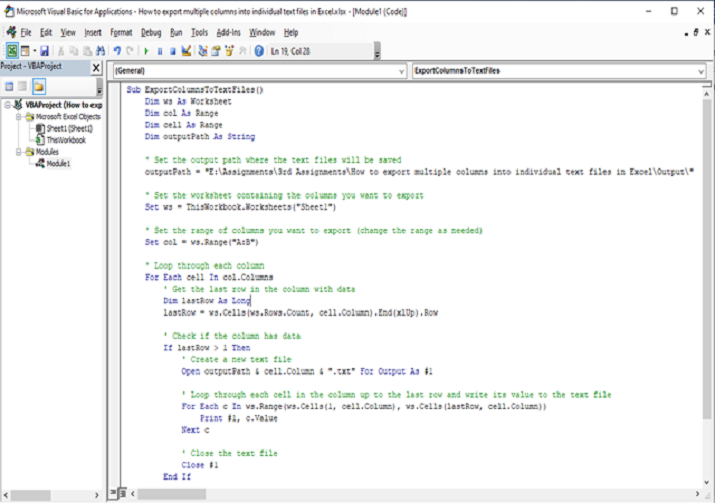
步骤 2
修改 outputPath 变量以指定要保存文本文件的文件夹。请确保在末尾添加反斜杠 ()。
修改 Set ws = ThisWorkbook.Worksheets("Sheet1") 行,以指定包含要导出列的工作表。将"Sheet1"替换为您的工作表名称。
修改 Set col = ws.Range("A:B") 行,以指定要导出的列范围。在本例中,选择了 A 至 B 列。根据需要调整范围。
关闭 Visual Basic 编辑器。
步骤 3
按 Alt + F8,选择"ExportColumnsToTextFiles",然后点击"运行"来运行宏。
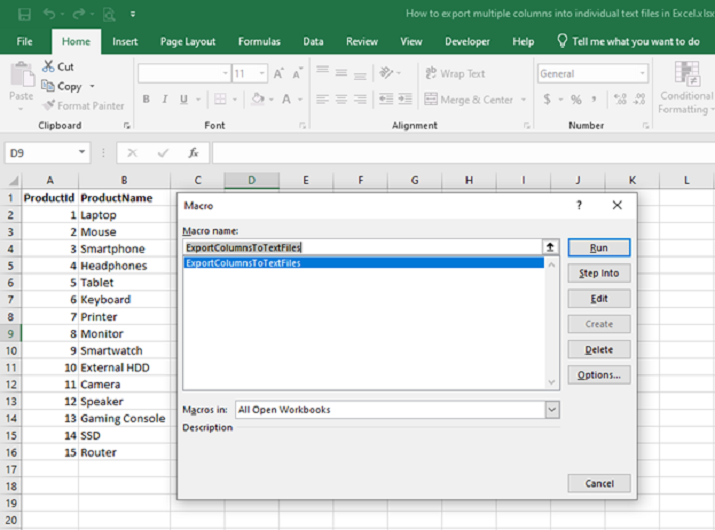
该宏会将每一列导出到以列号命名的单独文本文件中。文本文件将保存在指定的输出文件夹中。
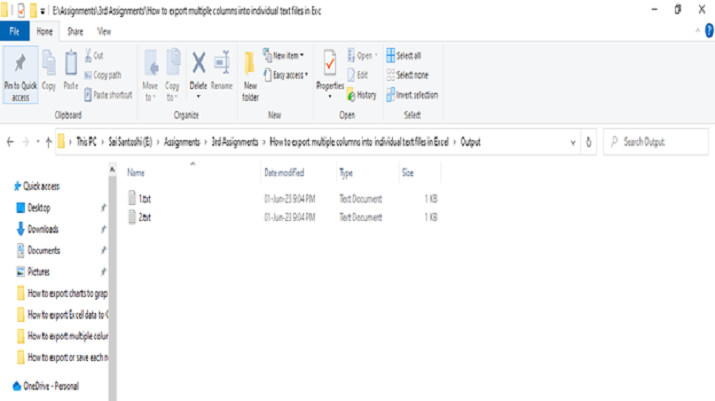
结论
提供的 VBA 代码允许您将多列导出到 Excel 中的单个文本文件中。通过指定输出路径、工作表和列范围,代码将循环遍历每一列,确定最后一行数据,并将该行之前的列值导出到单独的文本文件中。修正后的版本确保循环正确运行,并避免连续循环。此解决方案能够高效提取列数据,方便进一步分析或在外部应用程序中使用数据。
相关文章
有用资源
excel 参考教程 - 该教程包含有关 excel 的更多信息:https://www.cainiaomax.com/excel/

