
JavaScript - setTimeout() 方法
JavaScript setTimeout() 方法
在 JavaScript 中,setTimeout() 是一个全局方法,允许您在指定时间后仅执行一次函数或特定的 JavaScript 代码。
window 对象包含 setTimeout() 方法。您可以使用 window 对象执行 setTimeout() 方法。
setTimeout() 方法还可用于在用户交互的指定时间后操作 DOM 元素。
语法
JavaScript 中 setTimeout() 方法的语法如下:-
window.setTimeout(callback, delay, param1, param2, ..., paramN);
或
setTimeout(callback, delay, param1, param2, ..., paramN);
setTimeout() 方法至少需要 2 个参数。
参数
- Callback − 回调函数,将在特定时间后调用。您可以将箭头函数、函数表达式或正则表达式作为此参数的值传递。
- delay − 指定回调函数应在多少毫秒后调用。这里,1 秒等于 1000 毫秒。
- param1、param2、...、paramN − 它们是可选参数,可作为回调函数参数传递。
返回值
返回数字 ID,您可以使用该 ID 清除超时。
示例
在下面的代码中,我们定义了 timeout() 函数,用于在网页中打印消息。
我们将 timeout() 函数作为 setTimeout() 方法的第一个参数传递,并将 1000 毫秒作为第二个参数传递。
setTimeout() 方法将在 1 秒或 1000 毫秒后调用 timeout() 函数。
<html>
<body>
   <div id = "output"> </div>
   <script>
      document.getElementById('output').innerHTML = "Wait for a message! <br>";
      setTimeout(timeout, 1000);
      function timeout() {
         document.getElementById('output').innerHTML += "This message is printed after 1 second!";
      }
   </script>
</body>
</html>
输出
Wait for a message!
This message is printed after 1 second!
带有 setTimeout() 方法的箭头函数
在下面的代码中,我们将箭头函数作为 setTimeout() 方法的第一个参数传递。其工作原理与将函数名称作为参数传递并在外部定义该函数相同。
它在 2000 毫秒后打印消息。
示例
<html>
<body>
   <div id = "output"> </div>
   <script>
      document.getElementById('output').innerHTML +=
         "You will see the message after 2000 milliseconds! <br>";
      setTimeout(() => {
         document.getElementById('output').innerHTML += 'Hi! How are you?';
      }, 2000);
   </script>
</body>
</html>
输出
You will see the message after 2000 milliseconds!
Hi! How are you?
向 setTimeout() 方法传递两个以上的参数
您可以向 setTimeout() 方法传递两个以上的参数。第一个参数是回调函数,第二个参数是延迟时间(以毫秒为单位),其他参数则传递给函数参数。
在下面的代码中,我们向 setTimeout() 方法传递了 5 个参数。在 sum() 函数中,我们接收了 seetTimeOut() 方法的最后三个参数作为参数,并将它们相加。
示例
<html>
<body>
   <div>Wait for a sum of 3 number.!</div>
   <div id = "output"></div>
   <script>
      setTimeout(sum, 1000, 10, 20, 30);
      function sum(num1, num2, num3) {
         let result = num1 + num2 + num3;
         document.getElementById('output').innerHTML = "Sum = " + result;
      }
   </script>
</body>
</html>
输出
Wait for a sum of 3 number.!
Sum = 60
每 N 秒执行一次代码
我们在下面的代码中使用 setTimeout() 方法创建了计数器。
我们为计数器定义了全局变量 p。在 counter() 函数中,我们打印计数器值,并使用 setTimeout() 方法在 1000 毫秒后再次调用计数器函数。
示例
<html>
<body>
   <div id = "output"> </div>
   <script>
      let output = document.getElementById('output');
      output.innerHTML += "The output of the counter is given below. <br>";
      var p = 0;
      function counter() {
         output.innerHTML += "count is - " + p + ".<br>";
         setTimeout(counter, 1000);
         p++;
      }
      counter();
   </script>
</body>
</html>
输出
The output of the counter is given below.
count is - 0.
count is - 1.
count is - 2.
count is - 3.
count is - 4.
count is - 5.
count is - 6.
JavaScript clearTimeout() 方法
有时,开发者需要在执行函数或 JavaScript 代码之前取消超时。在这种情况下,您可以使用 clearTimeout() 方法。
语法
您可以按照以下语法使用 clearTimeout() 方法。
clearTimeout(id);
参数
id − 这是 setTimeout() 方法返回的用于取消该操作的 id。
示例
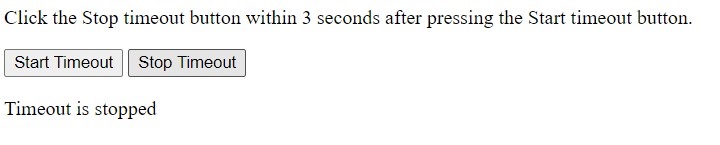
在下面的代码中,我们定义了 startTimeOut() 和 stopTimeOut() 函数,当用户按下相应的按钮时,这两个函数将被调用。
在 startTimeOut() 函数中,我们设置 3 秒的超时时间,并将 setTimeout() 方法返回的 id 存储到 timeOut 变量中。
在 stopTimeOut() 函数中,我们使用 clearTimeout() 方法并将 timeOut 作为参数传递以清除超时。
<html>
<body>
   <p>Click the Stop timeout button within 3 seconds after pressing the Start timeout button.</p>
   <button onclick = "startTimeOut()">Start Timeout</button>
   <button onclick = "stopTimeOut()">Stop Timeout</button>
   <p id = "output"> </p>
   <script>
      let output = document.getElementById('output');
      let timeout;
      function startTimeOut() {
         timeout = setTimeout(() => {
            output.innerHTML = "Timeout is done";
         }, 3000);
      }

      function stopTimeOut() {
         clearTimeout(timeout);
         output.innerHTML = "Timeout is stopped";
      }
   </script>
</body>
</html>
输出
零延迟 SetTimeout
零延迟超时意味着您通过传递 0 毫秒作为参数来调用 setTimeout() 方法。
当您传递 0 毫秒作为参数时,它可能会或可能不会在 0 毫秒后调用写入回调函数的 JavaScript 代码。这完全取决于队列中的待处理任务。一旦任务队列完成,它将执行回调函数的代码。
现在,问题是,零延迟超时的必要性是什么?
有时,您需要在脚本加载到浏览器后尽快执行特定的 JavaScript 代码。在这种情况下,您可以使用 setTimeout() 方法,并将 0 毫秒作为第二个参数传递。
语法
请按照以下语法使用零延迟超时。
setTimeout(callback, 0);
在上述语法中,我们将回调函数作为第一个参数传递,并将 0 毫秒作为第二个参数传递。
示例
在下面的代码中,我们向网页添加了开始消息、零延迟超时消息和结束消息。
在输出中,您可以看到它打印了开始消息。之后,它打印了结束消息和零延迟超时消息。因此,当整个脚本在浏览器中加载完毕时,它会执行零延迟超时代码。
<html>
<body>
   <div id = "output"> </div>
   <script>
      let output = document.getElementById('output');
      output.innerHTML += "The code execution started. <br>";
      setTimeout(function () {
         output.innerHTML += "Inside the zero delay timeout. <br>";
      }, 0);
      output.innerHTML += "The code execution ended. <br>";
   </script>
</body>
</html>
输出
The code execution started.
The code execution ended.
Inside the zero delay timeout.
您还可以递归使用 setTimeout() 方法,如计数器示例所示。此外,您还可以像箭头函数一样将匿名函数表达式作为第一个参数传递。如果您想执行特定的 JavaScript 代码,您可以在整个脚本执行完成后使用零延迟超时。

