
在 Excel 中,当另一个单元格的值发生变化时,如何清除指定单元格的内容?
ms excelmicrosoft technologiescomputers更新于 2025/2/16 10:20:17
本文将学习如何在任何链接单元格的值被删除或修改时清除特定单元格的值。这可以使用 VBA 代码完成。例如,当指定单元格的值被移除或更改时,您想要清除一系列单元格的值,请按照以下步骤操作。
通过更改另一个单元格的值来清除指定单元格的内容
步骤 1:以下是示例数据,其中更改 A2 单元格的值时,C1:C3 的值将被清除。
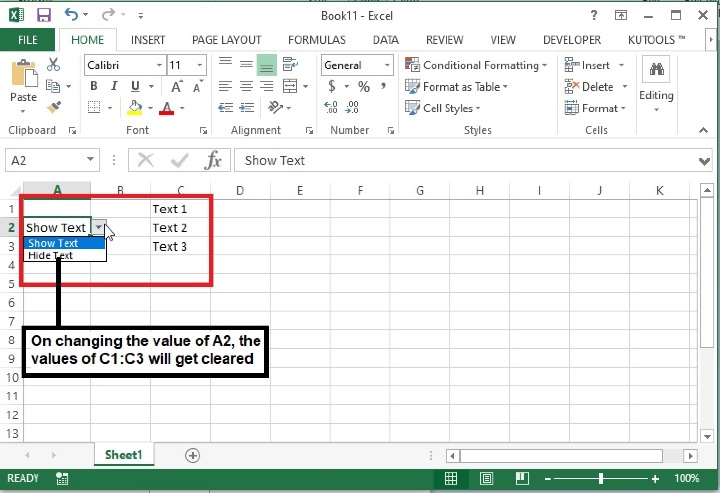
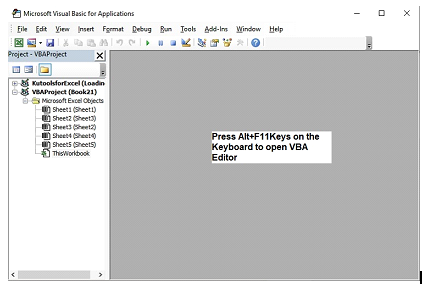
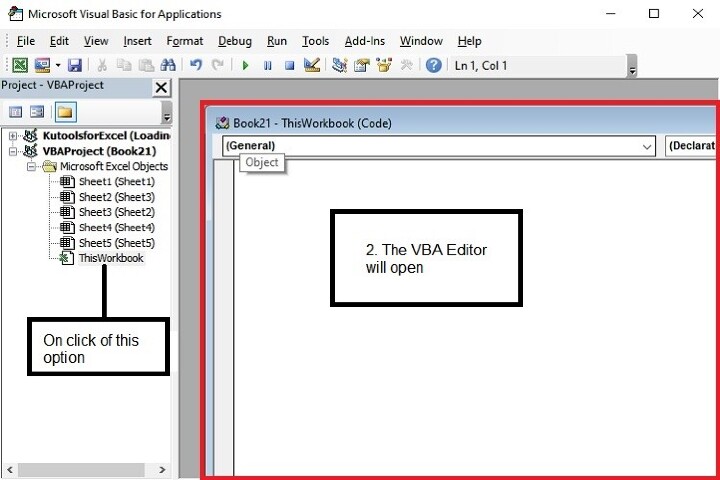
步骤 2:按下键盘上的 Alt+F11 键,将打开 Microsoft Visual Basic for Applications 窗口。
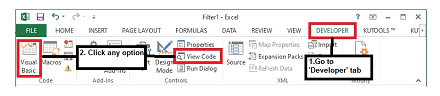
上述编辑器也可以使用"开发人员"选项卡打开,如下所示:
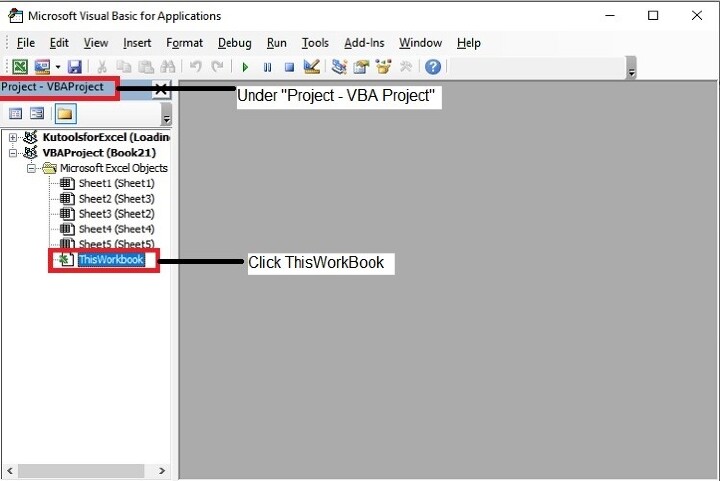
步骤 3:在 Microsoft Visual Basic for Applications 窗口中,双击"项目"面板中的 ThisWorkbook。
步骤 4:现在复制以下 VBA 代码并将其输入到 ThisWorkbook(代码)窗口中。
Private Sub
Worksheet_Change(ByVal Target As Range) /function call to change the value of a
range on changing the value of another cell
    If Not Intersect(Target, Range("A2")) Is Nothing Then / If intersection area
does not exist, Intersection Method causes a Runtime Error, which can be avoided
using "Is Nothing" keyword, meaning "nothing" returns.
        Range("C1:C3").ClearContents /Defined the range to clear the content
basis above condition.
    End If /End of If condition.
End Sub /End of sub.
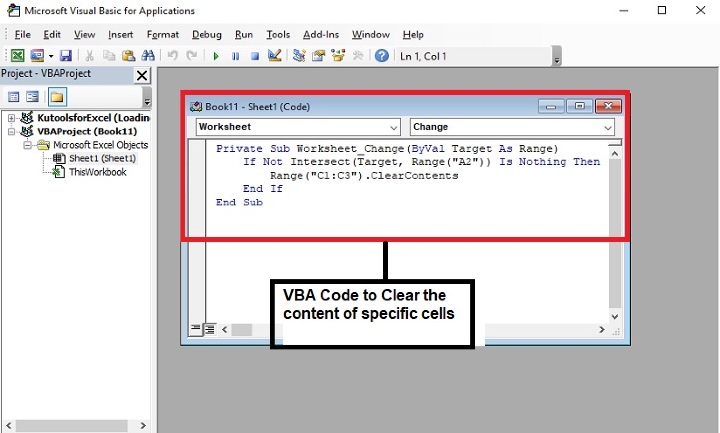
步骤 5:输入代码后,按下键盘上的 Alt+Q 键关闭 Microsoft Visual Basic for Applications 窗口。
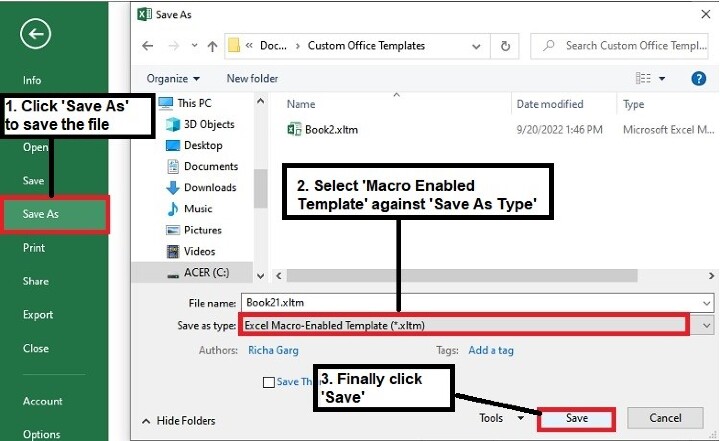
步骤 6:接下来,将文件保存为"Excel 启用宏的工作簿"格式。
步骤 7:现在重新打开文件,输出将如下所示:
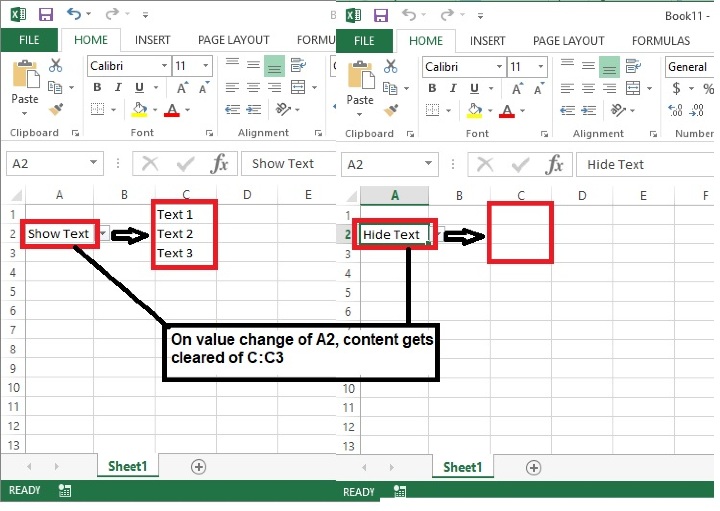
在这里,您可以看到,只要单元格 A2 中的值按照上述方式更改,范围 C1:C3 中的内容就会自动清除。屏幕截图。
结论
因此,本文介绍了通过更改另一个单元格的值来清除 Excel 工作簿中特定单元格内容的方法。使用此方法时请谨慎,因为一旦清除数据,将无法恢复。请继续学习,继续探索 Excel。
相关文章
有用资源
excel 参考教程 - 该教程包含有关 excel 的更多信息:https://www.cainiaomax.com/excel/

