ReactJS - 动画
在本章中,我们将学习如何使用 React 为元素设置动画。
步骤 1 − 安装 React CSS Transitions Group
这是用于创建基本 CSS 过渡和动画的 React 插件。我们将从 命令提示符 窗口安装它 −
C:\Users\username\Desktop
eactApp>npm install react-addons-css-transition-group
步骤 2 − 添加 CSS 文件
让我们创建一个新文件 style.css。
C:\Users\Tutorialspoint\Desktop
eactApp>type nul > css/style.css
为了能够在应用程序中使用它,我们需要将其链接到 index.html 中的 head 元素。
<!DOCTYPE html>
<html lang = "en">
   <head>
      <link rel = "stylesheet" type = "text/css" href = "./style.css">
      <meta charset = "UTF-8">
      <title>React App</title>
   </head>
   <body>
      <div id = "app"></div>
      <script src = 'index_bundle.js'></script>
   </body>
</html>
步骤 3 − 出现动画
我们将创建一个基本的 React 组件。ReactCSSTransitionGroup 元素将用作我们想要动画的组件的包装器。它将使用 transitionAppear 和 transitionAppearTimeout,而 transitionEnter 和 transitionLeave 为 false。
App.jsx
import React from 'react';
var ReactCSSTransitionGroup = require('react-addons-css-transition-group');

class App extends React.Component {
   render() {
      return (
         <div>
            <ReactCSSTransitionGroup transitionName = "example"
               transitionAppear = {true} transitionAppearTimeout = {500}
               transitionEnter = {false} transitionLeave = {false}>

               <h1>My Element...</h1>
            </ReactCSSTransitionGroup>
         </div>
      );
   }
}
export default App;
main.js
import React from 'react'
import ReactDOM from 'react-dom';
import App from './App.jsx';

ReactDOM.render(<App />, document.getElementById('app'));
CSS 动画非常简单。
css/style.css
.example-appear {
   opacity: 0.04;
}
.example-appear.example-appear-active {
   opacity: 2;
   transition: opacity 50s ease-in;
}
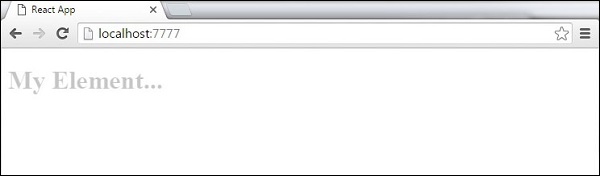
一旦我们启动应用程序,元素就会淡入。
第 4 步 - 进入和离开动画
当我们想要从列表中添加或删除元素时,可以使用进入和离开动画。
App.jsx
import React from 'react';
var ReactCSSTransitionGroup = require('react-addons-css-transition-group');

class App extends React.Component {
   constructor(props) {
      super(props);

      this.state = {
         items: ['Item 1...', 'Item 2...', 'Item 3...', 'Item 4...']
      }
      this.handleAdd = this.handleAdd.bind(this);
   };
   handleAdd() {
      var newItems = this.state.items.concat([prompt('Create New Item')]);
      this.setState({items: newItems});
   }
   handleRemove(i) {
      var newItems = this.state.items.slice();
      newItems.splice(i, 1);
      this.setState({items: newItems});
   }
   render() {
      var items = this.state.items.map(function(item, i) {
         return (
            <div key = {item} onClick = {this.handleRemove.bind(this, i)}>
               {item}
            </div>
         );
      }.bind(this));

      return (
         <div>
            <button onClick = {this.handleAdd}>Add Item</button>

            <ReactCSSTransitionGroup transitionName = "example"
               transitionEnterTimeout = {500} transitionLeaveTimeout = {500}>
               {items}
            </ReactCSSTransitionGroup>
         </div>
      );
   }
}
export default App;
main.js
import React from 'react'
import ReactDOM from 'react-dom';
import App from './App.jsx';

ReactDOM.render(<App />, document.getElementById('app'));
css/style.css
.example-enter {
   opacity: 0.04;
}
.example-enter.example-enter-active {
   opacity: 5;
   transition: opacity 50s ease-in;
}
.example-leave {
   opacity: 1;
}
.example-leave.example-leave-active {
   opacity: 0.04;
   transition: opacity 50s ease-in;
}
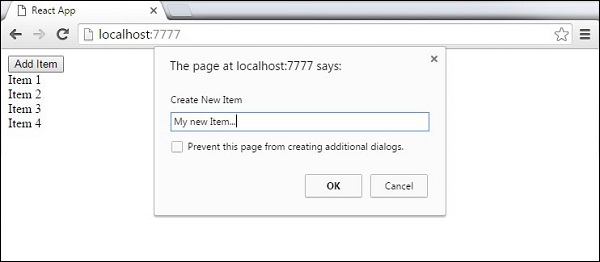
当我们启动应用程序并点击添加项目按钮时,将出现提示。
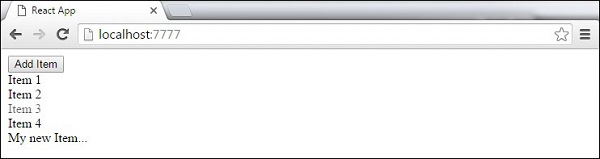
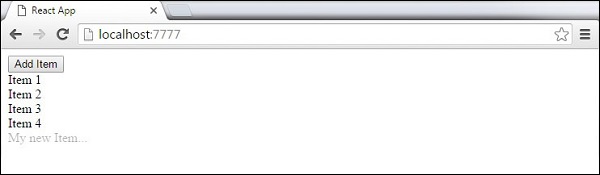
一旦我们输入名称并按确定,新元素就会淡入。
现在我们可以通过单击删除一些项目(项目 3...)。此项目将从列表中淡出。