
ReactJS - 代码拆分
打包是前端应用程序中的重要阶段之一。它将所有前端代码连同依赖项一起打包成一个大包(bundle.js)。最终的包由打包器进行大小优化。一些流行的打包器是 webpack、parcel 和 rollup。大多数情况下,最终的包都很好。如果最终打包的代码很大,则可以指示打包器将代码打包成多个项目,而不是单个大块。
让我们学习如何提示打包器拆分代码并单独打包。
动态导入
动态导入指示打包器拆分代码。动态导入基本上是根据需要获取所需的模块。执行正常的代码如下所示 −
import { round } from './math';
console.log(round(67.78));
可以动态导入相同的代码,如下所示 −
import("./math").then(math => {
  console.log(math.round(67.78);
});
React Lazy 组件
React 提供了一个函数 React.lazy 来动态导入组件。通常,正如我们所知,React 组件将按如下所示导入 −
import MyComponent from './MyComponent';
使用 React.lazy() 函数动态导入上述组件,如下所示 −
const MyComponent = React.lazy(() => import('./MyComponent'));
The imported component should be wrapped into a Suspense component to use it in the application.
import React, { Suspense } from 'react';
const MyComponent = React.lazy(() => import('./MyComponent'));
function App() {
   return (
      <div>
         <Suspense fallback={<div>Loading...</div>}>
            <MyComponent />
         </Suspense>
      </div>
   );
}
Suspense 组件用于在原始组件加载期间加载临时 UI。Suspense 组件包含一个 fallback 属性来指定后备 UI。后备 UI 可以是任何 React 元素。有时,动态组件可能会由于网络问题或代码错误而无法加载。我们可以使用错误边界来处理这些情况,如下所示 −
import React, { Suspense } from 'react';
import MyErrorBoundary from './MyErrorBoundary';
const MyComponent = React.lazy(() => import('./MyComponent'));
const AnotherComponent = () => (
   <div>
      <MyErrorBoundary>
         <Suspense fallback={<div>Loading...</div>}>
            <section>
               <MyComponent />
            </section>
         </Suspense>
      </MyErrorBoundary>
   </div>
);
此处,
MyErrorBoundary 包裹在 Suspense 组件周围。
如果在加载 MyComponent 时出现任何错误,则 MyErrorBoundary 会处理该错误并回退到其组件中指定的通用 UI。
应用代码拆分的最佳场景之一是路由。可以使用路由来应用代码拆分,如下所示 −
import React, { Suspense, lazy } from 'react';
import { BrowserRouter, Routes, Route } from 'react-router-dom';
const Home = lazy(() => import('./routes/Home'));
const About = lazy(() => import('./routes/About'));
const App = () => (
   <BrowserRouter>
      <Suspense fallback={<div>Loading...</div>}>
         <Routes>
            <Route path="/" element={<Home />} />
            <Route path="/about" element={<About />} />
         </Routes>
      </Suspense>
   </BrowserRouter>
);
这里,
所有路由(组件)均使用 React.lazy() 功能加载
由于所有路由(Home 和 About )均通过动态导入加载,因此每个路由在初始化期间将仅加载必要的组件,而不是所有组件。
React.lazy() 仅支持默认导出。在 React 中,我们可以通过指定动态名称而不是默认关键字来导出组件,如下所示 −
export const MyComponent = /* ... */;
为了使其在 React.lazy() 中可用,我们可以使用 default 关键字重新导出组件,如下所示 −
export { MyLazyComponent as default } from "./MyComponent.js";
然后,我们可以像往常一样导入它,
import React, { lazy } from 'react';
const MyComponent = lazy(() => import("./MyComponent.js"));
应用延迟加载
让我们创建一个新的 React 应用程序来学习如何在本节中应用代码拆分。
首先,创建一个新的 React 应用程序并使用以下命令启动它。
create-react-app myapp
cd myapp
npm
接下来,打开 App.css (src/App.css) 并删除所有 CSS 类。
// 删除所有 css 类
接下来,创建一个简单的 hello 组件 Hello (src/Components/Hello.js) 并呈现一条简单的消息,如下所示−
import React from "react";
class Hello extends React.Component {
   constructor(props) {
      super(props)
   }
   render() {
      return (
         <div>Hello, {this.props.name}</div>
      );
   }
}
export default Hello;
在这里,我们使用了 name 属性来呈现具有给定名称的 hello 消息。
接下来,创建一个简单的组件 SimpleErrorBoundary (src/Components/SimpleErrorBoundary.js),并在错误期间呈现后备 UI 或子组件,如下所示 −
import React from "react";
class SimpleErrorBoundary extends React.Component {

   constructor(props) {
      super(props);
      this.state = { hasError: false };
   }

   static getDerivedStateFromError(error) {
      return { hasError: true };
   }

   componentDidCatch(error, errorInfo) {
      console.log(error);
      console.log(errorInfo);
   }

   render() {
      if (this.state.hasError) {
         return <h1>Please contact the administrator.</h1>;
      }

      return this.props.children;
   }
}
export default SimpleErrorBoundary;
此处,
hasError 是一个使用 false 值初始化的状态变量。
getDerivedStateFromError 在出现错误时更新错误状态。
componentDidCatch 将错误记录到控制台中。
render 将根据应用程序中的错误呈现错误 UI 或子项。
接下来,打开 App 组件 (src/App.js),并通过 React.lazy() 加载 hello 组件,如下所示 −
import './App.css'
import React, { Suspense, lazy } from 'react';
import SimpleErrorBoundary from './Components/SimpleErrorBoundary';
const Hello = lazy(() => import('./Components/Hello'));

function App() {
   return (
      <div className="container">
         <div style={{ padding: "10px" }}>
            <div>
               <SimpleErrorBoundary>
                  <Suspense fallback="<div>loading...</div>">
                     <Hello name="Peter" />
                  </Suspense>
               </SimpleErrorBoundary>
            </div>
         </div>
      </div>
   );
}
export default App;
这里我们有,
从 react 包中导入了 lazy 和 Suspense 组件。
通过使用 Suspense 和 SimpleErrorBoundary 组件包装 Hello 组件来使用它。
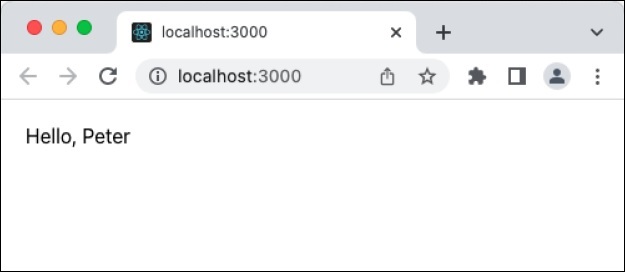
最后,在浏览器中打开应用程序并检查最终结果。延迟加载在前端没有任何可见的变化。它将以通常的方式呈现 hello 组件,如下所示 −
摘要
代码拆分将有助于通过仅加载特定页面中使用的必要组件来优化大型应用程序。 Suspense 和错误边界组件可以用来处理动态加载组件时出现的意外错误。

