ReactJS - 静态类型检查
由于 JavaScript 是一种动态类型语言,因此在运行代码之前很难发现类型不匹配错误。React 通过 prop-types 包支持对 props 进行类型检查,可用于在开发阶段识别属性的类型不匹配。
程序的另一个方面仍然需要一个工具来正确识别开发阶段的类型问题。JavaScript 有很多静态类型检查工具来处理类型问题。我们将检查两个流行的选项,它们将顺利集成到 React 应用程序的工作流程中,并在应用程序的开发阶段提示可能出现的类型错误。它们如下 −
Flow
TypeScript 语言
Flow
Flow 是 JavaScript 的静态类型检查器。Flow 扩展了 JavaScript 语言以指定类型,并允许在 JavaScript 代码中设置静态类型注释。 Flow 会检查开发者在代码中设置的静态类型注解,确保使用了正确的类型,否则会抛出错误。简单示例如下 −
// @flow
function sum(a: number, b: number) : number {
   return a + b;
}
sum(10, 20)     // Pass
sum("10", "20") // Fail
此处,//@flow 注释使 flow 静态检查器能够分析下面定义的函数。如您所见,函数 sum 使用 Flow 语言扩展来指定参数的类型。让我们看看如何在 React 项目中启用 Flow,以及启用 Flow 的 React 项目的开发工作流程。
步骤 1 − 使用 create-react-app CLI 应用创建一个新的 React 项目。
create-react-app myapp
步骤 2 − 使用以下命令将 Flow 添加到项目中
cd myapp
npm install --save-bin flow-bin
步骤 3 − 现在,在 package.json 文件的脚本中添加 Flow 命令
{
   // ...
   "scripts": {
      "flow": "flow",
      // ...
   },
   // ...
}
这将允许我们通过 npm 运行 flow 命令
步骤 4 − 使用 flow 命令初始化 flow 配置,如下所示 −
npm run flow init
这将在项目根目录中创建一个包含以下内容的基本 flow 配置文件 .flowconfig。
[ignore]
[include]
[libs]
[lints]
[options]
[strict]
可在此处添加高级流程选项。默认情况下,流程将检查我们应用程序中的所有文件。要忽略 node_modules,请在 [ignore] 选项下添加 .*/node_modules/.*。这将指示流程应用程序忽略 node_modules 文件夹内的所有文件。
[ignore]
.*/node_modules/.*
[include]
[libs]
[lints]
[options]
react.runtime=automatic
[strict]
步骤 5 − 现在,我们已经将流程配置到我们的应用程序中。我们可以将流程注释到我们的代码中,并使用以下命令针对流程进行测试
npm run flow
Flow 将检查我们的代码并在控制台中显示类似的结果,如下所示 −
> myapp@0.1.0 flow /path/to/myapp
> flow
Launching Flow server for /path/to/myapp
Spawned flow server (pid=1629)
Logs will go to /private/tmp/flow/zSUserszSbalazSProjectszSArticleszSreact-revision-v2zSworkspacezSmyapp.log
Monitor logs will go to /private/tmp/flow/zSUserszSbalazSProjectszSArticleszSreact-revision-v2zSworkspacezSmyapp.monitor_log
No errors!
步骤 6 − 现在,我们可以在代码中使用 flow 注释了。让我们在代码中添加一个简单的 flow 注释,然后运行 flow 命令来检查代码的正确性。创建一个简单的 HelloWorld 组件 (src/components/HelloWorld.js),如下所示 −
import React from 'react'
class HelloWorld extends React.Component {
   render() {
      return <h1>Hello, {this.props.name}</h1>
   }
}
export default HelloWorld
步骤 7 − 将该组件包含在我们的根组件(App.js)中,如下所示 −
// @flow
import React from "react";
import HelloWorld from "./components/HelloWorld";
function App() : any {
   var name: string = 10
   return (
      <div>
         <HelloWorld name={name} />
      </div>
   )
}
export default App;
步骤 8 − 现在,使用 flow 检查代码,如下所示
npm run flow
Flow 命令将检查代码并显示错误,即名称设置为字符串值,如下所示。
> myapp@0.1.0 flow /path/to/myapp
> flow
Error ............................................src/App.js:6:22
Cannot assign 10 to name because number [1] is incompatible with string [2]. [incompatible-type]
      3│ import HelloWorld from "./components/HelloWorld";
      4│
      5│ function App() : any {
[2][1]6│   var name: string = 10
      7│
      8│   return (
      9│     <div>
Found 1 error
.....
.....
步骤 9 − 让我们通过为 name 变量提供字符串值来修复错误并重新运行 flow 命令。
// @flow
import React from "react";
import HelloWorld from "./components/HelloWorld";
function App() : any {
   var name: string = "John"
   return (
      <div>
         <HelloWorld name={name} />
      </div>
   )
}
export default App;
现在,flow 命令将成功执行,并显示代码中没有问题。
> myapp@0.1.0 flow /path/to/myapp
> flow
No errors!
步骤 10 − 最后,我们可以通过运行以下命令来运行应用程序,
npm start
可以使用以下命令创建优化的生产版本,
npm run build
TypeScript
TypeScript 是一种对静态类型具有一流支持的语言。静态类型使 TypeScript 能够在编译时而不是运行时捕获类型错误。 TypeScript 支持 JavaScript 的所有语言特性。
因此,JavaScript 开发人员使用 TypeScript 非常容易。React 内置了对 TypeScript 的支持。要创建 React 项目,只需在通过 create-react-app 创建 React 应用时包含 TypeScript 模板即可。
create-react-app myapp --template typescript
创建应用后,在 src/components 文件夹下添加一个新的 HelloWorld 组件 (HelloWorld.tsx),如下所示 −
// src/components/HelloWorld.tsx
import React from 'react'
class HelloWorld extends React.Component {
   render() {
      return <h1>Hello, {this.props.name}</h1>
   }
}
export default HelloWorld
现在,包含 HelloWorld 组件 −
import React from "react";
import HelloWorld from "./components/HelloWorld";
function App() : any {
   var name: string = 10
   return (
      <div>
         <HelloWorld name={name} />
      </div>
   )
}
export default App;
这里,我们有意将 name 的值设置为 10。让我们运行应用程序并检查编译器是否捕获错误。
npm start
运行命令会引发错误,如下所示 −
...
...
ERROR in src/App.tsx:5:7
TS2322: Type 'number' is not assignable to type 'string'.
     3 |
     4 | function App() : any {
   > 5 |   var name: string = 10
       |       ^^^^
     6 |
     7 |   return (
     8 |     <div>
...
...
让我们更改 name 的值并设置一个字符串值("John")。上述错误已修复,但编译器仍然在 HelloWorld 组件中抛出错误,如下所示 −
Issues checking in progress...
ERROR in src/App.tsx:9:19
TS2769: No overload matches this call.
   Overload 1 of 2, '(props: {} | Readonly<{}>): HelloWorld', gave the following error.
      Type '{ name: string; }' is not assignable to type 'IntrinsicAttributes & IntrinsicClassAttributes<HelloWorld> & Readonly<{}>'.
         Property 'name' does not exist on type 'IntrinsicAttributes & IntrinsicClassAttributes<HelloWorld> & Readonly<{}>'.
   Overload 2 of 2, '(props: {}, context: any): HelloWorld', gave the following error.
      Type '{ name: string; }' is not assignable to type 'IntrinsicAttributes & IntrinsicClassAttributes<HelloWorld> & Readonly<{}>'.
         Property 'name' does not exist on type 'IntrinsicAttributes & IntrinsicClassAttributes<HelloWorld> & Readonly<{}>'.
     7 |   return (
     8 |     <div>
> 9 |       <HelloWorld name={name} />
       |                   ^^^^
    10 |     </div>
    11 |   )
    12 | }
ERROR in src/components/HelloWorld.tsx:9:39
TS2339: Property 'name' does not exist on type 'Readonly<{}>'.
     7 | class HelloWorld extends React.Component {
     8 |     render() {
> 9 |        return <h1>Hello, {this.props.name}</h1>
       |                                       ^^^^
    10 |     }
    11 | }
    12 |
为了修复错误,应为 HelloWorld 组件的属性提供类型信息。为属性创建一个新的接口,然后将其包含在 HelloWorld 组件中,如下所示 −
import React from 'react'
interface HelloWorldProps {
   name: string
}
class HelloWorld extends React.Component<HelloWorldProps> {
   render() {
      return <h1>Hello, {this.props.name}</h1>
   }
}
export default HelloWorld
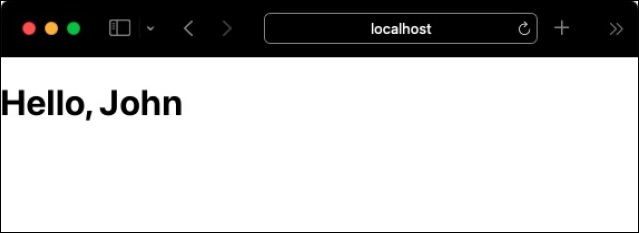
最后,我们的代码编译成功,没有任何错误,如下所示,可以通过 `http://localhost:3000/
查看。No issues found.