
ReactJS - componentWillUnmount() 方法
组件是 React 应用的构建块。它们类似于我们组装起来以建造更大建筑物的乐高积木。componentWillUnmount() 是每个组件可用的生命周期方法之一。
componentWillUnmount 方法是 React 类组件的一部分。React 在从屏幕上移除或"卸载"组件之前调用它。这是清理任务(例如取消数据获取或停用订阅)的常用位置。
语法
componentWillUnmount() {
    // 此处为清理和资源释放逻辑
}
参数
componentWillUnmount 不接受任何参数。这是 React 在组件即将卸载时调用的生命周期函数。
返回值
componentWillUnmount 函数不应返回任何内容。它用于执行清理操作和释放资源,而不是返回值。
示例
示例
让我们制作一个基本的示例应用程序来展示如何使用 React 类组件中的 componentWillUnmount 函数。在此示例中,我们将创建一个计数器应用程序,该应用程序在组件安装时启动计时器,并在组件卸载时停止计时器。
import React, { Component } from 'react';

class App extends Component {
   state = {
      count: 0,
   };
   timerID = null;
   componentDidMount() {

      // 组件挂载时启动计时器
      this.timerID = setInterval(() => {
         this.setState((prevState) => ({ count: prevState.count + 1 }));
      }, 1000);
   }
   componentWillUnmount() {
      // 当组件卸载时停止计时器
      clearInterval(this.timerID);
   }
   render() {
      return (
         <div>
            <h1>Counter: {this.state.count}</h1>
         </div>
      );
   }
}

export default App;
输出
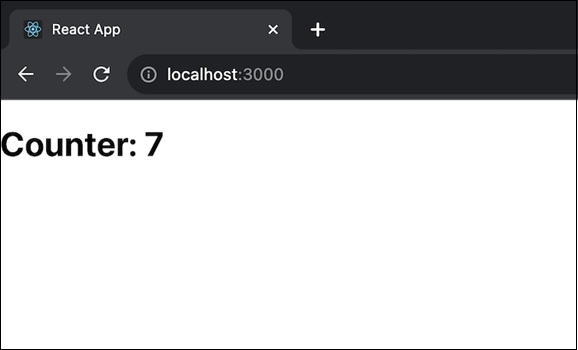
我们创建了一个扩展 Component 的 CounterApp 组件。在 componentDidMount 方法中,我们借助 setInterval 启动了一个计时器,以便每秒更新计数状态。这是一个每秒递增的简单计数器。在 componentWillUnmount 方法中,我们借助 clearInterval 停止计时器,以防止卸载组件时发生内存泄漏。render 方法显示当前计数值。
此应用展示了如何使用 componentWillUnmount 函数清除资源。在我们的例子中,它是在卸载组件时停止计时器。
示例 −用户资料应用
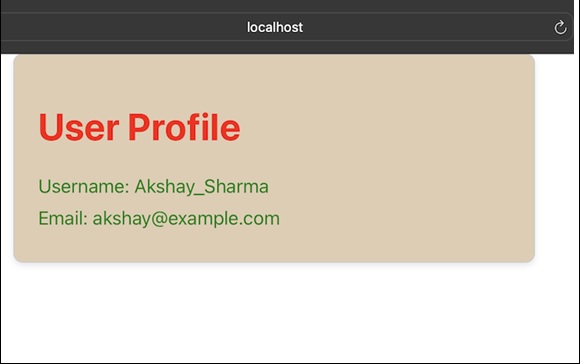
在此应用中,我们将显示用户资料,并且 componentWillUnmount() 函数用于卸载组件时可能需要的任何清理。
UserProfileApp.js
import React, { Component } from 'react';
import './App.css';

class UserProfileApp extends Component {
   state = {
      userProfile: {
         username: 'Akshay_Sharma',
         email: 'akshay@example.com',
      },
   };
   componentDidMount() {

      // 组件安装时获取用户个人资料数据
   }
   componentWillUnmount() {

      // 用户配置文件应用程序所需的任何清理都可以在这里完成
      console.log('UserProfileApp will unmount');
   }
   render() {
      const { username, email } = this.state.userProfile;
      return (
         <div className='App user-profile-container'>
            <h1>User Profile</h1>
            <p>Username: {username}</p>
            <p>Email: {email}</p>
         </div>
      );
   }
}

export default UserProfileApp;
App.css
.user-profile-container {
   max-width: 400px;
   margin: auto;
   padding: 20px;
   border: 1px solid #ccc;
   border-radius: 8px;
   box-shadow: 0 2px 5px rgba(0, 0, 0, 0.1);
   background-color:rgb(224, 204, 178);
}
h1 {
   color: red;
}
p {
   margin: 8px 0;
   color: green;
}
输出
示例 − 倒数计时器应用
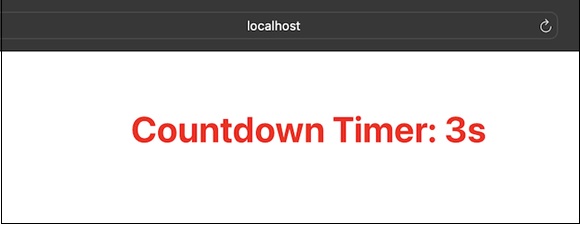
在此应用中,我们将有一个倒数计时器,该计时器在组件安装时启动,并在组件即将卸载时停止。因此,此应用的代码如下 −
CountdownTimerApp.js
import React, { Component } from 'react';
import './App.css'

class CountdownTimerApp extends Component {
   state = {
      time: 10,
   };
   timerID = null;
   componentDidMount() {

      // 组件安装时启动倒计时器
      this.timerID = setInterval(() => {
         this.setState((prevState) => ({ time: prevState.time - 1 }));
      }, 1000);
   }
   componentWillUnmount() {

      // 当组件卸载时停止倒计时器
      clearInterval(this.timerID);
   }
   render() {
      return (
         <div className='App'>
            <h1>Countdown Timer: {this.state.time}s</h1>
         </div>
      );
   }
}

export default CountdownTimerApp;
输出
componentWillUnmount() 方法用于清除间隔或在组件即将卸载时执行清理。
限制
在 React 的严格模式下开发期间,React 可以使用 componentDidMount,立即调用 componentWillUnmount,然后再次调用 componentDidMount。这是一个有用的工具,可用于识别 componentWillUnmount 的问题并确保它正确复制 componentDidMount。
摘要
componentWillUnmount 是 React 类组件中的一种方法,用于在从屏幕上清除组件之前清理资源。它是停止数据获取和停用订阅等操作所必需的。我们通过复制 componentDidMount 的行为来确保组件在整个生命周期内顺利运行。
 reactjs_reference_api.html
