
ReactJS - findRenderedComponentWithType()
React.js 中有一个名为 findRenderedComponentWithType() 的函数。此函数与另一个名为 scryRenderedComponentsWithType() 的函数类似,但工作方式不同。findRenderedComponentWithType() 背后的基本思想是在渲染树中定位并返回给定的组件。
findRenderedComponentWithType() 的目标是在渲染树(React 组件的结构)中搜索给定的组件。与其他几个函数相比,findRenderedComponentWithType() 只需要一个匹配项。如果有多个匹配项或根本没有匹配项,则会引发异常。
语法
findRenderedComponentWithType(tree, componentClass)
参数
tree −这是我们要在其中搜索的 React 组件的渲染树。
componentClass − 这是我们想要的组件的类型,由其类给出。
返回值
findRenderedComponentWithType() 返回渲染树中与给定类类型匹配的单个 React 组件。如果只有一个匹配,它将返回该组件。如果没有匹配或匹配多个,它将抛出异常,表示预期的匹配数有问题。
示例
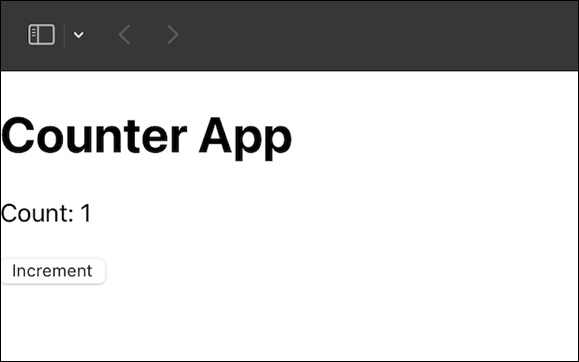
示例 − 计数器应用和测试
这是一个基本的计数器应用,其中我们将有一个用于增加计数器的按钮。然后我们将为该组件创建测试以测试其功能。所以让我们看看应用和测试的代码 −
CounterApp.js
import React, { useState } from 'react';

const CounterApp = () => {
   const [count, setCount] = useState(0);
   const increment = () => {
      setCount(count + 1);
   };

   return (
      <div>
         <h1>Counter App</h1>
         <p>Count: {count}</p>
         <button onClick={increment}>Increment</button>
      </div>
   );
};

export default CounterApp;
CounterApp.test.js
import React from 'react';
import { render } from '@testing-library/react';
import { findRenderedComponentWithType } from 'react-dom/test-utils';
import CounterApp from './CounterApp';

test('finds and interacts with the "Increment" button', () => {
    const { container } = render(<CounterApp />);
    const incrementButton = findRenderedComponentWithType(container, HTMLButtonElement);

    // 测试逻辑在这里
    expect(incrementButton.textContent).toBe('Increment');
    // 附加断言
});
输出
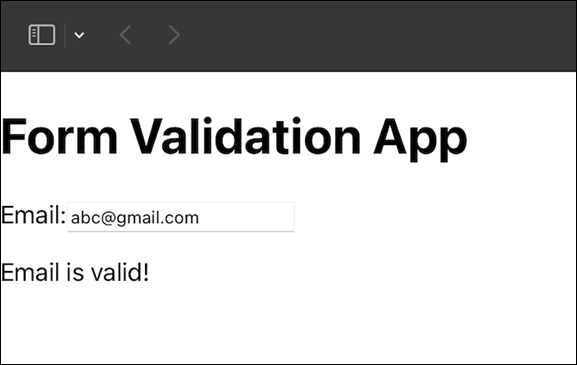
示例 − 电子邮件验证应用程序和测试
现在我们将创建一个小应用程序,其中将验证用户的电子邮件地址并使用 findRenderedComponentWithType() 方法创建测试代码 −
FormValidationApp.js
import React, { useState } from 'react';

const FormValidationApp = () => {
   const [email, setEmail] = useState('');
   const [validEmail, setValidEmail] = useState(false);
   const handleEmailChange = (e) => {
      const newEmail = e.target.value;
      setEmail(newEmail);
      setValidEmail(validateEmail(newEmail));
   };

   const validateEmail = (input) => {

      // 简单的电子邮件验证逻辑
      return /\S+@\S+\.\S+/.test(input);
   };

   return (
      <div>
         <h1>Form Validation App</h1>
         <label>Email:</label>
         <input type="text" value={email} onChange={handleEmailChange} />
         {validEmail ? <p>Email is valid!</p> : <p>Email is not valid.</p>}
      </div>
   );
};

export default FormValidationApp;
FormValidationApp.test.js
import React from 'react';
import { render } from '@testing-library/react';
import { findRenderedComponentWithType } from 'react-dom/test-utils';
import FormValidationApp from './FormValidationApp';

test('finds and validates the email input', () => {
   const { container } = render(<FormValidationApp />);
   const emailInput = findRenderedComponentWithType(container, HTMLInputElement);

   //testing logic
   expect(emailInput.type).toBe('text');
});
输出
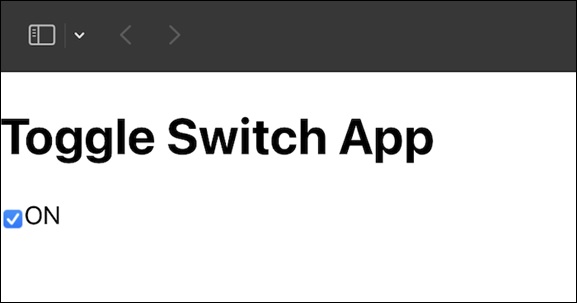
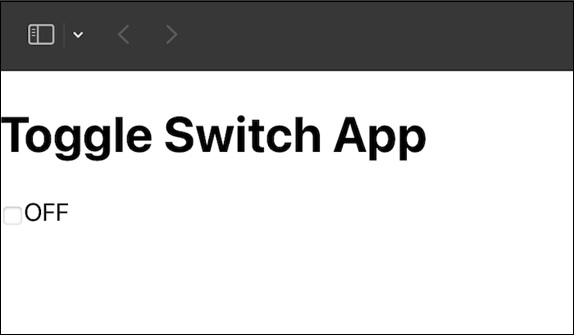
示例 − 切换开关应用和测试
在此应用中,我们将使用切换功能,其中有开启和关闭功能,然后我们将使用 findRenderedComponentWithType() 创建此功能的测试。因此,此应用和测试代码如下 −
ToggleSwitchApp.js
import React, { useState } from 'react';

const ToggleSwitchApp = () => {
   const [isOn, setIsOn] = useState(false);

   const toggleSwitch = () => {
      setIsOn(!isOn);
   };

   return (
      <div>
         <h1>Toggle Switch App</h1>
         <label>
            <input type="checkbox" checked={isOn} onChange={toggleSwitch} />
            {isOn ? 'ON' : 'OFF'}
         </label>
      </div>
   );
};

export default ToggleSwitchApp;
ToggleSwitchApp.test.js
import React from 'react';
import { render } from '@testing-library/react';
import { findRenderedComponentWithType } from 'react-dom/test-utils';
import ToggleSwitchApp from './ToggleSwitchApp';

test('finds and interacts with the toggle switch', () => {
   const { container } = render(<ToggleSwitchApp />);
   const toggleSwitch = findRenderedComponentWithType(container, HTMLInputElement);

   // testing logic
   expect(toggleSwitch.type).toBe('checkbox');
});
输出
总结
在本教程中,我们了解了 findRenderedComponentWithType(),这是一个 React.js 函数,可帮助在渲染树中定位特定组件。我们分析了它的参数,然后利用这些知识创建了三个不同的 React.js 应用程序。我们不仅理解了这个概念,而且还将其付诸实践,使我们的学习更加动手。
 reactjs_reference_api.html
