
ReactJS - 静态 defaultProps 属性
React 是一个流行的用户界面开发库。有时在创建 React 应用时,我们可能希望为某些属性设置默认设置。这就是"defaultProps"理念发挥作用的情况。
什么是 defaultProps?
DefaultProps 是 React 的一项功能,允许我们为组件的属性(或 props)提供默认值。当未提供 prop、未定义或缺失 prop 时,将使用这些默认值。需要注意的是,如果 prop 明确设置为 null,则不会应用 defaultProps。
defaultProps 的使用
class Button extends Component {
   static defaultProps = {
      color: 'blue'
   };

   render() {
      return <button className={this.props.color}>Click me</button>;
   }
}
在此代码中,我们有一个 Button 组件,它采用"color"属性。如果未提供或未定义"color"属性,则 defaultProps 会介入并默认将"color"属性设置为"blue"。
defaultProps 实际操作示例
如果没有提供"color"属性,则 Button 组件将默认设置为"blue"。
<Button />
{/* The color is "blue" */}
即使我们直接将 'color' prop 设置为 undefined,defaultProps 仍然会生效,为 'color' 提供默认值 'blue'。
<Button color={undefined} />
{/* The color is "blue" */}
如果我们将 'color' prop 更改为 null,defaultProps 将不会覆盖它,并且 'color' 将为 null。
<Button color={null} />
{/* The color is null */}
如果我们为"color"属性指定一个值,它将被使用而不是默认值。
<Button color="red" />
{/* The color is "red" */}
示例
示例 − 按钮组件应用
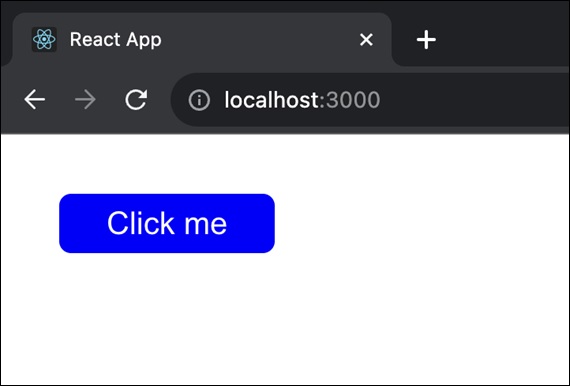
因此,我们将创建一个 React 应用,其中我们将显示一个蓝色的按钮组件,以显示 defaultProps 的用法。
现在打开项目并使用代码编辑器导航到项目目录中的 src 文件夹。在 App.js 文件中替换以下代码 −
import React, { Component } from 'react';
import './App.css'; // Import the CSS file

class Button extends Component {
   static defaultProps = {
      color: 'blue'
   };
   render() {
      return <button className={`button ${this.props.color}`}>Click me</button>;
   }
}
class App extends Component {
   render() {
      return (
         <div className="App">
            <Button />
         </div>
      );
   }
}

export default App;
App.css
.button {
   background-color: rgb(119, 163, 208);
   color: white;
   padding: 5px 20px;
   border: 2px;
   margin-top: 25px;
   border-radius: 5px;
   cursor: pointer;
}

.blue {
   background-color: blue;
}
输出
示例 − 简单计数器应用
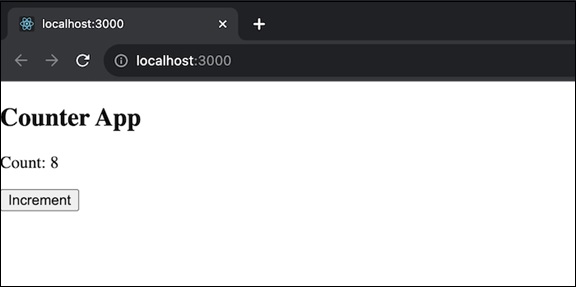
在此应用中,我们将显示一个从指定初始值(默认值为 0)开始的计数器。因此,用户可以单击按钮来增加计数器。此应用将向我们展示如何使用静态 defaultProps 为某些属性提供默认值。此应用的代码如下 −
import React, { Component } from 'react';

class Counter extends Component {
   static defaultProps = {
      initialValue: 0,
   };
   constructor(props) {
      super(props);
      this.state = {
         count: this.props.initialValue,
      };
   }
   increment = () => {
      this.setState((prevState) => ({ count: prevState.count + 1 }));
   };

   render() {
      return (
         <div>
            <h2>Counter App</h2>
            <p>Count: {this.state.count}</p>
            <button onClick={this.increment}>Increment</button>
         </div>
      );
   }
}

export default Counter;
输出
示例 − 切换开关应用
在此应用中,我们将提供一个可以打开或关闭的切换开关。因此,我们将初始状态设置为打开或关闭(默认为关闭)。用户可以单击按钮来切换开关。因此,此应用的代码如下 −
import React, { Component } from 'react';

class ToggleSwitch extends Component {
   static defaultProps = {
      defaultOn: false,
   };
   constructor(props) {
      super(props);
      this.state = {
         isOn: this.props.defaultOn,
      };
   }
   toggle = () => {
      this.setState((prevState) => ({ isOn: !prevState.isOn }));
   };

   render() {
      return (
         <div>
            <h2>Toggle Switch App</h2>
            <p>Switch is {this.state.isOn ? 'ON' : 'OFF'}</p>
            <button onClick={this.toggle}>Toggle</button>
         </div>
      );
   }
}

export default ToggleSwitch;
输出

在上面的输出中,我们可以看到有一个名为 Toggle 的按钮,因此当我们单击它时,消息将根据条件更改。如果消息是 Switch is OFF,则单击按钮后,消息将更改为 Switch is ON。
摘要
defaultProps 是 React 中的一个有用功能,可改进对组件属性默认值的处理。它确保我们的组件即使某些 props 缺失或未定义也能有效运行。我们可以通过定义默认值使代码更简单、更用户友好。
 reactjs_reference_api.html
