Gii - 生成控制器
让我们看看如何生成控制器。
步骤 1 − 要生成具有多个操作的控制器,请打开控制器生成器界面并填写表单。
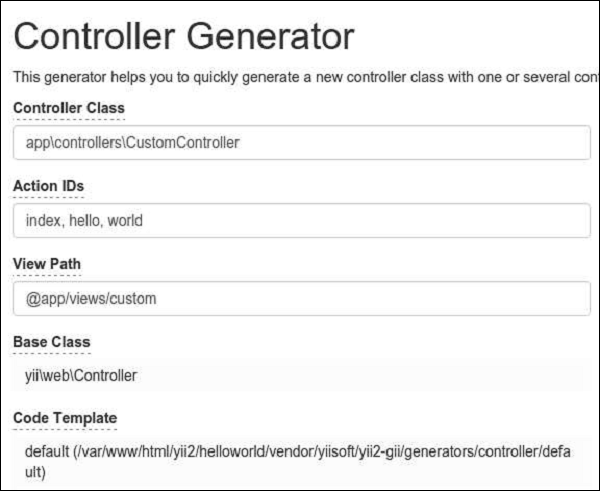
步骤 2 − 然后,单击"预览"按钮并"生成"。将在 controllers 文件夹中生成具有 index、hello 和 world 操作的 CustomController.php 文件。
<?php
   namespace app\controllers;
   class CustomController extends \yii\web\Controller {
      public function actionHello() {
         return $this->render('hello');
      }
      public function actionIndex() {
         return $this->render('index');
      }
      public function actionWorld() {
         return $this->render('world');
      }
   }
?>
表单生成
步骤 1 − 要从现有模型生成视图文件,请打开表单生成界面并填写表单。
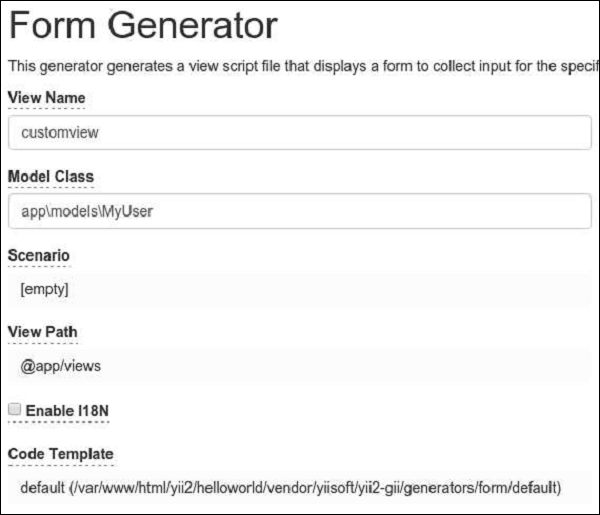
然后,单击"预览"按钮和"生成"。自定义视图文件将在视图文件夹中生成。
步骤 2 − 要显示它,请向 CustomController 添加一个新方法。
public function actionView() {
   $model = new MyUser();
   return $this->render('/customview', [
      'model' => $model,
   ]);
}
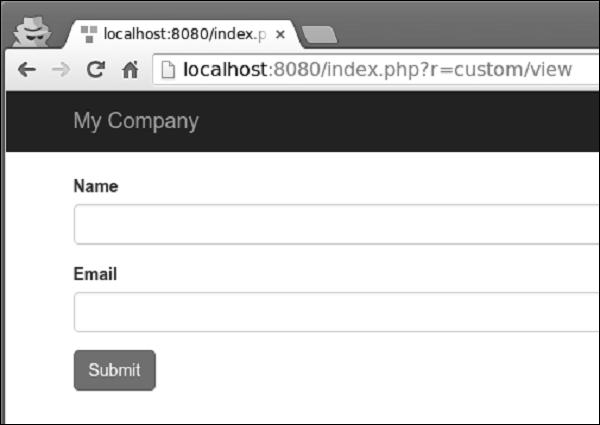
步骤 3 − 要查看生成的视图文件,请打开 URL http://localhost:8080/index.php?r=custom/view。