
Google AMP - 广告
广告在发布商页面中扮演着重要的角色,因为它们是发布商的收入来源。对于 amp 页面,情况略有不同。它们不允许添加第三方 javascript 文件。为了在页面上显示广告,有一个名为 amp-ad 的 amp 组件可帮助在页面上显示广告。大多数投放广告的广告网络都与 amp-ad 标签兼容。
广告如何运作的详细信息显示在下图 −
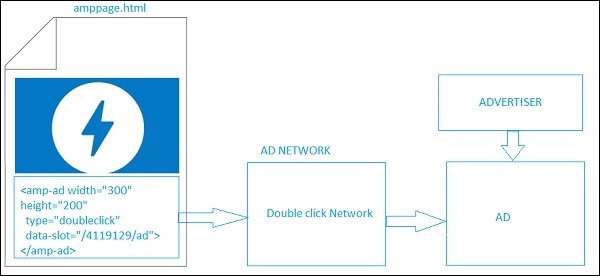
要在发布商页面上显示广告,我们需要添加 <amp-ad>,它将作为在页面上投放广告的占位符。<amp-ad>将调用为 type 指定的广告网络。
AD 网络内部将调用广告商提供的广告,该广告大多是 html 或 amphtml 广告。
为了使其工作,我们需要首先将脚本添加到页面。
<script async custom-element = "amp-ad" src = "
https://cdn.ampproject.org/v0/amp-ad-0.1.js">
</script>
doubleclick 的 amp-ad 标签如下所示 −
<amp-ad width = "300"
   height = "200"
   type = "doubleclick"
   data-slot = "/4119129/ad">
   <div placeholder>
      <b>Placeholder here!!!</b>
   </div>
</amp-ad>
有许多广告网络支持 amp-ad。请注意,我们将在示例中查看 doubleclick amp-ad 标签。必须在type 属性中指定广告网络名称。
示例
<!doctype html>
<html amp lang = "en">
   <head>
      <meta charset = "utf-8">
      <script async src = "https://cdn.ampproject.org/v0.js">
      </script>
      <title>Google AMP - AD</title>
      <link rel = "canonical" href=
      "http://example.ampproject.org/article-metadata.html">
      <meta name = "viewport" content = "width = device-width,
      minimum-scale = 1,initial-scale = 1">

      <style amp-boilerplate>
         body{
            -webkit-animation:
            -amp-start 8s steps(1,end) 0s 1 normal both;-moz-animation:
            -amp-start 8s steps(1,end) 0s 1 normal both;-ms-animation:
            -amp-start 8s steps(1,end) 0s 1 normal both;animation:
            -amp-start 8s steps(1,end) 0s 1 normal both
         }
         @-webkit-keyframes
         -amp-start{from{visibility:hidden}to{visibility:visible}}@-moz-keyframes
         -amp-start{from{visibility:hidden}to{visibility:visible}}@-ms-keyframes
         -amp-start{from{visibility:hidden}to{visibility:visible}}@-o-keyframes
         -amp-start{from{visibility:hidden}to{visibility:visible}}@keyframes
         -amp-start{from{visibility:hidden}to{visibility:visible}}
      </style>
      <noscript>
         <style amp-boilerplate>
            body{
               -webkit-animation:none;
               -moz-animation:none;
               -ms-animation:none;
               animation:none}
         </style>
      </noscript>
      <script async custom-element = "amp-ad" src =
         "https://cdn.ampproject.org/v0/amp-ad-0.1.js">
      </script>
      <style amp-custom>
         div {
            text-align:center;
         }
      </style>
   </head>
   <body>
      <h3>Google AMP - AD</h3>
      <h3>300x250 - Banner AD</h3>
      <p>这是广告网络双击横幅广告的示例</p>
      <p>这是广告网络双击横幅广告的示例</p>
      <p>这是广告网络双击横幅广告的示例</p>
      <p>这是广告网络双击横幅广告的示例</p>
      <p>这是广告网络双击横幅广告的示例</p>
      <p>这是广告网络双击横幅广告的示例</p>
      <div>
         <amp-ad
            data-slot = /30497360/amp_by_example/AMP_Banner_300x250
            height = 250
            layout = fixed
            style = width:300px;height:250px;
            type = doubleclick
            width = 300>
         </amp-ad>
      </div>
      <p>这是广告网络双击横幅广告的示例</p>
      <p>这是广告网络双击横幅广告的示例</p>
      <p>这是广告网络双击横幅广告的示例</p>
      <p>这是广告网络双击横幅广告的示例</p>
      <p>这是广告网络双击横幅广告的示例</p>
      <p>这是广告网络双击横幅广告的示例</p>
      <p>这是广告网络双击横幅广告的示例</p>
      <p>这是广告网络双击横幅广告的示例</p>
      <p>这是广告网络双击横幅广告的示例</p>
   </body>
</html>
输出
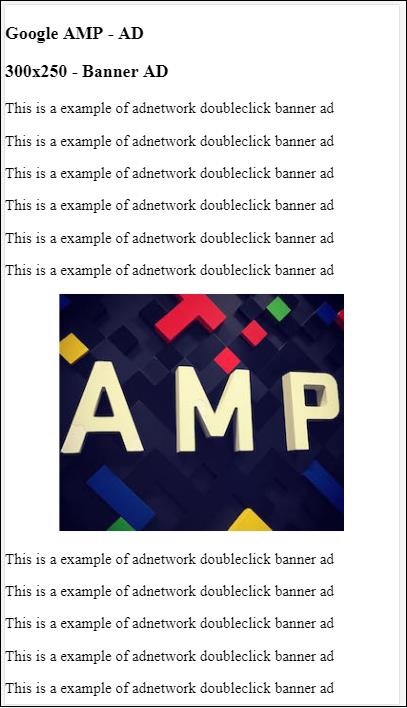
让我们来看看 amp-ad 上可用的一些重要属性,如下表所示 −
| Sr.No | 属性 &描述 |
|---|---|
| 1 | type
广告网络名称 |
| 2 | width
广告宽度 |
| 3 | height
广告高度 |
| 4 | placeholder
占位符用作子元素,在广告仍在加载时显示给用户。请注意,此属性必须由广告网络端支持。 |
| 5 | data-*
要传递给广告网络的数据属性。例如,doubleclick 广告网络需要 data-slot=/30497360/amp_by_example/AMP_Banner_300x250 才能在页面上呈现广告。 每个广告网络都会指定数据参数。 我们还可以使用 data-override-width 和 data-override-height 覆盖使用的宽度和高度。 |
| 6 | fallback
Fallback 用作 amp-ad 的子元素,并在没有广告可投放时显示。 |
让我们借助一个工作示例来理解这一点,该示例使用 placeholder,当没有广告可投放时执行服务。
示例
<!doctype html>
<html amp lang = "en">
   <head>
      <meta charset = "utf-8">
      <script async src = "https://cdn.ampproject.org/v0.js">
      </script>
      <title>Google AMP - AD</title>
      <link rel = "canonical" href =
      "http://example.ampproject.org/article-metadata.html">
      <meta name = "viewport" content="width = device-width,
      minimum-scale = 1,initial-scale = 1">

      <style amp-boilerplate>
         body{
            -webkit-animation:
            -amp-start 8s steps(1,end) 0s 1 normal both;-moz-animation:
            -amp-start 8s steps(1,end) 0s 1 normal both;-ms-animation:
            -amp-start 8s steps(1,end) 0s 1 normal both;animation:
            -amp-start 8s steps(1,end) 0s 1 normal both
         }
         @-webkit-keyframes
         -amp-start{from{visibility:hidden}to{visibility:visible}}@-moz-keyframes
         -amp-start{from{visibility:hidden}to{visibility:visible}}@-ms-keyframes
         -amp-start{from{visibility:hidden}to{visibility:visible}}@-o-keyframes
         -amp-start{from{visibility:hidden}to{visibility:visible}}@keyframes
         -amp-start{from{visibility:hidden}to{visibility:visible}}
      </style>
      <noscript>
         <style amp-boilerplate>
            body{
               -webkit-animation:none;
               -moz-animation:none;
               -ms-animation:none;
               animation:none}
         </style>
      </noscript>
      <script async custom-element = "amp-ad" src =
         "https://cdn.ampproject.org/v0/amp-ad-0.1.js">
      </script>
      <style amp-custom>
      div {
         text-align:center;
      }
      </style>
   </head>
   <body>
      <h3>Google AMP - AD</h3>
      <h3>300x250 - Banner AD</h3>
      <p>这是广告网络双击横幅广告的示例</p>
      <p>这是广告网络双击横幅广告的示例</p>
      <p>这是广告网络双击横幅广告的示例</p>
      <p>这是广告网络双击横幅广告的示例</p>
      <p>这是广告网络双击横幅广告的示例</p>
      <p>这是广告网络双击横幅广告的示例</p>
      <div>
         <amp-ad
            data-slot = /30497360/amp_by_example/AMP_Banner_300x250
            height = 250
            layout = fixed
            style = width:300px;height:250px;
            type = doubleclick
            width = 300>
            <div placeholder>
               <b>Placeholder Example : Ad is loading!!!</b>
            </div>
         </amp-ad>
      </div>
      <p>这是广告网络双击横幅广告的示例</p>
      <p>这是广告网络双击横幅广告的示例</p>
      <p>这是广告网络双击横幅广告的示例</p>
      <p>这是广告网络双击横幅广告的示例<p>
      <p>这是广告网络双击横幅广告的示例</p>
      <p>这是广告网络双击横幅广告的示例</p>
   </body>
</html>
输出
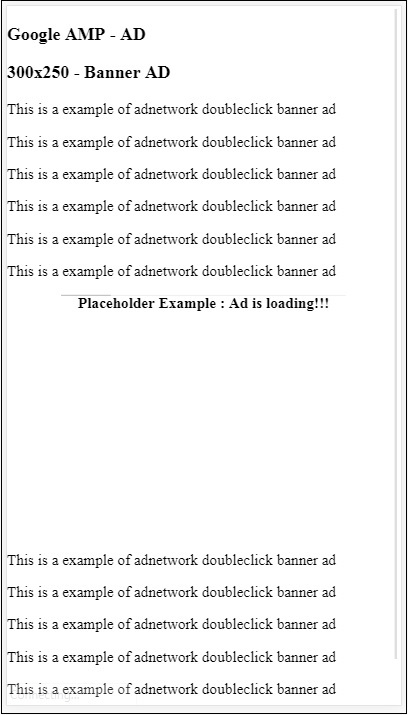
我们可以使用 fallback 属性,它是 amp-ad 的子元素,当没有广告可投放时显示。
示例
<!doctype html>
<html amp lang = "en">
   <head>
      <meta charset = "utf-8">
      <script async src = "https://cdn.ampproject.org/v0.js">
      </script>
      <title>Google AMP - AD</title>
      <link rel = "canonical" href =
      "http://example.ampproject.org/article-metadata.html">
      <meta name = "viewport" content = "width = device-width,
      minimum-scale = 1,initial-scale = 1">

      <style amp-boilerplate>
         body{
            -webkit-animation:
            -amp-start 8s steps(1,end) 0s 1 normal both;-moz-animation:
            -amp-start 8s steps(1,end) 0s 1 normal both;-ms-animation:
            -amp-start 8s steps(1,end) 0s 1 normal both;animation:
            -amp-start 8s steps(1,end) 0s 1 normal both
         }
         @-webkit-keyframes
         -amp-start{from{visibility:hidden}to{visibility:visible}}@-moz-keyframes
         -amp-start{from{visibility:hidden}to{visibility:visible}}@-ms-keyframes
         -amp-start{from{visibility:hidden}to{visibility:visible}}@-o-keyframes
         -amp-start{from{visibility:hidden}to{visibility:visible}}@keyframes
         -amp-start{from{visibility:hidden}to{visibility:visible}}
      </style>
      <noscript>
         <style amp-boilerplate>
            body{
               -webkit-animation:none;
               -moz-animation:none;
               -ms-animation:none;
               animation:none}
         </style>
      </noscript>
      <script async custom-element = "amp-ad" src =
         "https://cdn.ampproject.org/v0/amp-ad-0.1.js">
      </script>
      <style amp-custom>
         div, p{
            text-align:center;
         }
         amp-ad {
            border : solid 1px black;
         }
      </style>
   </head>
   <body>
      <h3>Google AMP - AD</h3>
      <h3>300x250 - Banner AD</h3>
      <p>这是广告网络双击横幅广告的示例</p>
      <p>这是广告网络双击横幅广告的示例</p>
      <p>这是广告网络双击横幅广告的示例</p>
      <p>这是广告网络双击横幅广告的示例</p>
      <p>这是广告网络双击横幅广告的示例</p>
      <p>这是广告网络双击横幅广告的示例</p>
      <div>
         <amp-ad
            width = "300"
            height = "250"
            type = "doubleclick"
            data-slot = "/4119129/no-ad">
            <div fallback>
               <p style = "color:green;font-size:25px;">No ads to Serve!</p>
            </div>
         </amp-ad>
      </div>
      <p>这是广告网络双击横幅广告的示例</p>
      <p>这是广告网络双击横幅广告的示例</p>
      <p>这是广告网络双击横幅广告的示例</p>
      <p>这是广告网络双击横幅广告的示例</p>
      <p>这是广告网络双击横幅广告的示例</p>
      <p>这是广告网络双击横幅广告的示例</p>
   </body>
</html>
输出
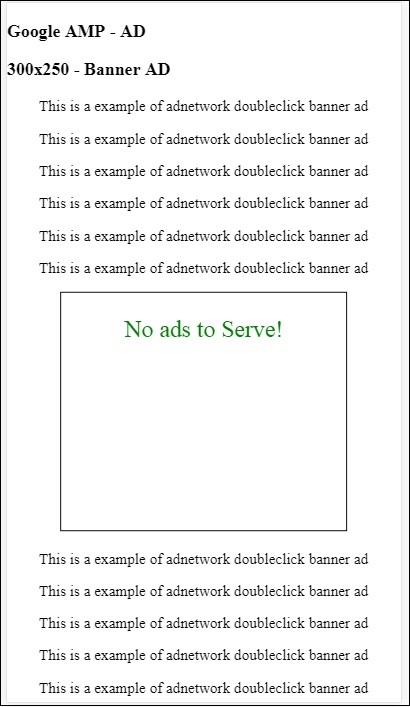
如果广告在视口中,则在 fallback 属性的情况下,它将在 fallback 元素内显示消息。
如果广告组件在视口下方且没有广告,amp-ad 将折叠空间并且不会显示 fallback 消息。
只有在没有广告且广告在视口下方时,广告单元才会折叠,这样用户在阅读内容时就不会受到干扰,因为折叠会导致内容移动。
支持的广告网络列表在此处给出:https://www.ampproject.org/docs/ads/ads_vendors
在本章中,我们将讨论 amp − 中的以下广告相关标签
Google AMP − 事件跟踪像素
Google AMP − 粘性广告
Google AMP − AMPHTML 广告
事件跟踪像素
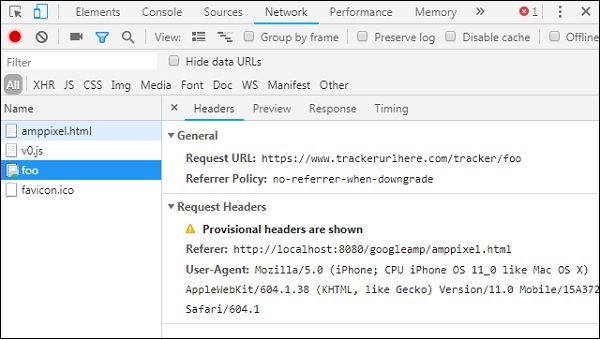
Amp 提供 amp-pixel,主要用于触发像素来计算页面浏览量。 Amp-pixel 类似于 img 标签,我们需要提供将要触发的像素 URL,用户可以在调试时在浏览器的网络选项卡中看到触发的 URL。像素不会显示在页面上。
要使用 amp-pixel,我们不需要添加任何其他脚本,因为它的功能在核心 amp 脚本中可用。
标签 amp-pixel 如下所示 −
<amp-pixel src = "https://urlhere" layout = "nodisplay">
</amp-pixel>
让我们借助一个工作示例了解 amp-pixel 的工作原理 −
示例
<!doctype html>
<html amp lang = "en">
   <head>
      <meta charset = "utf-8">
      <script async src = "https://cdn.ampproject.org/v0.js">
      </script>
      <title>Google AMP - Tracking Pixel</title>
      <link rel = "canonical" href =
      "http://example.ampproject.org/article-metadata.html">
      <meta name = "viewport" content = "width = device-width,
      minimum-scale = 1,initial-scale = 1">

      <style amp-boilerplate>
         body{
            -webkit-animation:
            -amp-start 8s steps(1,end) 0s 1 normal both;-moz-animation:
            -amp-start 8s steps(1,end) 0s 1 normal both;-ms-animation:
            -amp-start 8s steps(1,end) 0s 1 normal both;animation:
            -amp-start 8s steps(1,end) 0s 1 normal both
         }
         @-webkit-keyframes
         -amp-start{from{visibility:hidden}to{visibility:visible}}@-moz-keyframes
         -amp-start{from{visibility:hidden}to{visibility:visible}}@-ms-keyframes
         -amp-start{from{visibility:hidden}to{visibility:visible}}@-o-keyframes
         -amp-start{from{visibility:hidden}to{visibility:visible}}@keyframes
         -amp-start{from{visibility:hidden}to{visibility:visible}}
      </style>
      <noscript>
         <style amp-boilerplate>
            body{
               -webkit-animation:none;
               -moz-animation:none;
               -ms-animation:none;
               animation:none}
         </style>
      </noscript>
   </head>
   <body>
      <h3>Google AMP - Tracking Pixel</h3>
      <amp-pixel src = "https://www.trackerurlhere.com/tracker/foo"
      layout = "nodisplay">
      </amp-pixel>
   </body>
</html>
输出
您将在浏览器网络选项卡中看到 URL 触发。这里我们使用了一个虚拟像素来展示 amp-pixel 的工作。在实时环境中,您应该看到针对触发的像素跟踪数据。每次在实时网页中触发像素时,服务器端都会计算像素上的数据。稍后可以从业务角度分析数据。
粘性广告
粘性广告是一种显示广告的格式。广告将粘贴在页面底部,并将 amp-ad 组件作为子组件调用。这基本上就像我们在页面上经常看到的页脚广告一样。
要使用 amp-sticky-ad,我们需要添加以下脚本 −
<script async custom-element = "amp-sticky-ad" src = "
https://cdn.ampproject.org/v0/amp-sticky-ad-1.0.js">
</script>
与 amp-sticky-ad 相关的条件如下 −
您只能在页面上使用一个 amp-sticky-ad。
amp-ad 必须是 amp-sticky-ad 的直接子组件。例如 −
<amp-sticky-ad>
   <amp-ad></amp-ad>
</amp-sticky-ad>
粘性广告组件将始终位于页面底部。
粘性广告将占据容器的整个宽度,并以 amp-ad 的宽度和高度填充空间
粘性广告的高度为 100px。如果 amp-ad 的高度小于 100px,粘性广告将占用 amp-ad 的高度。如果 amp-ad 的高度大于 100px,则高度将保持为 100px,溢出内容将被隐藏。粘性广告的高度无法更改超过 100px。
可以更改粘性广告的背景颜色。但不允许使用透明背景。
当用户滚动到页面底部时,广告将显示在页面末尾,因此底部内容不会被隐藏。
在横向模式下,粘性广告将居中对齐。
如果没有广告可投放,粘性广告的容器将折叠并且不可见。
让我们看一个页面上 amp-sticky-ad 的工作示例,如下所示 −
示例
<!doctype html>
<html amp lang = "en">
   <head>
      <meta charset = "utf-8">
      <script async src = "https://cdn.ampproject.org/v0.js">
      </script>
      <title>Google AMP - AD</title>
      <link rel = "canonical" href =
      "http://example.ampproject.org/article-metadata.html">
      <meta name = "viewport" content = "width = device-width,
      minimum-scale = 1,initial-scale = 1">

      <style amp-boilerplate>
         body{
            -webkit-animation:
            -amp-start 8s steps(1,end) 0s 1 normal both;-moz-animation:
            -amp-start 8s steps(1,end) 0s 1 normal both;-ms-animation:
            -amp-start 8s steps(1,end) 0s 1 normal both;animation:
            -amp-start 8s steps(1,end) 0s 1 normal both
         }
         @-webkit-keyframes
         -amp-start{from{visibility:hidden}to{visibility:visible}}@-moz-keyframes
         -amp-start{from{visibility:hidden}to{visibility:visible}}@-ms-keyframes
         -amp-start{from{visibility:hidden}to{visibility:visible}}@-o-keyframes
         -amp-start{from{visibility:hidden}to{visibility:visible}}@keyframes
         -amp-start{from{visibility:hidden}to{visibility:visible}}
      </style>
      <noscript>
         <style amp-boilerplate>
            body{
               -webkit-animation:none;
               -moz-animation:none;
               -ms-animation:none;
               animation:none}
         </style>
      </noscript>
      <script async custom-element = "amp-sticky-ad" src =
         "https://cdn.ampproject.org/v0/amp-sticky-ad-1.0.js">
      </script>
      <style amp-custom>
         div, p{
            text-align:center;
         }
         amp-ad {
            border : solid 1px black;
         }
      </style>
   </head>
   <body>
      <h3>Google AMP - Sticky AD</h3>
      <p>这是广告网络双击横幅广告的示例</p>
      <p>这是广告网络双击横幅广告的示例</p>
      <p>这是广告网络双击横幅广告的示例</p>
      <p>这是广告网络双击横幅广告的示例</p>
      <p>这是广告网络双击横幅广告的示例</p>
      <p>这是广告网络双击横幅广告的示例</p>
      <div>
         <amp-sticky-ad layout = "nodisplay">
            <amp-ad
               width = "320"
               height = "50"
               type = "doubleclick"
               data-slot = "/35096353/amptesting/formats/sticky">
            </amp-ad>
         </amp-sticky-ad>
      </div>
      <p>这是广告网络双击横幅广告的示例</p>
      <p>这是广告网络双击横幅广告的示例</p>
      <p>这是广告网络双击横幅广告的示例</p>

      <p>这是广告网络双击横幅广告的示例</p>
      <p>这是广告网络双击横幅广告的示例</p>
      <p>这是广告网络双击横幅广告的示例</p>
      <p>这是广告网络双击横幅广告的示例</p>
      <p>这是广告网络双击横幅广告的示例</p>
      <p>这是广告网络双击横幅广告的示例</p>

      <p>这是广告网络双击横幅广告的示例</p>
      <p>这是广告网络双击横幅广告的示例</p>
      <p>这是广告网络双击横幅广告的示例</p>
      <p>这是广告网络双击横幅广告的示例</p>
      <p>这是广告网络双击横幅广告的示例</p>
      <p>这是广告网络双击横幅广告的示例</p>

      <p>这是广告网络双击横幅广告的示例</p>
      <p>这是广告网络双击横幅广告的示例</p>
      <p>这是广告网络双击横幅广告的示例</p>
      <p>这是广告网络双击横幅广告的示例</p>
      <p>这是广告网络双击横幅广告的示例</p>
      <p>这是广告网络双击横幅广告的示例</p>

      <p>这是广告网络双击横幅广告的示例</p>
      <p>这是广告网络双击横幅广告的示例</p>
      <p>这是广告网络双击横幅广告的示例</p>
      <p>这是广告网络双击横幅广告的示例</p>
      <p>这是广告网络双击横幅广告的示例</p>
      <p>这是广告网络双击横幅广告的示例</p>

      <p>这是广告网络双击横幅广告的示例</p>
      <p>这是广告网络双击横幅广告的示例</p>
      <p>这是广告网络双击横幅广告的示例</p>
      <p>这是广告网络双击横幅广告的示例</p>
      <p>这是广告网络双击横幅广告的示例</p>
      <p>这是广告网络双击横幅广告的示例</p>

      <p>这是广告网络双击横幅广告的示例</p>
      <p>这是广告网络双击横幅广告的示例</p>
      <p>这是广告网络双击横幅广告的示例</p>
      <p>这是广告网络双击横幅广告的示例</p>
      <p>这是广告网络双击横幅广告的示例</p>
      <p>这是广告网络双击横幅广告的示例</p>

      <p>这是广告网络双击横幅广告的示例</p>
      <p>这是广告网络双击横幅广告的示例</p>
      <p>这是广告网络双击横幅广告的示例</p>
      <p>这是广告网络双击横幅广告的示例</p>
      <p>这是广告网络双击横幅广告的示例</p>
      <p>这是广告网络双击横幅广告的示例</p>

      <p>这是广告网络双击横幅广告的示例</p>
      <p>这是广告网络双击横幅广告的示例</p>
      <p>这是广告网络双击横幅广告的示例</p>
      <p>这是广告网络双击横幅广告的示例</p>

      <p>这是广告网络双击横幅广告的示例</p>
      <p>这是广告网络双击横幅广告的示例</p>
      <p>这是广告网络双击横幅广告的示例</p>
      <p>这是广告网络双击横幅广告的示例</p>

      <h2>END OF PAGE IS VISIBLE AND CONTENT IS NOT COVERED</h2>
   </body>
</html>
输出
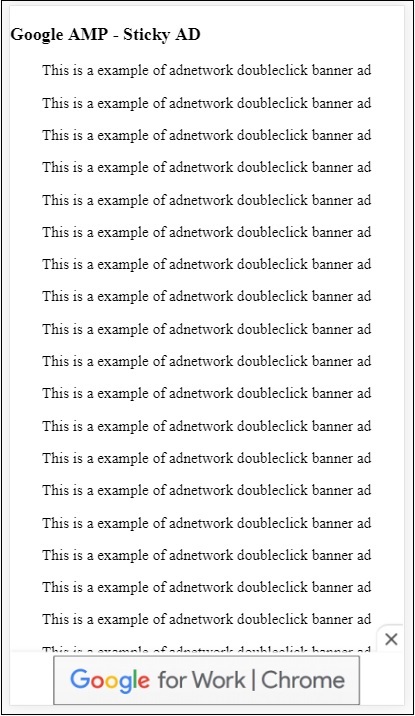
这是用户滚动到页面末尾时的样子 −
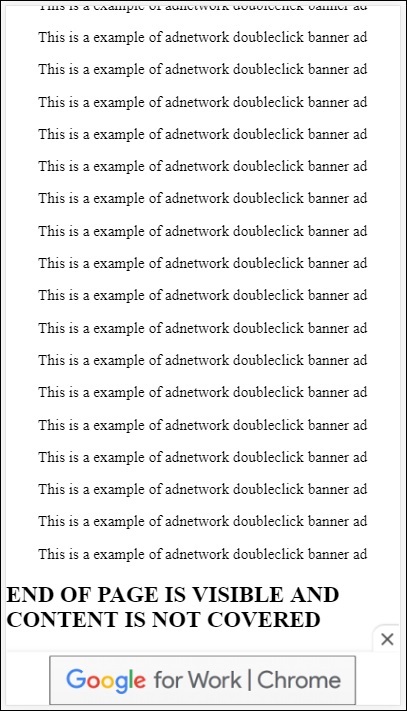
到达页面末尾时,广告不会与内容重叠。关闭按钮可用,允许用户关闭广告。
如果您想更改与关闭按钮相关的任何内容,即图像或宽度等,可以使用样式组件中的 .amp-sticky-ad-close-button 来完成。
更改关闭按钮背景颜色的示例
<!doctype html>
<html amp lang = "en">
   <head>
      <meta charset = "utf-8">
      <script async src = "https://cdn.ampproject.org/v0.js">
      </script>
      <title>Google AMP - AD</title>
      <link rel = "canonical" href =
      "http://example.ampproject.org/article-metadata.html">
      <meta name = "viewport" content = "width = device-width,
      minimum-scale = 1,initial-scale = 1">

      <style amp-boilerplate>
         body{
            -webkit-animation:
            -amp-start 8s steps(1,end) 0s 1 normal both;-moz-animation:
            -amp-start 8s steps(1,end) 0s 1 normal both;-ms-animation:
            -amp-start 8s steps(1,end) 0s 1 normal both;animation:
            -amp-start 8s steps(1,end) 0s 1 normal both
         }
         @-webkit-keyframes
         -amp-start{from{visibility:hidden}to{visibility:visible}}@-moz-keyframes
         -amp-start{from{visibility:hidden}to{visibility:visible}}@-ms-keyframes
         -amp-start{from{visibility:hidden}to{visibility:visible}}@-o-keyframes
         -amp-start{from{visibility:hidden}to{visibility:visible}}@keyframes
         -amp-start{from{visibility:hidden}to{visibility:visible}}
      </style>
      <noscript>
         <style amp-boilerplate>
            body{
               -webkit-animation:none;
               -moz-animation:none;
               -ms-animation:none;
               animation:none}
         </style>
      </noscript>
      <script async custom-element = "amp-sticky-ad"
         src = "https://cdn.ampproject.org/v0/amp-sticky-ad-1.0.js">
      </script>
      <style amp-custom>
         div, p{
            text-align:center;
         }
         amp-ad {
            border : solid 1px black;
         }
         .amp-sticky-ad-close-button {
            background-color: red;
         }
      </style>
   </head>
   <body>
      <h3>Google AMP - Sticky AD</h3>
      <p>这是广告网络双击横幅广告的示例</p>
      <p>这是广告网络双击横幅广告的示例</p>
      <p>这是广告网络双击横幅广告的示例</p>
      <p>这是广告网络双击横幅广告的示例</p>
      <p>这是广告网络双击横幅广告的示例</p>
      <p>这是广告网络双击横幅广告的示例</p>
      <div>
         <amp-sticky-ad layout = "nodisplay">
            <amp-ad
               width = "320"
               height = "50"
               type = "doubleclick"
               data-slot = "/35096353/amptesting/formats/sticky">
            </amp-ad>
         </amp-sticky-ad>
      </div>
      <p>这是广告网络双击横幅广告的示例</p>
      <p>这是广告网络双击横幅广告的示例</p>
      <p>这是广告网络双击横幅广告的示例</p>
      <p>这是广告网络双击横幅广告的示例</p>

      <p>这是广告网络双击横幅广告的示例</p>
      <p>这是广告网络双击横幅广告的示例</p>
      <p>这是广告网络双击横幅广告的示例</p>
      <p>这是广告网络双击横幅广告的示例</p>
      <p>这是广告网络双击横幅广告的示例</p>
      <p>这是广告网络双击横幅广告的示例</p>

      <p>这是广告网络双击横幅广告的示例</p>
      <p>这是广告网络双击横幅广告的示例</p>
      <p>这是广告网络双击横幅广告的示例</p>
      <p>这是广告网络双击横幅广告的示例</p>
      <p>这是广告网络双击横幅广告的示例</p>
      <p>这是广告网络双击横幅广告的示例</p>

      <p>这是广告网络双击横幅广告的示例</p>
      <p>这是广告网络双击横幅广告的示例</p>
      <p>这是广告网络双击横幅广告的示例</p>
      <p>这是广告网络双击横幅广告的示例</p>
      <p>这是广告网络双击横幅广告的示例</p>
      <p>这是广告网络双击横幅广告的示例</p>

      <p>这是广告网络双击横幅广告的示例</p>
      <p>这是广告网络双击横幅广告的示例</p>
      <p>这是广告网络双击横幅广告的示例</p>
      <p>这是广告网络双击横幅广告的示例</p>
      <p>这是广告网络双击横幅广告的示例</p>
      <p>这是广告网络双击横幅广告的示例</p>

      <p>这是广告网络双击横幅广告的示例</p>
      <p>这是广告网络双击横幅广告的示例</p>
      <p>这是广告网络双击横幅广告的示例</p>
      <p>这是广告网络双击横幅广告的示例</p>
      <p>这是广告网络双击横幅广告的示例</p>
      <p>这是广告网络双击横幅广告的示例</p>

      <p>这是广告网络双击横幅广告的示例</p>
      <p>这是广告网络双击横幅广告的示例</p>
      <p>这是广告网络双击横幅广告的示例</p>
      <p>这是广告网络双击横幅广告的示例</p>
      <p>这是广告网络双击横幅广告的示例</p>
      <p>这是广告网络双击横幅广告的示例</p>

      <p>这是广告网络双击横幅广告的示例</p>
      <p>这是广告网络双击横幅广告的示例</p>
      <p>这是广告网络双击横幅广告的示例</p>
      <p>这是广告网络双击横幅广告的示例</p>
      <p>这是广告网络双击横幅广告的示例</p>
      <p>这是广告网络双击横幅广告的示例</p>

      <p>这是广告网络双击横幅广告的示例</p>
      <p>这是广告网络双击横幅广告的示例</p>
      <p>这是广告网络双击横幅广告的示例</p>
      <p>这是广告网络双击横幅广告的示例</p>
      <p>这是广告网络双击横幅广告的示例</p>
      <p>这是广告网络双击横幅广告的示例</p>
      <p>这是广告网络双击横幅广告的示例</p>

      <h2>END OF PAGE IS VISIBLE AND CONTENT IS NOT COVERED</h2>
   </body>
</html>
输出
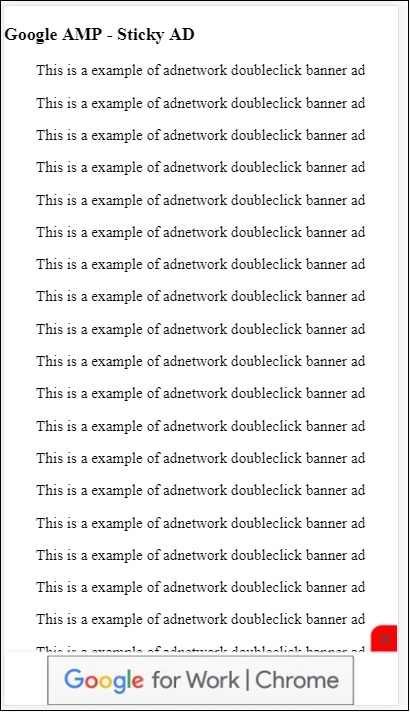
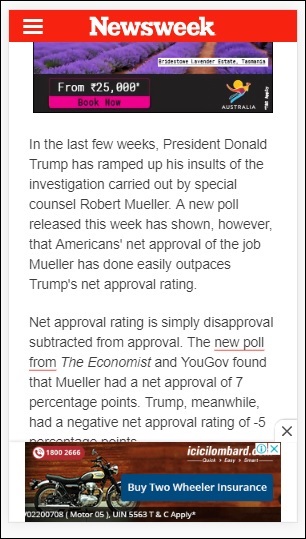
发布商页面上的 amp 粘性广告示例
AMPHTML 广告
我们已经看到用于加载广告的 <amp-ad>。使用 <amp-ad> 加载的广告内容可以使用非 amp 样式的加载广告。如果 <amp-ad> 加载使用 amp 广告规范的广告,则称为 amphtml 广告。 AmpHTML 广告与非 amp 广告相比速度更快,因为它们遵循 amp 规范。
使用可用的 amp 组件(如灯箱和轮播),我们可以形成多种类型的 amphtml 广告格式,以帮助展示广告。
目前,以下广告支持 amphtml 广告 −
DoubleClick for Publishers
TripleLift
Dianomi
Adzerk
Google AdSense
amphtml 广告将从 <amp-ad> 组件投放,如下所示 −
示例
<!doctype html>
<html amp lang = "en">
   <head>
      <meta charset = "utf-8">
      <script async src = "https://cdn.ampproject.org/v0.js">
      </script>
      <title>Google AMP - Amp HTMLAds</title>
      <link rel = "canonical" href=
      "http://example.ampproject.org/article-metadata.html">
      <meta name = "viewport" content = "width=device-width,
      minimum-scale = 1,initial-scale = 1">

      <style amp-boilerplate>
         body{
            -webkit-animation:
            -amp-start 8s steps(1,end) 0s 1 normal both;-moz-animation:
            -amp-start 8s steps(1,end) 0s 1 normal both;-ms-animation:
            -amp-start 8s steps(1,end) 0s 1 normal both;animation:
            -amp-start 8s steps(1,end) 0s 1 normal both
         }
         @-webkit-keyframes
         -amp-start{from{visibility:hidden}to{visibility:visible}}@-moz-keyframes
         -amp-start{from{visibility:hidden}to{visibility:visible}}@-ms-keyframes
         -amp-start{from{visibility:hidden}to{visibility:visible}}@-o-keyframes
         -amp-start{from{visibility:hidden}to{visibility:visible}}@keyframes
         -amp-start{from{visibility:hidden}to{visibility:visible}}
      </style>
      <noscript>
         <style amp-boilerplate>
            body{
               -webkit-animation:none;
               -moz-animation:none;
               -ms-animation:none;
               animation:none}
         </style>
      </noscript>
      <script async custom-element = "amp-ad" src =
         "https://cdn.ampproject.org/v0/amp-ad-0.1.js">
      </script>
      <style amp-custom>
         .ad-container {
            background: #FFFFFF;
            margin: 0;
            padding: 0px;
            text-align:center;
         }
         .article-body{
            font-family: avenir, Helvetica, arial, serif, sans-serif !important;
            font-weight: 400;
            text-align:center;
         }
         .adv {
            text-align:center;
         }
      </style>
   </head>
   <body>
      <div>
         <p>Amphtml ads are faster in comparison to the non
         amp ones as they follow the amp specification.</p>
         <p>Amphtml ads work fine in amp pages as well as non amp pages</p>
         <div class = "ad-container">
            <div>Advertising</div>
            <amp-ad layout = "fixed"
               width = "300"
               height = "250"
               type = "fake"
               id = "i-amphtml-demo-fake"
               src = "ampimg.html">
            </amp-ad>
         </div>
         <p>Amphtml ads are faster in comparison to the non amp
         ones as they follow the amp specification.</p>
         <p>Amphtml ads work fine in amp pages as well as non amp pages</p>
      </div>
   </body>
</html>
我们正在调用 amp-ad 来显示广告。amp-ad 中使用的 src 是另一个 amp 页面。我们使用了 type="fake" 和 id="i-amphtml-demo-fake"。amp 页面详细信息或 amp-ad 标签中使用的 ampimg.html 显示在此处 −
ampimg.html
<!doctype html>
<html amp lang = "en">
   <head>
      <meta charset = "utf-8">
      <script async src = "https://cdn.ampproject.org/v0.js">
      </script>
      <title>Google AMP - Image</title>
      <link rel = "canonical" href =
      "http://example.ampproject.org/article-metadata.html">
      <meta name = "viewport" content="width = device-width,
      minimum-scale = 1,initial-scale = 1">

      <style amp-boilerplate>
         body{
            -webkit-animation:
            -amp-start 8s steps(1,end) 0s 1 normal both;-moz-animation:
            -amp-start 8s steps(1,end) 0s 1 normal both;-ms-animation:
            -amp-start 8s steps(1,end) 0s 1 normal both;animation:
            -amp-start 8s steps(1,end) 0s 1 normal both
         }
         @-webkit-keyframes
         -amp-start{from{visibility:hidden}to{visibility:visible}}@-moz-keyframes
         -amp-start{from{visibility:hidden}to{visibility:visible}}@-ms-keyframes
         -amp-start{from{visibility:hidden}to{visibility:visible}}@-o-keyframes
         -amp-start{from{visibility:hidden}to{visibility:visible}}@keyframes
         -amp-start{from{visibility:hidden}to{visibility:visible}}
      </style>
      <noscript>
         <style amp-boilerplate>
            body{
               -webkit-animation:none;
               -moz-animation:none;
               -ms-animation:none;
               animation:none}
         </style>
      </noscript>
      <style amp-custom>
         amp-img {
            border: 1px solid black;
            border-radius: 4px;
            padding: 5px;
         }
      </style>
   </head>
   <body>
      <amp-img alt = "Beautiful Flower"
         src = "images/bannerad.png"
         width = "246"
         height = "205">
      </amp-img>
   </body>
</html>
输出
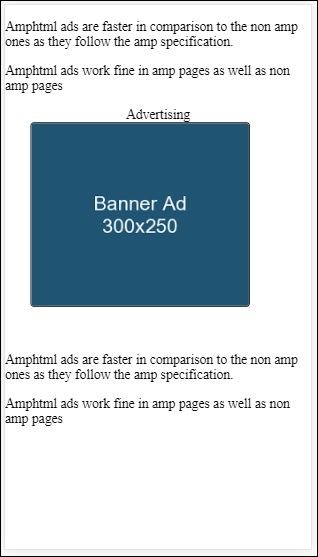
我们在 amp-ad 中显示 amp 页面。同样,我们可以使用 amp-video、amp-carousel 在 amp 页面中显示广告。列出的广告服务器支持调用适当的 amp 页面在 amphtml 广告下投放广告。

