
Google AMP - 用户通知
Google amp-user-notification 用于向用户显示可关闭的对话框消息。我们可以使用它来通知用户有关页面上的 cookie。
要使用 amp-user-notification,我们需要在页面上添加以下脚本 −
<script async custom-element = "amp-user-notification"
    src = "https://cdn.ampproject.org/v0/amp-user-notification-0.1.js">
</script>
Amp-user-notification 标签格式 −
<amp-user-notification id = "my-notification" layout = "nodisplay">
   <div>Example of amp-user-notification.
      <button on = "tap:my-notification.dismiss">I accept
      </button>
   </div>
</amp-user-notification>
让我们通过一个实际示例了解 amp-user-notification −
示例
<!doctype html>
<html amp lang = "en">
   <head>
      <meta charset = "utf-8">
      <script async src = "https://cdn.ampproject.org/v0.js"></script>
      <title>Google AMP - Amp Selector</title>
      <link rel = "canonical" href = " http://example.ampproject.org/article-metadata.html">
      <meta name = "viewport" content = "width = device-width,minimum-scale = 1,initial-scale = 1">

      <style amp-boilerplate>
         body{
            -webkit-animation:
            -amp-start 8s steps(1,end) 0s 1 normal both;-moz-animation:
            -amp-start 8s steps(1,end) 0s 1 normal both;-ms-animation:
            -amp-start 8s steps(1,end) 0s 1 normal both;animation:
            -amp-start 8s steps(1,end) 0s 1 normal both
         }
         @-webkit-keyframes
         -amp-start{from{visibility:hidden}to{visibility:visible}}@-moz-keyframes
         -amp-start{from{visibility:hidden}to{visibility:visible}}@-ms-keyframes
         -amp-start{from{visibility:hidden}to{visibility:visible}}@-o-keyframes
         -amp-start{from{visibility:hidden}to{visibility:visible}}@keyframes
         -amp-start{from{visibility:hidden}to{visibility:visible}}
      </style>

      <noscript>
         <style amp-boilerplate>
            body{
               -webkit-animation:none;
               -moz-animation:none;
               -ms-animation:none
               animation:none
            }
         </style>
      </noscript>

      <script async custom-element = "amp-user-notification"
         src = "https://cdn.ampproject.org/v0/amp-user-notification-0.1.js">
      </script>

      <style amp-custom>
         div {
            font-size: 15px;
            background-color : #ccc;
            padding: 10px 10px;
            border-radius: 2px;
         }
         button{
            background-color: #ACAD5C;
            color: white;
            cursor: pointer;
            float: right;
         }
      </style>
   </head>
   <body>
      <h3>Google AMP - Amp User Notification</h3>
      <amp-user-notification
         id = "my-notification"
         layout = "nodisplay">
         <div>Example of amp-user-notification.
            <button on = "tap:my-notification.dismiss">I accept
            </button>
         </div>
      </amp-user-notification>
   </body>
</html>
输出
上面给出的工作示例代码的输出如下所示 −
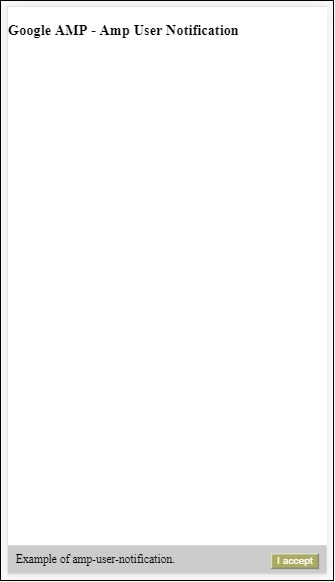
一旦用户点击按钮,通知就会被关闭。一旦关闭,即使您重新加载页面也不会显示通知。
用户通知的数据存储在浏览器 localStorage 中。如果清除 localstorage 并刷新页面,您将能够再次看到通知。您可以在浏览器控制台中使用 localStorage.clear() 尝试相同的操作。
使用 dismiss 操作可以关闭通知,方法是在按钮上使用以下操作
<button on = "tap:my-notification.dismiss">
   I accept
</button>
当用户点击按钮时,通知将被关闭。

