Google AMP - Timeago
Timeago 将通过与过去(例如"x"小时前)进行比较来提供时间戳详细信息。在本章中,我们将详细讨论此功能。
要将此功能插入我们的工作中,我们需要将下面给出的脚本添加到 .html 页面 −
<script async custom-element = "amp-timeago"
   src = "https://cdn.ampproject.org/v0/amp-timeago-0.1.js">
</script>
amp-timeago 标签如下所示 −
<amp-timeago layout = "fixed" width = "160" height = "20"
   datetime = "2018-10-01T00:37:33.809Z"
   locale = "en">Monday 01 October 2018 00.37
</amp-timeago>
让我们借助下面所示的工作示例来理解这一点 −
示例
<!doctype html>
<html amp lang = "en">
   <head>
      <meta charset = "utf-8">
      <script async src = "https://cdn.ampproject.org/v0.js"></script>
      <title>Google AMP - TimeAgo</title>

      <link rel = "canonical" href = " http://example.ampproject.org/article-metadata.html">

      <meta name = "viewport" content = "width = device-width,minimum-scale = 1,initial- scale = 1">

      <style amp-boilerplate>
         body{
            -webkit-animation:-amp-start 8s steps(1,end)
            0s 1 normal both;-moz-animation:
            -amp-start 8s steps(1,end) 0s 1 normal both;-ms-animation:
            -amp-start 8s steps(1,end) 0s 1 normal both;animation:
            -amp-start 8s steps(1,end) 0s 1 normal both
         }
         @-webkit-keyframes
         -amp-start{from{visibility:hidden}to{visibility:visible}}@-moz-keyframes
         -amp-start{from{visibility:hidden}to{visibility:visible}}@-ms-keyframes
         -amp-start{from{visibility:hidden}to{visibility:visible}}@-o-keyframes
         -amp-start{from{visibility:hidden}to{visibility:visible}}@keyframes
         -amp-start{from{visibility:hidden}to{visibility:visible}}
      </style>
      <noscript>
         <style amp-boilerplate>
            body{
            -webkit-animation:none;-moz-animation:none;-ms
            -animation:none;animation:none
         }
         </style>
      </noscript>

      <script async custom-element="amp-timeago"
         src = "https://cdn.ampproject.org/v0/amp-timeago-0.1.js">
      </script>
   </head>
   <body>
      <h1>Google AMP - TimeAgo Example</h1>
      <amp-timeago
         layout = "fixed"
         width = "160"
         height = "20"
         datetime = "2018-10-01T00:37:33.809Z"
         locale = "en">Monday 01 October 2018 00.37
      </amp-timeago>
   </body>
</html>
输出
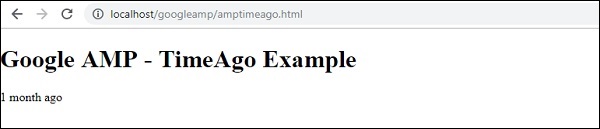
默认情况下,语言环境设置为 en。我们可以根据需要更改语言环境并显示 timeago。下表列出了可以与 timeago 标签一起使用的语言环境。
| Sr.No | 语言环境和说明 |
|---|---|
| 1 | ar 阿拉伯语 |
| 2 | be 白俄罗斯语 |
| 3 | be 白俄罗斯语 |
| 4 | bg 保加利亚语 |
| 5 | ca 加泰罗尼亚语 |
| 6 | da 丹麦语 |
| 7 | de 德语 |
| 8 | el 希腊语 |
| 9 | en 英语 |
| 10 | enShort 英语 -短 |
| 11 | es 西班牙语 |
| 12 | eu 巴斯克语 |
| 13 | fi 芬兰语 |
| 14 | fr 法语 |
| 15 | he 希伯来语 |
| 16 | hu 匈牙利语 |
| 17 | inBG 孟加拉语 |
| 18 | inHI 印地语 |
| 19 | inID 马来语 |
| 20 | it 意大利语 |
| 21 | ja 日语 |
| 22 | ko 韩语 |
| 23 | ml 马拉雅拉姆语 |
| 24 | nbNO 挪威博克马尔语 |
| 25 | nl 荷兰语 |
| 26 | nnNO 挪威尼诺斯克语 |
| 27 | pl 波兰语 |
| 28 | ptBR 葡萄牙语 |
| 29 | ro 罗马尼亚语 |
| 30 | ru 俄语 |
| 31 | sv 瑞典语 |
| 32 | ta 泰米尔语 |
| 33 | th 泰语 |
| 34 | tr 土耳其语 |
| 35 | uk 乌克兰语 |
| 36 | vi 越南语 |
| 37 | zhCN 中文 |
让我们使用下面给出的工作示例讨论几个语言环境 −
示例
<!doctype html>
<html amp lang = "en">
   <head>
      <meta charset = "utf-8">
      <script async src = "https://cdn.ampproject.org/v0.js"></script>
      <title>Google AMP - TimeAgo Using Locale</title>
      <link rel = "canonical" href = "http://example.ampproject.org/article-metadata.html">
      <meta name = "viewport" content = "width = device-width,minimum-scale = 1, initial-scale = 1">

      <style amp-boilerplate>
         body{
            -webkit-animation:
            -amp-start 8s steps(1,end) 0s 1 normal both;-moz-animation:
            -amp-start 8s steps(1,end) 0s 1 normal both;-ms-animation:
            -amp-start 8s steps(1,end) 0s 1 normal both;animation:
            -amp-start 8s steps(1,end) 0s 1 normal both
            }
         @-webkit-keyframes
         -amp-start{from{visibility:hidden}to{visibility:visible}}@-moz-keyframes
         -amp-start{from{visibility:hidden}to{visibility:visible}}@-ms-keyframes
         -amp-start{from{visibility:hidden}to{visibility:visible}}@-o-keyframes
         -amp-start{from{visibility:hidden}to{visibility:visible}}@keyframes
         -amp-start{from{visibility:hidden}to{visibility:visible}}
      </style>
      <noscript>
         <style amp-boilerplate>
            body{
               -webkit-animation:none;
               -moz-animation:none;-ms
               -animation:none;
               animation:none
            }
         </style>
      </noscript>
      <script async custom-element = "amp-timeago"
         src = "https://cdn.ampproject.org/v0/amp-timeago-0.1.js">
      </script>
   </head>
   <body>
      <h1>Google AMP - TimeAgo Example Using Locale</h1>

      <h3>Locale : Russian</h3>
      <amp-timeago layout = "fixed"
         width = "160" height = "20"
         datetime = "2018-10-01T00:37:33.809Z"
         locale = "ru">

         Monday 01 October 2018 00.37
      </amp-timeago>

      <h3>Locale : Korean</h3>
      <amp-timeago
         layout = "fixed"
         width = "160"
         height = "20"
         datetime = "2018-10-01T00:37:33.809Z"
         locale = "ko">
            Monday 01 October 2018 00.37
      </amp-timeago>
      <h3>Locale : Hindi</h3>

      <amp-timeago
         layout = "fixed"
         width = "160"
         height = "20"
         datetime = "2018-10-01T00:37:33.809Z"
         locale = "inHI">

         Monday 01 October 2018 00.37
      </amp-timeago>

      <h3>Locale : Spanish</h3>
      <amp-timeago
         layout = "fixed"
         width = "160"
         height = "20"
         datetime = "2018-10-01T00:37:33.809Z"
         locale = "es">

         Monday 01 October 2018 00.37
      </amp-timeago>

      <h3>Locale : French</h3>
      <amp-timeago
         layout = "fixed"
         width = "160"
         height = "20"
         datetime = "2018-10-01T00:37:33.809Z"
         locale = "fr">

         Monday 01 October 2018 00.3
         </amp-timeago>
   </body>
</html>
输出
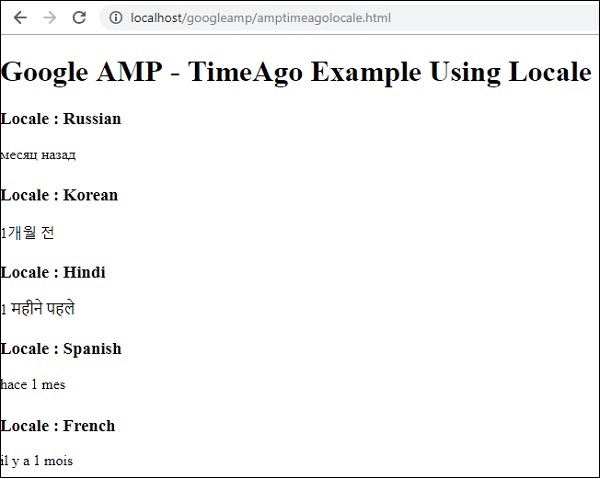
上述代码的输出如下所示 −
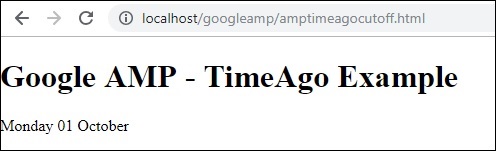
如果需要更改"X 时间前"显示,我们可以将"cutoff"属性与 timeago 结合使用。Cutoff 以秒为单位获取值以摆脱显示。
让我们借助下面给出的工作示例来理解这一点 −
示例
<!doctype html>
<html amp lang = "en">
   <head>
      <meta charset = "utf-8">
      <script async src = "https://cdn.ampproject.org/v0.js"></script>
      <title>Google AMP - TimeAgo</title>
      <link rel = "canonical" href = "http://example.ampproject.org/article-metadata.html">
      <meta name = "viewport" content = "width = device-width,minimum-scale=1, initial-scale=1">

      <style amp-boilerplate>
         body{
            -webkit-animation:
            -amp-start 8s steps(1,end) 0s 1 normal both;-moz-animation:
            -amp-start 8s steps(1,end) 0s 1 normal both;-ms-animation:
            -amp-start 8s steps(1,end) 0s 1 normal both;animation:
            -amp-start 8s steps(1,end) 0s 1 normal both
         }
         @-webkit-keyframes
         -amp-start{from{visibility:hidden}to{visibility:visible}}@-moz-keyframes
         -amp-start{from{visibility:hidden}to{visibility:visible}}@-ms-keyframes
         -amp-start{from{visibility:hidden}to{visibility:visible}}@-o-keyframes
         -amp-start{from{visibility:hidden}to{visibility:visible}}@keyframes
         -amp-start{from{visibility:hidden}to{visibility:visible}}
      </style>
      <noscript>
         <style amp-boilerplate>
            body{
               -webkit-animation:none;
               -moz-animation:none;
               -ms-animation:none;
               animation:none
            }
         </style>
      </noscript>

      <script async custom-element = "amp-timeago"
         src = "https://cdn.ampproject.org/v0/amp-timeago-0.1.js">
      </script>
   </head>
   <body>
      <h1>Google AMP - TimeAgo Example</h1>
      <amp-timeago
         layout = "fixed"
         width = "160"
         height = "20"
         datetime = "2018-10-01T00:37:33.809Z"
         locale = "en"
         cutoff = "300">

         Monday 01 October 2018 00.37
      </amp-timeago>
   </body>
</html>
输出