Google AMP - 日期倒计时
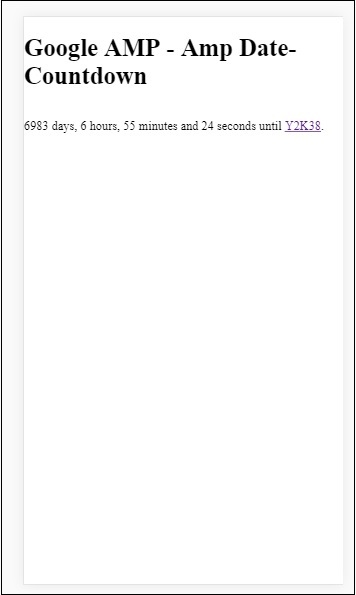
另一个 amp 组件称为 Amp 日期倒计时,用于显示到给定日期即 Y2K38 (2038) 为止的天、小时、分钟、秒(默认情况下)。显示可以根据您选择的语言环境进行;默认情况下,它是 en(英语)。amp-date-countdown 使用 amp-mustache 模板来呈现数据。
在本章中,我们将查看一些工作示例,以更详细地了解 amp-date-countdown。
要使用 amp-date-countdown,我们需要添加以下脚本
对于 amp-date-countdown
<script async custom-element = "amp-date-countdown"
    src = "https://cdn.ampproject.org/v0/amp-date-countdown-0.1.js">
</script>
对于 amp-mustache
<script async custom-template = "amp-mustache"
    src = "https://cdn.ampproject.org/v0/amp-mustache-0.1.js">
</script>
Amp-date-countdown 标签
amp-date-countdown 标签如下 −
<amp-date-countdown timestamp-seconds = "2100466648"
   layout = "fixed-height"
   height = "50">
   <template type = "amp-mustache">
      <p class = "p1">
         {{d}} days, {{h}} hours, {{m}} minutes and {{s}} seconds until
         <a href = "https://en.wikipedia.org/wiki/Year_2038_problem">
            Y2K38
         </a>.
      </p>
   </template>
</amp-date-countdown>
amp-date-countdown 的属性
amp-date-countdown 的属性列于此处的表格中 −
| Sr.No | 属性和说明 |
|---|---|
| 1 | end-date 要倒计时的 ISO 格式日期。例如,2025-08-01T00:00:00+08:00 |
| 2 | timestamp-ms 以毫秒为单位的 POSIX 纪元值;假定为 UTC 时区。例如,timestamp-ms="1521880470000" |
| 3 | timestamp-seconds 以秒为单位的 POSIX 纪元值;假定为 UTC 时区。例如,timestamp-seconds="1521880470" |
| 4 | timeleft-ms 剩余倒计时的毫秒值。例如,剩余 50 小时 timeleft-ms="180,000,000" |
| 5 | offset-seconds(可选) 正数或负数,表示要从给定的结束日期增加或减去的秒数。例如,offset-seconds="60" 会在 end-date 上添加 60 秒 |
| 6 | when-ended(可选) 指定是否在计时器达到 0 秒时停止计时器。该值可以设置为 stop(默认),表示计时器在 0 秒时停止,不会超过最终日期,或设置为 continue,表示计时器在达到 0 秒后应继续。 |
| 7 | locale(可选) 每个计时器单元的国际化语言字符串。默认值为 en(英语)。支持的值列在下面。 |
格式
amp-date-countdown 用于显示倒计时的格式在下表中给出 −
| Sr.No | 格式 &描述 |
|---|---|
| 1 | d 将日期显示为 0、1、2、3...无穷 |
| 2 | dd 将日期显示为 00、01、02、03...无穷 |
| 3 | h 将小时显示为 0、1、2、3...无穷 |
| 4 | hh 将小时显示为00,01,02,03...无穷大 |
| 5 | m 将分钟显示为 0,1,2,3,4 ... 无穷大 |
| 6 | mm 将分钟显示为 00,01,02,03...无穷大 |
| 7 | s 将秒显示为 0,1,2,3...无穷大 |
| 8 | ss 将秒显示为 00、01、02、03 ...无穷大 |
| 9 | days 根据语言环境显示天或天字符串 |
| 10 | hours 根据语言环境显示小时或小时字符串 |
| 11 | minutes 根据语言环境显示分钟或分钟字符串 |
| 12 | seconds 根据语言环境显示秒或秒字符串 |
示例
<!doctype html>
<html amp lang = "en">
   <head>
      <meta charset = "utf-8">
      <script async src = "https://cdn.ampproject.org/v0.js"></script>
      <title>Google AMP - Amp Date-Countdown</title>
      <link rel = "canonical" href = " http://example.ampproject.org/article-metadata.html">
      <meta name = "viewport" content = "width = device-width,minimum-scale = 1,initial-scale = 1">

      <style amp-boilerplate>
         body{-webkit-animation:-amp-start 8s steps(1,end)
            0s 1 normal both;-moz-animation:
            -amp-start 8s steps(1,end) 0s 1 normal both;-ms-animation:
            -amp-start 8s steps(1,end) 0s 1 normal both;animation:
            -amp-start 8s steps(1,end) 0s 1 normal both
         }
         @-webkit-keyframes
         -amp-start{from{visibility:hidden}to{visibility:visible}}@-moz-keyframes
         -amp-start{from{visibility:hidden}to{visibility:visible}}@-ms-keyframes
         -amp-start{from{visibility:hidden}to{visibility:visible}}@-o-keyframes
         -amp-start{from{visibility:hidden}to{visibility:visible}}@keyframes
         -amp-start{from{visibility:hidden}to{visibility:visible}}
      </style>
      <noscript>
         <style amp-boilerplate>
            body{-webkit-animation:none;-moz-animation:none;-ms
               -animation:none;animation:none}
         </style>
      </noscript>

      <script async custom-element = "amp-date-countdown"
         src = "https://cdn.ampproject.org/v0/amp-date-countdown-0.1.js">
      </script>

      <script async custom-template="amp-mustache" src=
         "https://cdn.ampproject.org/v0/amp-mustache-0.1.js">
      </script>
   </head>

   <body>
      <h1>Google AMP - Amp Date-Countdown</h1>
      <amp-date-countdown
         timestamp-seconds = "2145683234"
         layout = "fixed-height"
         height = "50">

         <template type = "amp-mustache">
            <p class = "p1">
               {{d}} days, {{h}} hours, {{m}} minutes and
               {{s}} seconds until
               <a href = "https://en.wikipedia.org/wiki/Year_2038_problem">
                  Y2K38
               </a>.
            </p>
         </template>
      </amp-date-countdown>
   </body>
</html>
输出
示例
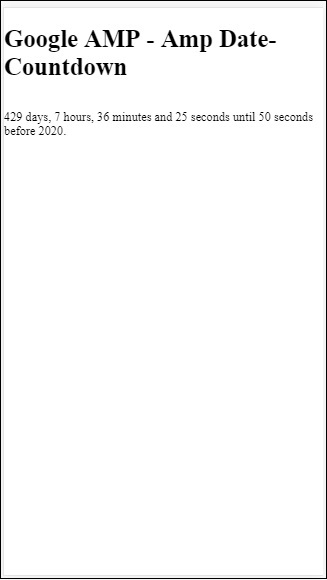
让我们通过一个实际示例了解 amp-countdown 属性 offset-seconds −
<!doctype html>
<html amp lang = "en">
   <head>
      <meta charset = "utf-8">
      <script async src = "https://cdn.ampproject.org/v0.js"></script>
      <title>Google AMP - Amp Date-Countdown</title>
      <link rel = "canonical" href = " http://example.ampproject.org/article-metadata.html">
      <meta name = "viewport" content = "width = device-width,minimum-scale = 1,initial-scale = 1">

      <style amp-boilerplate>
         body{
            -webkit-animation:-amp-start 8s steps(1,end)
            0s 1 normal both;-moz-animation:
            -amp-start 8s steps(1,end) 0s 1 normal both;-ms-animation:
            -amp-start 8s steps(1,end) 0s 1 normal both;animation:
            -amp-start 8s steps(1,end) 0s 1 normal both
         }
         @-webkit-keyframes
         -amp-start{from{visibility:hidden}to{visibility:visible}}@-moz-keyframes
         -amp-start{from{visibility:hidden}to{visibility:visible}}@-ms-keyframes
         -amp-start{from{visibility:hidden}to{visibility:visible}}@-o-keyframes
         -amp-start{from{visibility:hidden}to{visibility:visible}}@keyframes
         -amp-start{from{visibility:hidden}to{visibility:visible}}
      </style>
      <noscript>
         <style amp-boilerplate>
            body{
               -webkit-animation:none;-moz-animation:none;-ms
               -animation:none;animation:none}
         </style>
      </noscript>

      <script async custom-element = "amp-date-countdown"
         src = "https://cdn.ampproject.org/v0/amp-date-countdown-0.1.js">
      </script>

      <script async custom-template = "amp-mustache"
         src = "https://cdn.ampproject.org/v0/amp-mustache-0.1.js">
      </script>
   </head>
   <body>
      <h1>Google AMP - Amp Date-Countdown</h1>
      <amp-date-countdown
         end-date = "2020-01-19T08:14:08.000Z"
         offset-seconds = "-50"
         layout = "fixed-height"
         height = "100">

         <template type = "amp-mustache">
            <p class = "p1">
               {{d}} days, {{h}} hours, {{m}}
               minutes and {{s}} seconds until 50
               seconds before 2020.
            </p>
         </template>
      </amp-date-countdown>
   </body>
</html>
输出
支持的语言环境列表
以下是 amp-date-countdown 支持的语言环境列表 −
| Sr.No | 名称和语言环境 |
|---|---|
| 1 | en 英语 |
| 2 | es 西班牙语 |
| 3 | fr 法语 |
| 4 | de 德语 |
| 5 | id 印度尼西亚语 |
| 6 | it 意大利语 |
| 7 | ja 日语 |
| 8 | ko 韩语 |
| 9 | nl 荷兰语 |
| 10 | pt 葡萄牙语 |
| 11 | ru 俄语 |
| 12 | th 泰语 |
| 13 | tr 土耳其语 |
| 14 | vi 越南语 |
| 15 | zh-cn 简体中文 |
| 16 | zh-tw 繁体中文 |
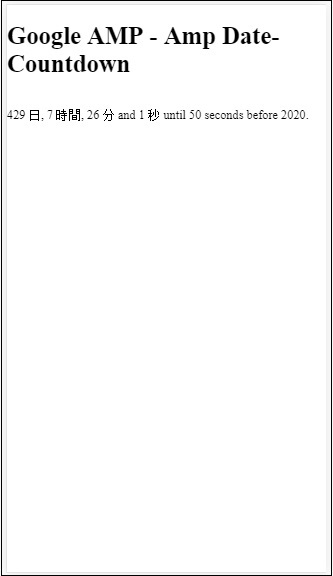
现在,我们将尝试使用上述语言环境之一显示倒计时的一个示例。
示例
<!doctype html>
<html amp lang = "en">
   <head>
      <meta charset = "utf-8">
      <script async src = "https://cdn.ampproject.org/v0.js"></script>
      <title>Google AMP - Amp Date-Countdown</title>
      <link rel = "canonical" href = "http://example.ampproject.org/article-metadata.html">
      <meta name="viewport" content="width = device-width, minimum-scale = 1,initial-scale = 1">

      <style amp-boilerplate>
         body{
            -webkit-animation:
            -amp-start 8s steps(1,end)0s 1 normal both;-moz-animation:
            -amp-start 8s steps(1,end) 0s 1 normal both;-ms-animation:
            -amp-start 8s steps(1,end) 0s 1 normal both;animation:
            -amp-start 8s steps(1,end) 0s 1 normal both
         }
         @-webkit-keyframes
         -amp-start{from{visibility:hidden}to{visibility:visible}}@-moz-keyframes
         -amp-start{from{visibility:hidden}to{visibility:visible}}@-ms-keyframes
         -amp-start{from{visibility:hidden}to{visibility:visible}}@-o-keyframes
         -amp-start{from{visibility:hidden}to{visibility:visible}}@keyframes
         -amp-start{from{visibility:hidden}to{visibility:visible}}
      </style>
      <noscript>
         <style amp-boilerplate>
            body{
               -webkit-animation:none;
               -moz-animation:none;
               -ms-animation:none;
               animation:none}
         </style>
      </noscript>

      <script async custom-element = "amp-date-countdown"
         src = "https://cdn.ampproject.org/v0/amp-date-countdown-0.1.js">
      </script>

      <script async custom-template = "amp-mustache"
         src = "https://cdn.ampproject.org/v0/amp-mustache-0.1.js">
      </script>
   </head>

   <body>
      <h1>Google AMP - Amp Date-Countdown</h1>
      <amp-date-countdown
         locale = "ja"
         end-date = "2020-01-19T08:14:08.000Z"
         offset-seconds = "-50"
         layout = "fixed-height"
         height = "100">

         <template type = "amp-mustache">
            <p class = "p1">
               {{d}} {{days}}, {{h}} {{hours}}, {{m}}
               {{minutes}} and {{s}} {{seconds}} until
               50 seconds before 2020.
            </p>
         </template>
      </amp-date-countdown>
   </body>
</html>
输出