Google AMP - Mathml
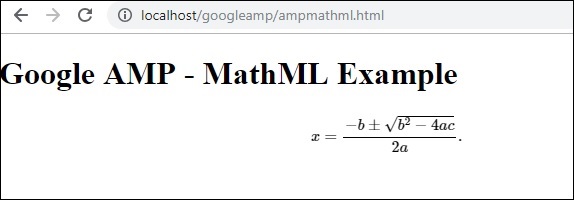
使用 MathML,我们可以显示数学公式。在本章中,我们将看到一个实际示例,说明如何使用 MathML 并使用一些数学公式来显示相同的内容。
要使用 MathML,我们需要包含以下 javascript 文件 −
<script async custom-element = "amp-mathml"
src = "https://cdn.ampproject.org/v0/amp-mathml-0.1.js">
</script>
MathML AMP 标签
mathML amp 标签的格式如下 −
<amp-mathml layout = "container"
data-formula = "\[x = {-b \pm \sqrt{b^2-4ac} \over 2a}.\]">
</amp-mathml>
请注意,data-formula 是指定公式的必需属性。
示例
让我们借助示例更好地理解此标签。
<!doctype html>
<html amp lang = "en">
   <head>
      <meta charset = "utf-8">
      <script async src = "https://cdn.ampproject.org/v0.js"></script>
      <title>Google AMP - MathML</title>
      <link rel = "canonical" href = " http://example.ampproject.org/article-metadata.html">
      <meta name = "viewport" content = "width = device-width,minimum-scale = 1,initial-scale = 1">

      <style amp-boilerplate>
         body{
            -webkit-animation:
            -amp-start 8s steps(1,end) 0s 1 normal both;-moz-animation:
            -amp-start 8s steps(1,end) 0s 1 normal both;-ms-animation:
            -amp-start 8s steps(1,end) 0s 1 normal both;animation:
            -amp-start 8s steps(1,end) 0s 1 normal both
         }
         @-webkit-keyframes
         -amp-start{from{visibility:hidden}to{visibility:visible}}@-moz-keyframes
         -amp-start{from{visibility:hidden}to{visibility:visible}}@-ms-keyframes
         -amp-start{from{visibility:hidden}to{visibility:visible}}@-o-keyframes
         -amp-start{from{visibility:hidden}to{visibility:visible}}@keyframes
         -amp-start{from{visibility:hidden}to{visibility:visible}}
      </style>
      <noscript>
         <style amp-boilerplate>
            body{
               -webkit-animation:none;
               -moz-animation:none;
               -ms-animation:none;
               animation:none
            }
         </style>
      </noscript>

      <script async custom-element = "amp-mathml"
         src = "https://cdn.ampproject.org/v0/amp-mathml-0.1.js">
      </script>
   </head>
   <body>
      <h1>Google AMP - MathML Example</h1>
      <amp-mathml layout = "container"
         data-formula = "\[x = {-b \pm \sqrt{b^2-4ac} \over 2a}.\]">
      </amp-mathml>
   </body>
</html>
输出
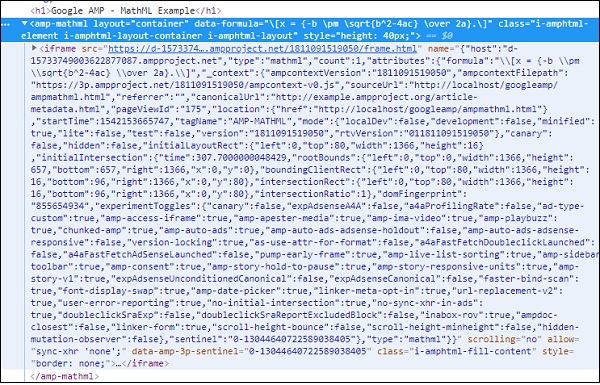
Amp-mathml 标签在执行时会在 iframe 中呈现显示,如下所示 −