Google AMP - 动态 CSS 类
amp-dynamic-css-classes 向 body 标签添加动态类。在本章中,让我们了解此标签的详细信息。
要使用 amp-dynamic-css-classes,我们需要添加以下脚本 −
<script asynccustom-element="amp-dynamic-css-classes"
    src = "https://cdn.ampproject.org/v0/amp-dynamic-css-classes-0.1.js">
</script>
amp-dynamic-css-classes − 负责处理两个重要的类
- amp-referrer-*
- amp-viewer
让我们详细讨论一下它们。
amp-referrer-*
这些类的设置取决于用户的访问方式。这意味着,如果用户来自 Google,则会设置与 Google 相关的引荐来源类。 Twitter 和 Pinterest 也是如此。
根据引荐来源的类型提供类别。
例如,对于 Google,如果用户从 Google 搜索引擎点击 amp 页面,则会添加以下类别。
- amp-referrer-www-google-com
- amp-referrer-google-com
- amp-referrer-com
同样,Twitter、Pinterest、Linkedin 等也有可用的类别。
amp-viewer
Amp viewer 基本上会更改 amp url 以从 Google 缓存中获取详细信息。如果您在 Google 搜索中搜索某些内容,则显示的轮播将包含所有 amp 页面。
当您单击它们时,它们将被重定向到以 Google url 为前缀的 url。当用户在 amp-viewer 中查看页面并使用动态类时,将设置 amp-viewer 类。

单击 amp 页面时,地址栏中显示的网址如下 −
https://www.google.co.in/amp/s/m.timesofindia.com/sports/cricket/india-in-australia/to-hell-with-the-nets-boys-need-rest-ravi-shastri/amp_articleshow/67022458.cms

示例
<!doctype html>
<html amp lang = "en">
   <head>
      <meta charset =  "utf-8">
      <script async src = "https://cdn.ampproject.org/v0.js"></script>
      <title>Google AMP - Dynamic Css Classes</title>
      <link rel = "canonical" href = "http://example.ampproject.org/article-metadata.html">
      <meta name = "viewport" content = "width = device-width,minimum-scale = 1,initial-scale = 1">

      <style amp-boilerplate>
         body{
            -webkit-animation:
            -amp-start 8s steps(1,end) 0s 1 normal both;-moz-animation:
            -amp-start 8s steps(1,end) 0s 1 normal both;-ms-animation:
            -amp-start 8s steps(1,end) 0s 1 normal both;animation:
            -amp-start 8s steps(1,end) 0s 1 normal both
         }
         @-webkit-keyframes
         -amp-start{from{visibility:hidden}to{visibility:visible}}@-moz-keyframes
         -amp-start{from{visibility:hidden}to{visibility:visible}}@-ms-keyframes
         -amp-start{from{visibility:hidden}to{visibility:visible}}@-o-keyframes
         -amp-start{from{visibility:hidden}to{visibility:visible}}@keyframes
         -amp-start{from{visibility:hidden}to{visibility:visible}}
      </style>

      <noscript>
         <style amp-boilerplate>
            body {
               -webkit-animation:none;-moz-animation:none;
               -ms-animation:none;animation:none
            }
         </style>
      </noscript>

      <script async custom-element = "amp-bind"
         src = "https://cdn.ampproject.org/v0/amp-bind-0.1.js">
      </script>
      <script async custom-element = "amp-dynamic-css-classes"
         src = "https://cdn.ampproject.org/v0/amp-dynamic-css-classes-0.1.js">
      </script>
      <link rel = "stylesheet" href = "https://cdnjs.cloudflare.com/ajax/libs/materialize/0.98.0/css/materialize.min.css">

      <style amp-custom>
         body:not(.amp-referrer-pinterest-com) .if-pinterest,
         body:not(.amp-referrer-ampbyexample-com) .if-ampbyexample,
         body:not(.amp-referrer-google-com) .if-google,
         body:not(.amp-referrer-twitter-com) .if-twitter,
         body:not(.amp-referrer-linkedin-com) .if-linkedin,
         body:not(.amp-referrer-localhost) .if-localhost {
            display: none;
         }
         body:not(.amp-viewer) .if-viewer,
            body.amp-viewer .if-not-viewer {
            display: none;
         }
         p {
            padding: 1rem;
            font-size:25px;
         }
      </style>
   </head>
   <body>
      <h3>Google AMP - Dynamic Css Classes</h3>
      <div>

         <p class = "if-pinterest">You were referred here or embedded by Pinterest!</p>
         <p class = "if-twitter">You were referred here or embedded by Twitter!</p>
         <p class = "if-google">You were referred here or embedded by Google!</p>
         <p class = "if-ampbyexample">You came here directly! Cool :)</p>
         < class = "if-localhost">You came here directly! Cool :)</p>
      </div>
      <div>
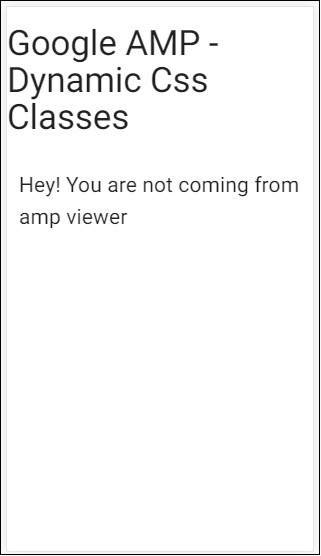
         <p class = "if-not-viewer">Hey! You are not coming from amp viewer</p>
         <p class = "if-viewer">Hey! From amp viewer.</p>
      <div>
   </body>
</html>
输出