
Google AMP - 媒体
在本章中,我们将讨论如何显示来自第三方合作伙伴(例如 jwplayer 和 Youtube)的视频和音频。让我们详细了解以下内容 −
Google AMP − JwPlayer
Google AMP − YouTube
Google AMP − 音频
Google AMP - JwPlayer
如果您想使用 jwplayer 在页面上显示视频,amp 有 amp-jwplayer 可以做到。
要使用 amp-jwplayer,请在您的页面中包含以下脚本 −
<script async custom-element = "amp-jwplayer" src = "
   https://cdn.ampproject.org/v0/amp-jwplayer-0.1.js">
</script>
Amp-jwplayer 标签
<amp-jwplayer
   data-playlist-id = "482jsTAr"
   data-player-id = "uoIbMPm3"
   layout = "responsive"
   width = "16"
   height = "9">
</amp-jwplayer>
下面显示了 amp 页面中 jwplayer 的一个工作示例 −
示例
<!doctype html>
<html amp lang = "en">
   <head>
      <meta charset = "utf-8">
      <script async src = "https://cdn.ampproject.org/v0.js">
      </script>
      <title>Google AMP - Amp Jwplayer</title>
      <link rel = "canonical" href =
      "http://example.ampproject.org/article-metadata.html">
      <meta name = "viewport" content = "width = device-width,
      minimum-scale = 1,initial-scale = 1">

      <style amp-boilerplate>
         body{
            -webkit-animation:
            -amp-start 8s steps(1,end) 0s 1 normal both;-moz-animation:
            -amp-start 8s steps(1,end) 0s 1 normal both;-ms-animation:
            -amp-start 8s steps(1,end) 0s 1 normal both;animation:
            -amp-start 8s steps(1,end) 0s 1 normal both
         }
         @-webkit-keyframes
         -amp-start{from{visibility:hidden}to{visibility:visible}}@-moz-keyframes
         -amp-start{from{visibility:hidden}to{visibility:visible}}@-ms-keyframes
         -amp-start{from{visibility:hidden}to{visibility:visible}}@-o-keyframes
         -amp-start{from{visibility:hidden}to{visibility:visible}}@keyframes
         -amp-start{from{visibility:hidden}to{visibility:visible}}
      </style>
      <noscript>
         <style amp-boilerplate>
            body{
               -webkit-animation:none;
               -moz-animation:none;
               -ms-animation:none;
               animation:none}
         </style>
      </noscript>
      <script async custom-element = "amp-jwplayer" src =
         "https://cdn.ampproject.org/v0/amp-jwplayer-0.1.js">
      </script>
   </head>
   <body>
      <h3>Google AMP - Amp Jwplayer</h3>
      <amp-jwplayer
         data-playlist-id = "482jsTAr"
         data-player-id = "uoIbMPm3"
         layout = "responsive"
         width = "16"
         height = "9">
      </amp-jwplayer>
   </body>
</html>
输出
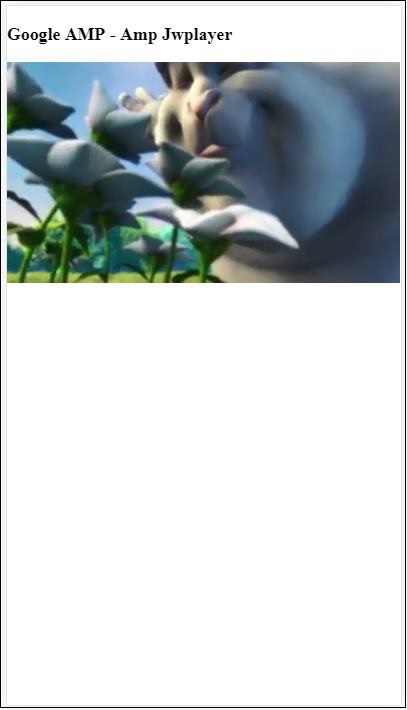
对于 amp-jwplayer,有三个重要属性
data-player-id
data-media-id
data-playlist-id
要获取播放器、媒体和播放列表的 ID,您需要在 jwplayer 中登录,可以从这里完成 − https://dashboard.jwplayer.com/#/players
玩家 ID 将在 jwplayer 玩家部分提供。媒体 ID 将在 jwplayer content section 中提供,播放列表 ID 将在 jwplayer playlist section 中提供。
Jwplayer 提供了一个八位字母数字 ID,需要在 amp-jwplayer 中将其用于相应的属性。
Google AMP - Youtube
如果您想在您的 amp 页面上显示 Youtube 视频,amp 有 amp-youtube 可在页面上嵌入 youtube 视频。
要使用 amp-youtube,您需要将以下脚本添加到您的页面 −
<script async custom-element = "amp-youtube" src = "
   https://cdn.ampproject.org/v0/amp-youtube-0.1.js">
</script>
Amp-youtube 标签
<amp-youtube
   width = "480"
   height = "270"
   layout = "responsive"
   autoplay = "true"
   data-videoid = "fWZ6-p7mGK0">
</amp-youtube>
现在让我们来研究一个示例,展示 amp-youtube 在页面上的工作原理。
示例
<!doctype html>
<html amp lang = "en">
   <head>
      <meta charset = "utf-8">
      <script async src = "https://cdn.ampproject.org/v0.js">
      </script>
      <title>Google AMP - Youtube</title>
      <link rel = "canonical" href =
      "http://example.ampproject.org/article-metadata.html">
      <meta name = "viewport" content = "width = device-width,
      minimum-scale = 1,initial-scale = 1">

      <style amp-boilerplate>
         body{
            -webkit-animation:
            -amp-start 8s steps(1,end) 0s 1 normal both;-moz-animation:
            -amp-start 8s steps(1,end) 0s 1 normal both;-ms-animation:
            -amp-start 8s steps(1,end) 0s 1 normal both;animation:
            -amp-start 8s steps(1,end) 0s 1 normal both
         }
         @-webkit-keyframes
         -amp-start{from{visibility:hidden}to{visibility:visible}}@-moz-keyframes
         -amp-start{from{visibility:hidden}to{visibility:visible}}@-ms-keyframes
         -amp-start{from{visibility:hidden}to{visibility:visible}}@-o-keyframes
         -amp-start{from{visibility:hidden}to{visibility:visible}}@keyframes
         -amp-start{from{visibility:hidden}to{visibility:visible}}
      </style>
      <noscript>
         <style amp-boilerplate>
            body{
               -webkit-animation:none;
               -moz-animation:none;
               -ms-animation:none;
               animation:none}
         </style>
      </noscript>
      <script async custom-element = "amp-youtube" src =
         "https://cdn.ampproject.org/v0/amp-youtube-0.1.js">
      </script>
   </head>
   <body>
      <h3>Google AMP - Youtube</h3>
      <h3>Youtube Videos from Tutorialspoint</h3>
      <amp-youtube
         width = "480"
         height = "270"
         layout = "responsive"
         autoplay = "true"
         data-videoid = "fWZ6-p7mGK0">
      </amp-youtube>
   </body>
</html>
输出
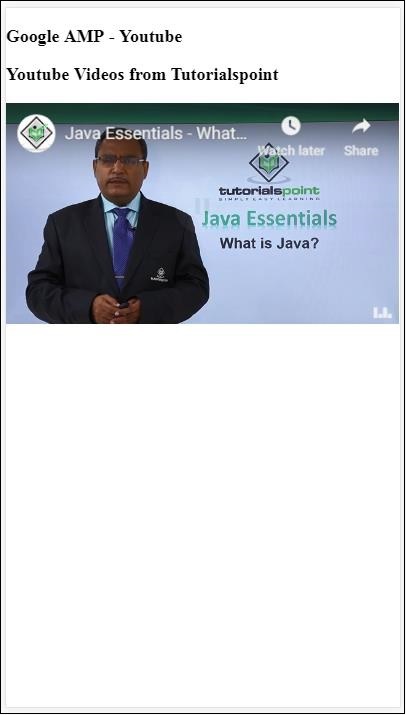
要显示 youtube 视频,您需要向 amp-youtube 提供 videoid,如下所示 −
<amp-youtube
   width = "480"
   height = "270"
   layout = "responsive"
   autoplay = "true"
   data-videoid = "fWZ6-p7mGK0">
</amp-youtube>
如何获取 data-videoid?
考虑任何 Youtube 网址,例如 − https://www.youtube.com/watch?v=fWZ6-p7mGK0。突出显示的部分是要在 amp-youtube 中使用的 id。
我们将属性 autoplay 设置为 true。视频将根据浏览器的支持自动播放,并且视频将以静音模式播放。您必须点击视频才能取消静音。视频在离开视图时将暂停,并在返回视图时从暂停状态恢复。如果用户暂停视频并进入/离开视图,视频将仅保持暂停状态。静音/取消静音也同样适用。
Google Amp - Audio
Amp 有一个播放音频的标签,可以替代 html5 audio 标签。要在 amp 页面中播放音频,我们可以使用 amp-audio。
要使用 amp-audio,我们需要添加以下脚本 −
<script async custom-element = "amp-audio" src = "
    https://cdn.ampproject.org/v0/amp-audio-0.1.js">
</script>
Amp-audio 标签
<amp-audio
   width = "auto"
   height = "50"
   src = "audio/test.mp3">
  <div fallback>
     <p>HTML5 audio is not supported on your browser!</p>
   </div>
</amp-audio>
因此,amp-audio 将占用 src 属性,即对音频文件的 http 请求。我们使用 amp-audio 而不是标准 html5 audio 的原因是因为 amp 为需要 http 请求的元素设置了延迟加载概念。
它将根据优先级开始加载请求。它将在到达视口之前或即将到达视口时加载。
此处显示了在您的页面中使用 amp-audio 的一个工作示例 −
示例
<!doctype html>
<html amp lang = "en">
   <head>
      <meta charset = "utf-8">
      <script async src = "https://cdn.ampproject.org/v0.js">
      </script>
      <title>Google AMP - Audio</title>
      <link rel = "canonical" href =
      "http://example.ampproject.org/article-metadata.html">
      <meta name = "viewport" content = "width = device-width,
      minimum-scale = 1,initial-scale = 1">

      <style amp-boilerplate>
         body{
            -webkit-animation:
            -amp-start 8s steps(1,end) 0s 1 normal both;-moz-animation:
            -amp-start 8s steps(1,end) 0s 1 normal both;-ms-animation:
            -amp-start 8s steps(1,end) 0s 1 normal both;animation:
            -amp-start 8s steps(1,end) 0s 1 normal both
         }
         @-webkit-keyframes
         -amp-start{from{visibility:hidden}to{visibility:visible}}@-moz-keyframes
         -amp-start{from{visibility:hidden}to{visibility:visible}}@-ms-keyframes
         -amp-start{from{visibility:hidden}to{visibility:visible}}@-o-keyframes
         -amp-start{from{visibility:hidden}to{visibility:visible}}@keyframes
         -amp-start{from{visibility:hidden}to{visibility:visible}}
      </style>
      <noscript>
         <style amp-boilerplate>
            body{
               -webkit-animation:none;
               -moz-animation:none;
               -ms-animation:none;
               animation:none}
         </style>
      </noscript>
      <script async custom-element = "amp-audio"
         src = "https://cdn.ampproject.org/v0/amp-audio-0.1.js">
      </script>
   </head>
   <body>
      <h3>Google AMP - Audio</h3>
      <amp-audio
         width = "auto"
         height = "50"
         src="audio/test.mp3">
            <div fallback>
               <p>HTML5 audio is not supported on your browser!</p>
            </div>
      </amp-audio>
   </body>
</html>
输出
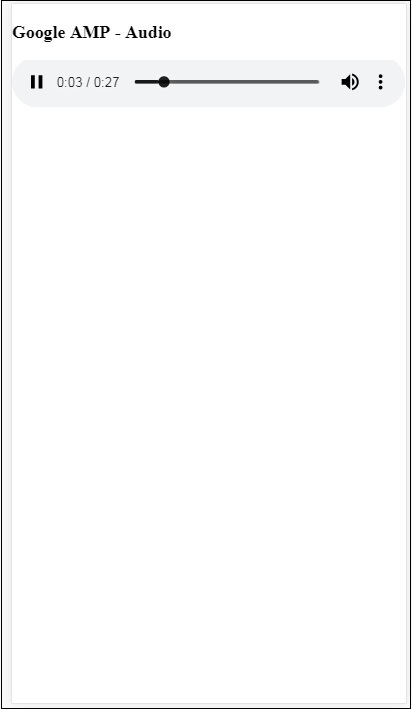
此处显示了指定 width、height、src 等属性的 amp-audio 标签。我们还添加了一个带有 fallback 属性 的 div,如果浏览器不支持 amp-audio,它将充当后备。
<amp-audio
   width = "auto"
   height = "50"
   src = "audio/test.mp3">
   <div fallback>
      <p>HTML5 audio is not supported on your browser!</p>
   </div>
</amp-audio>
请注意,默认情况下,控件会添加到音频标签中,可用于播放/暂停和静音/取消静音音频。您可以获得音频标签的下载选项,如下所示 −
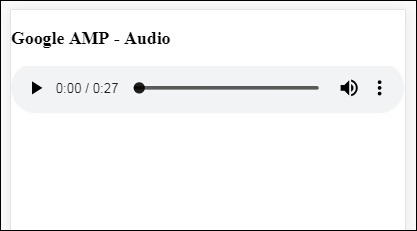
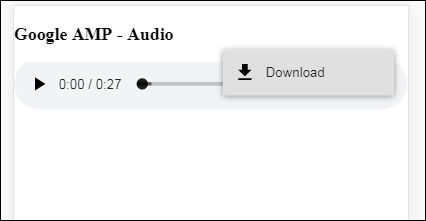
单击下载,您可以下载使用的媒体文件。要禁用下载,您可以使用属性 − controlsList="nodownload",如下例所示 −
示例
<!doctype html>
<html amp lang = "en">
   <head>
      <meta charset = "utf-8">
      <script async src = "https://cdn.ampproject.org/v0.js">
      </script>
      <title>Google AMP - Audio</title>
      <link rel = "canonical" href =
      "http://example.ampproject.org/article-metadata.html">
      <meta name = "viewport" content = "width = device-width,
      minimum-scale = 1,initial-scale = 1">
         <style amp-boilerplate>
            body{
               -webkit-animation:
               -amp-start 8s steps(1,end) 0s 1 normal both;-moz-animation:
               -amp-start 8s steps(1,end) 0s 1 normal both;-ms-animation:
               -amp-start 8s steps(1,end) 0s 1 normal both;animation:
               -amp-start 8s steps(1,end) 0s 1 normal both
            }
            @-webkit-keyframes
            -amp-start{from{visibility:hidden}to{visibility:visible}}@-moz-keyframes
            -amp-start{from{visibility:hidden}to{visibility:visible}}@-ms-keyframes
            -amp-start{from{visibility:hidden}to{visibility:visible}}@-o-keyframes
            -amp-start{from{visibility:hidden}to{visibility:visible}}@keyframes
            -amp-start{from{visibility:hidden}to{visibility:visible}}
         </style>
         <noscript>
            <style amp-boilerplate>
               body{
                  -webkit-animation:none;
                  -moz-animation:none;
                  -ms-animation:none;
                  animation:none}
            </style>
         </noscript>
         <script async custom-element = "amp-audio"
            src = "https://cdn.ampproject.org/v0/amp-audio-0.1.js">
         </script>
   </head>
   <body>
      <h3>Google AMP - Audio</h3>
      <amp-audio
         width = "auto"
         height = "50"
         src = "audio/test.mp3"
         controlsList = "nodownload">
            <div fallback>
               <p>HTML5 audio is not supported on your browser!</p>
            </div>
      </amp-audio>
   </body>
</html>
输出
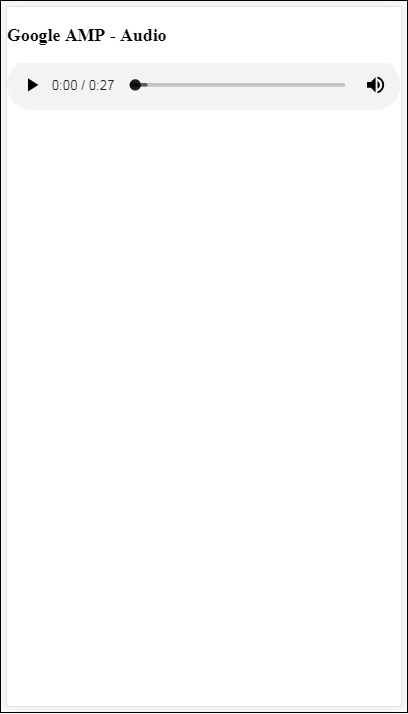
使用 controlsList="nodownload" 后,右侧的三个垂直点消失了。
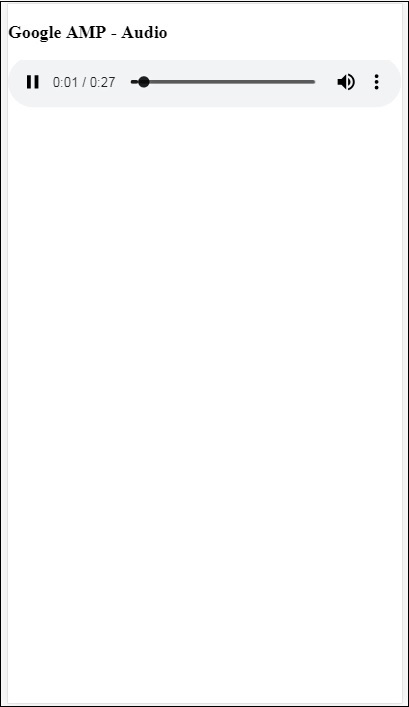
有 preload 和 autoplay 等属性,如果将它们添加到 audio 标签中,音频文件将在页面加载时加载,如果浏览器支持,则会自动播放。以下示例显示了音频自动播放。
示例
<!doctype html>
<html amp lang = "en">
   <head>
      <meta charset="utf-8">
      <script async src = "https://cdn.ampproject.org/v0.js">
      </script>
      <title>Google AMP - Audio</title>
      <link rel = "canonical" href =
      "http://example.ampproject.org/article-metadata.html">
      <meta name = "viewport" content = "width = device-width,
      minimum-scale = 1,initial-scale = 1">

      <style amp-boilerplate>
         body{
            -webkit-animation:
            -amp-start 8s steps(1,end) 0s 1 normal both;-moz-animation:
            -amp-start 8s steps(1,end) 0s 1 normal both;-ms-animation:
            -amp-start 8s steps(1,end) 0s 1 normal both;animation:
            -amp-start 8s steps(1,end) 0s 1 normal both
         }
         @-webkit-keyframes
         -amp-start{from{visibility:hidden}to{visibility:visible}}@-moz-keyframes
         -amp-start{from{visibility:hidden}to{visibility:visible}}@-ms-keyframes
         -amp-start{from{visibility:hidden}to{visibility:visible}}@-o-keyframes
         -amp-start{from{visibility:hidden}to{visibility:visible}}@keyframes
         -amp-start{from{visibility:hidden}to{visibility:visible}}
      </style>
      <noscript>
         <style amp-boilerplate>
            body{
               -webkit-animation:none;
               -moz-animation:none;
               -ms-animation:none;
               animation:none}
         </style>
      </noscript>
      <script async custom-element = "amp-audio"
         src = "https://cdn.ampproject.org/v0/amp-audio-0.1.js">
      </script>
   </head>
   <body>
      <h3>Google AMP - Audio</h3>
      <amp-audio
         width = "auto"
         height = "50"
         src = "audio/test.mp3" preload autoplay>
            <div fallback>
               <p>HTML5 audio is not supported on your browser!</p>
            </div>
      </amp-audio>
   </body>
</html>
输出
如果存在属性 loop,则在完成后会再次播放音频。
示例
<amp-audio
   width = "auto"
   height = "50"
   src = "audio/test.mp3" loop>
   <div fallback>
      <p>HTML5 audio is not supported on your browser!</p>
   </div>
</amp-audio>

