
Kivy - 相对布局
相对布局的行为与 FloatLayout 非常相似。两者的主要区别在于,相对布局中子小部件的定位坐标是相对于布局大小而不是 浮动布局的情况下的窗口大小。
要理解它的含义,请考虑以下使用 FloatLayout 设计的 UI。
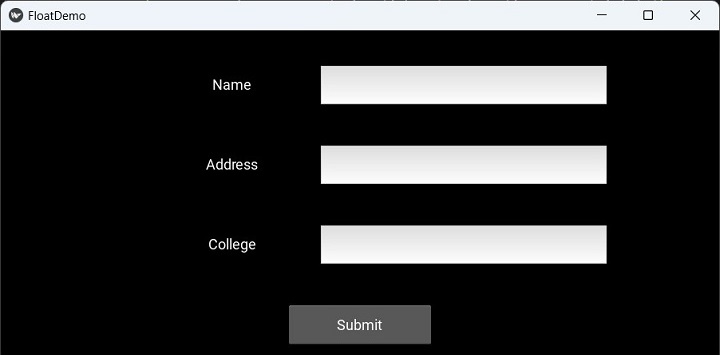
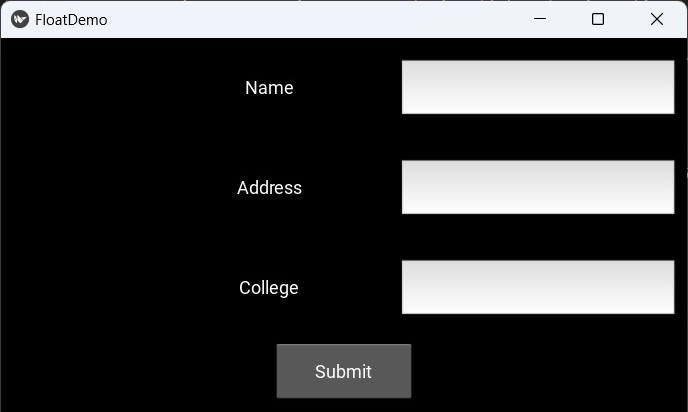
当您调整窗口大小时,由于浮动布局中的绝对定位,小部件的位置与调整大小的窗口不成比例。因此,界面设计不一致。
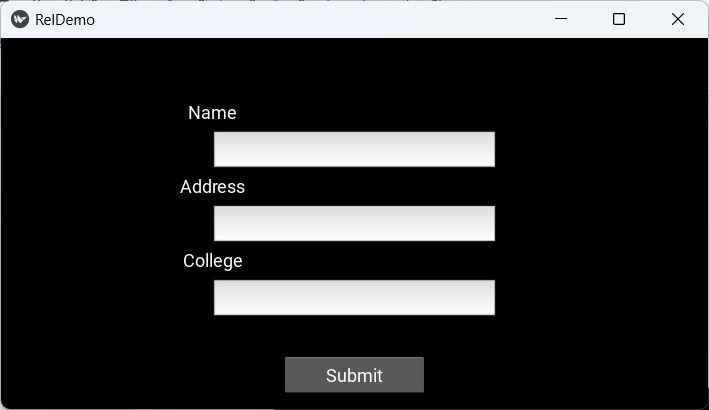
相对布局没有这样的效果,因为小部件的大小和位置是相对于布局的。
当将位置为 (0,0) 的小部件添加到 RelativeLayout 时,当 RelativeLayout 的位置发生变化时,子小部件也会移动。子窗口小部件的坐标始终相对于父布局。
RelativeLayout 类在"kivy.uix.relativelayout"模块中定义。
from kivy.uix.relativelayout import RelativeLayout
rlo = RelativeLayout(**kwargs)
示例
以下代码在 RelativeLayout 中组装标签、文本框和提交按钮。
from kivy.app import App
from kivy.uix.label import Label
from kivy.uix.button import Button
from kivy.uix.textinput import TextInput
from kivy.uix.relativelayout import RelativeLayout
from kivy.core.window import Window

Window.size = (720, 400)

class RelDemoApp(App):
   def build(self):
      rlo = RelativeLayout()

      l1 = Label(
         text="Name", size_hint=(.2, .1),
         pos_hint={'x': .2, 'y': .75}
      )
      rlo.add_widget(l1)
      t1 = TextInput(
         size_hint=(.4, .1), pos_hint={'x': .3, 'y': .65}
      )
      rlo.add_widget(t1)
      l2 = Label(
         text="Address", size_hint=(.2, .1),
         pos_hint={'x': .2, 'y': .55}
      )
      rlo.add_widget(l2)
      t2 = TextInput(
         multiline=True, size_hint=(.4, .1),
         pos_hint={'x': .3, 'y': .45}
      )
      rlo.add_widget(t2)
      l3 = Label(
         text="College", size_hint=(.2, .1),
         pos_hint={'x': .2, 'y': .35}
      )
      rlo.add_widget(l3)
      t3 = TextInput(
         size_hint=(.4, .1), pos=(400, 150),
         pos_hint={'x': .3, 'y': .25}
      )
      rlo.add_widget(t3)
      b1 = Button(
         text='Submit', size_hint=(.2, .1),
         pos_hint={'center_x': .5, 'center_y': .09}
      )
      rlo.add_widget(b1)
      return rlo

RelDemoApp().run()
输出
执行上述代码时,应用程序窗口将显示如下 UI −
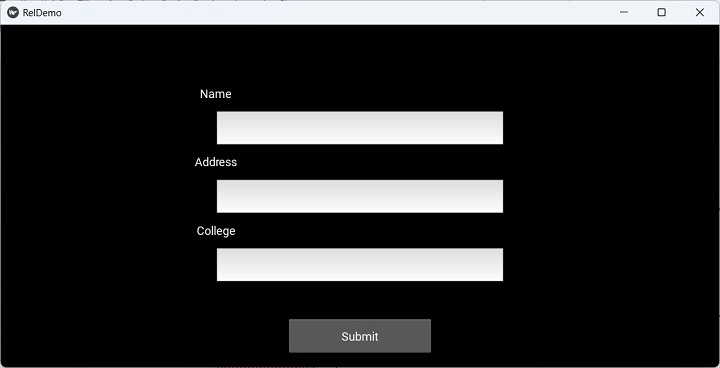
请注意,与 FloatLayout 的情况不同,调整窗口大小不会改变小部件的比例大小和定位。
"kv"设计语言脚本
用于生成上述 UI 而不是 App 类中的 build() 方法的"kv"文件如下 −
RelativeLayout:
   Label:
      text:"Name"
      size_hint:(.2, .1)
      pos_hint:{'x':.2, 'y':.75}

   TextInput:
      size_hint:(.4, .1)
      pos_hint:{'x':.3, 'y':.65}

   Label:
      text:"Address"
      size_hint:(.2, .1)
      pos_hint:{'x':.2, 'y':.55}

   TextInput:
      multiline:True
      size_hint:(.4, .1)
      pos_hint:{'x':.3, 'y':.45}

   Label:
      text:"College"
      size_hint:(.2, .1)
      pos_hint:{'x':.2, 'y':.35}

   TextInput:
      size_hint:(.4, .1)
      pos:(400, 150)
      pos_hint:{'x':.3, 'y':.25}

   Button:
      text:'Submit'
      size_hint : (.2, .1)
      pos_hint : {'center_x':.5, 'center_y':.09}

