Kivy - UrlRequest
Kivy 框架中的 UrlRequest 类允许您在 Web 上进行异步请求,并在请求完成后获取结果。其功能与 JavaScript 中的 XHR 对象相同。
UrlRequest 类在"kivy.network.urlrequest"模块中定义。构造函数只需要一个名为"url"的强制参数。该类继承自 Python 的线程模块中的 Thread 类。
UrlRequest 构造函数的参数是 −
url − 字符串表示要调用的完整 url 字符串。
on_success − 获取结果后调用的回调函数。
on_redirect −如果服务器返回重定向,则调用回调函数。
on_failure − 如果服务器返回客户端或服务器错误,则调用回调函数。
on_error − 如果发生错误,则调用回调函数。
on_progress − 回调函数,将调用该函数来报告下载进度。
on_cancel − 如果用户通过 .cancel() 方法请求取消下载操作,则调用回调函数。
on_finish − 如果请求完成,则调用额外的回调函数。
req_body − 表示要随请求一起发送的数据的字符串。如果包含此参数,则将执行 POST。如果不包含,则发送 GET 请求。
req_headers − 字典,默认为 None 添加到请求的自定义标头。
chunk_size − 要读取的每个块的大小,仅在设置了 on_progress 回调时使用。
timeout − 一个整数,如果设置,阻塞操作将在这么多秒后超时。
method − 要使用的 HTTP 方法,默认为"GET"(如果指定了 body,则为"POST")
decode − 布尔值,默认为 True。如果为 False,则跳过对响应的解码。
debug − bool,默认为 False。
auth − HTTPBasicAuth,默认为 None。如果设置,请求将使用 basicauth 进行身份验证。
UrlRequest 对象的 cancel() 方法取消当前请求,并将调用回调 on_cancel。
示例
首先,我们设计一个用户界面,其中包含一个带有可变参数的 httpbin.org URL 的微调器,两个只读文本框 - 一个显示获取的 URL 的结果,另一个显示响应标头的 JSON 字符串。在两者之间放置一个图像小部件。如果 content_type 是图像类型,它会显示图像。这些小部件被放置在垂直 bo 布局中。
布局是使用以下 kv 语言脚本构建的。
#:import json json

BoxLayout:
   orientation: 'vertical'
   TextInput:
      id: ti
      hint_text: 'type url or select from dropdown'
      size_hint_y: None
      height: 48
      multiline: False
   BoxLayout:
      size_hint_y: None
      height: 48
      Spinner:
         id: spinner
         text: 'select'
         values:
            [
               'http://httpbin.org/ip',
               'http://httpbin.org/headers',
               'http://httpbin.org/delay/3',
               'https://httpbin.org/image/png',
            ]
         on_text: ti.text = self.text
      Button:
         text: 'GET'
         on_press: app.fetch_content(ti.text)
         size_hint_x: None
         width: 50
   TextInput:
      readonly: True
      text: app.result_text
   Image:
      source: app.result_image
      nocache: True
   TextInput
      readonly: True
      text: json.dumps(app.headers, indent=2)
Kivy App 类代码如下所示。它基本上向 httpbin.org 发送不同的 HTTP 请求。httpbin.org 是一个简单的 HTTP 请求和响应服务。该应用程序将 UrlRequest 的结果存储在三个字符串变量中并显示在小部件中。
当从下拉列表中选择一个 URL 并按下 GET 按钮时,它会调用 fetch_content() 方法并收集响应。
如果 repose 标头包含带有图像的 content_type,则图像小部件会加载图像。
from kivy.lang import Builder
from kivy.app import App
from kivy.network.urlrequest import UrlRequest
from kivy.properties import NumericProperty, StringProperty, DictProperty
import json
from kivy.core.window import Window

Window.size = (720,400)

class UrlExample(App):
   status = NumericProperty()
   result_text = StringProperty()
   result_image = StringProperty()
   headers = DictProperty()

   def build(self):
      pass

   def fetch_content(self, url):
      self.cleanup()
      UrlRequest(
         url,
         on_success=self.on_success,
         on_failure=self.on_failure,
         on_error=self.on_error
      )

   def cleanup(self):
      self.result_text = ''
      self.result_image = ''
      self.status = 0
      self.headers = {}

   def on_success(self, req, result):
      self.cleanup()
      headers = req.resp_headers
      content_type = headers.get('content-type', headers.get('Content-Type'))
      if content_type.startswith('image/'):
         fn = 'tmpfile.{}'.format(content_type.split('/')[1])
         with open(fn, 'wb') as f:
            f.write(result)
         self.result_image = fn
      else:
         if isinstance(result, dict):
            self.result_text = json.dumps(result, indent=2)
         else:
            self.result_text = result
            self.status = req.resp_status
            self.headers = headers

   def on_failure(self, req, result):
      self.cleanup()
      self.result_text = result
      self.status = req.resp_status
      self.headers = req.resp_headers

   def on_error(self, req, result):
      self.cleanup()
      self.result_text = str(result)

UrlExample().run()
输出
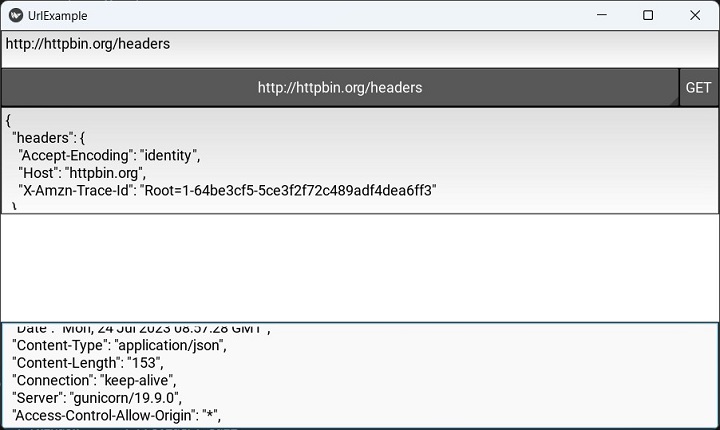
运行上述代码。从微调框下拉列表中选择 'http://httpbin.org/headers',然后按 GET 按钮。您应该在文本框中看到响应标头。
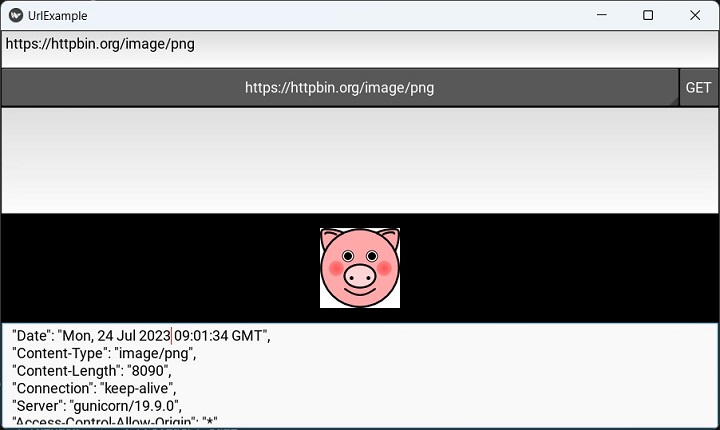
选择 'https://httpbin.org/image/png' URL。图像将按所示显示。
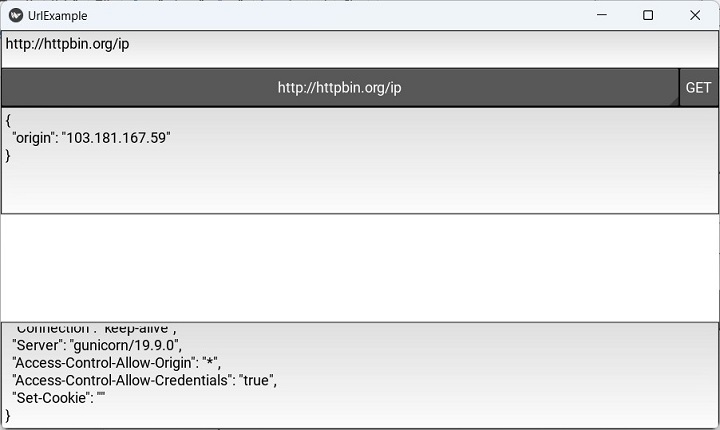
微调框下拉列表中的选项之一是指向客户端 IP 地址的 URL。从列表中选择'http://httpbin.org/ip'。IP 地址将显示如下 −