Kivy - 触摸涟漪
在 Kivy 框架中,"触摸涟漪"实际上并不是一个小部件或任何具体的类。相反,TouchRippleBehavior mixin 会将触摸涟漪视觉效果添加到布局或单个小部件中。通常,Kivy 具有默认的按下/释放可视化。此类添加了来自 Google Material Design 的涟漪效果。
此 mixin 类在"kivy.uix.behaviors.touchripple"模块中定义。
from kivy.uix.behaviors.touchripple import TouchRippleBehavior
涟漪行为不会自动触发。具体类需要实现此行为混合并手动显式调用 ripple_show() 和 ripple_fade() 方法。
要自定义涟漪效果,请使用以下属性 −
ripple_duration_in − 显示叠加层的动画持续时间。它是一个 NumericProperty,默认值为 0.5。
ripple_duration_out − 默认值为 0.2 的 NumericProperty 设置淡化叠加层的动画持续时间。
ripple_fade_from_alpha − 动画开始时的涟漪颜色的 Alpha 通道。默认值为 0.5。
ripple_fade_to_alpha −动画所针对的波纹颜色的 Alpha 通道,默认为 0.8。
ripple_rad_default − 动画开始的默认半径。它是一个 NumericProperty,默认为 10。
ripple_scale − 根据装饰小部件的最大值(宽度/高度)计算的动画叠加的最大比例。
ripple_show() 方法在当前小部件上开始波纹动画。您需要传递触摸事件作为参数。
调用 ripple_fade() 方法来完成当前小部件上的涟漪动画。
ripple_func_in 和 ripple_funcion_out 是用于显示和隐藏覆盖层的动画回调。
示例
在下面的示例中,我们使用了 kv 脚本,该脚本将标签放在网格布局内,并处理 touch_down 和 touch_up 事件。
on_touch_down() 方法调用 ripple_show() 方法来生成持续时间为 3 秒的涟漪效果。
on_touch_up() 方法通过调用 ripple_fade() 方法来完成涟漪效果。
from kivy.app import App
from kivy.uix.gridlayout import GridLayout
from kivy.uix.behaviors.touchripple import TouchRippleBehavior
from kivy.core.window import Window

Window.size = (720,300)

class RippleLabel(TouchRippleBehavior, GridLayout):
   def __init__(self, **kwargs):
      super(RippleLabel, self).__init__(**kwargs)

   def on_touch_down(self, touch):
      collide_point = self.collide_point(touch.x, touch.y)
      if collide_point:
         touch.grab(self)
         self.ripple_duration_in=3
         self.ripple_show(touch)
         return True
      return False

   def on_touch_up(self, touch):
      if touch.grab_current is self:
         touch.ungrab(self)
         self.ripple_duration_out=3
         self.ripple_fade()
         return True
      return False

class MyRippleApp(App):
   def build(self):
      return RippleLabel(cols=1)

MyRippleApp().run()
"kv"脚本 −
<RippleLabel>:
   GridLayout:
      cols:1
      Label:
         size:(root.width, root.height)
         pos_hint:{'center_x':.5, 'center_y':.5}

         text:'OK'
         font_size:100
         color:(1,0,0,1)
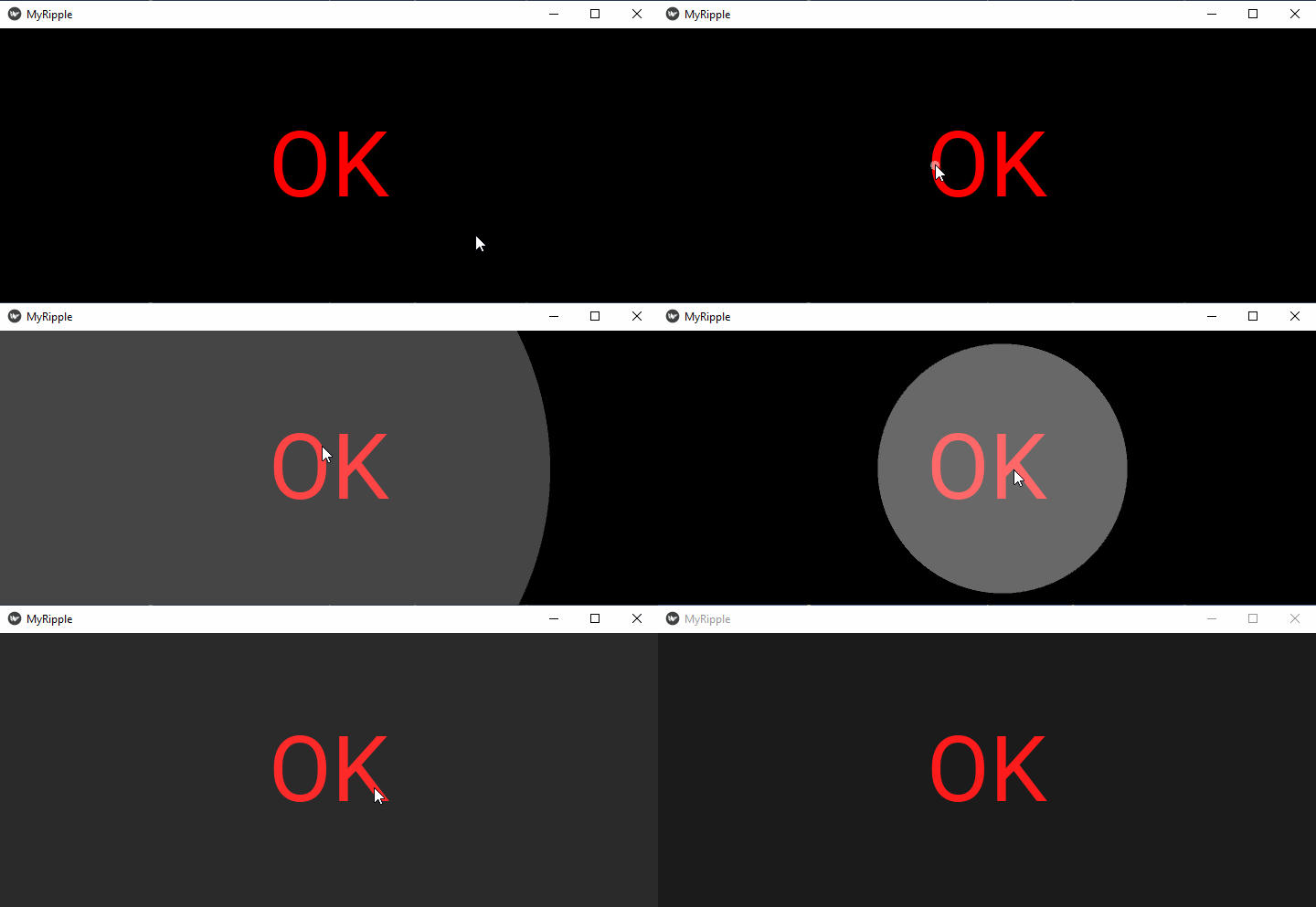
输出
运行该程序,然后单击"确定"标签。 它会在窗面上产生波纹。 增加持续时间即可看到效果。